


 Track
Track
 Login
Login


How to upgrade or downgrade my Astro pack?
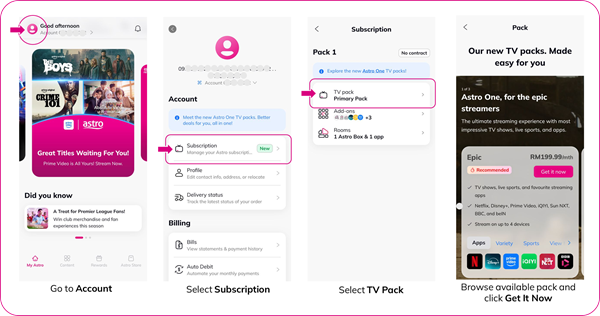
Here's how you can manage your Astro packs on My Astro:
- Open/Download the My Astro app or visit My Astro web
- Login with your Astro ID
- Go to Account
- Select Subscription or TV Pack
- Click on your pack
- You can now browse the available Astro packs
🔄 Want to manage your Astro subscription easily?
📱 Download the My Astro app to:
- Manage your pack subscriptions
- Get add-ons in just minutes
- Get details about your contract
Similar Articles

