


 Track
Track
 Login
Login


What happens if I de-register SecureGo?
If you choose to opt out of SecureGo, please note that your authorisation method will not switch back to SMS OTP and transactions cannot be completed without SecureGo. You will receive a prompt to re-register for SecureGo when you need to authorise a transaction again.
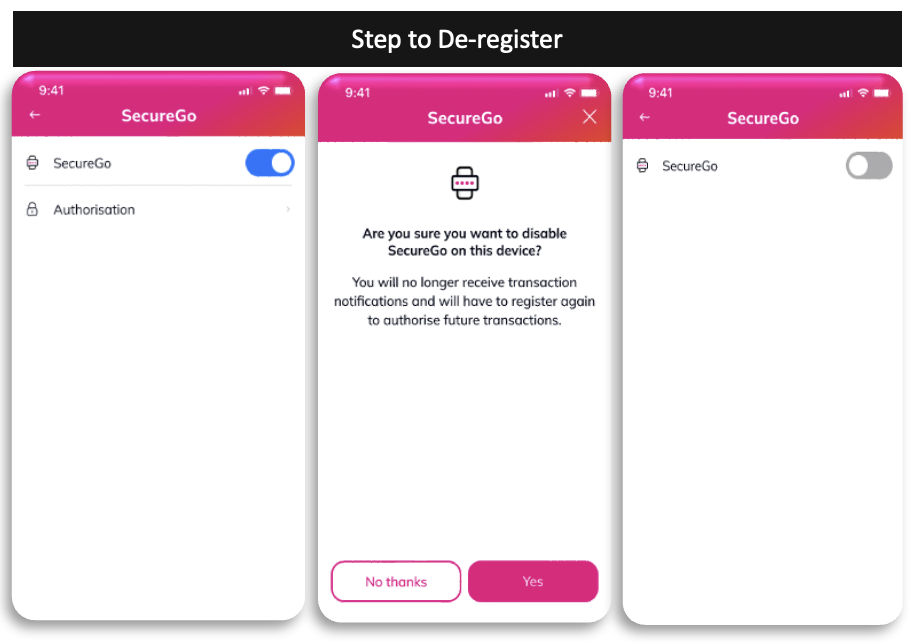
To de-register, follow these steps:
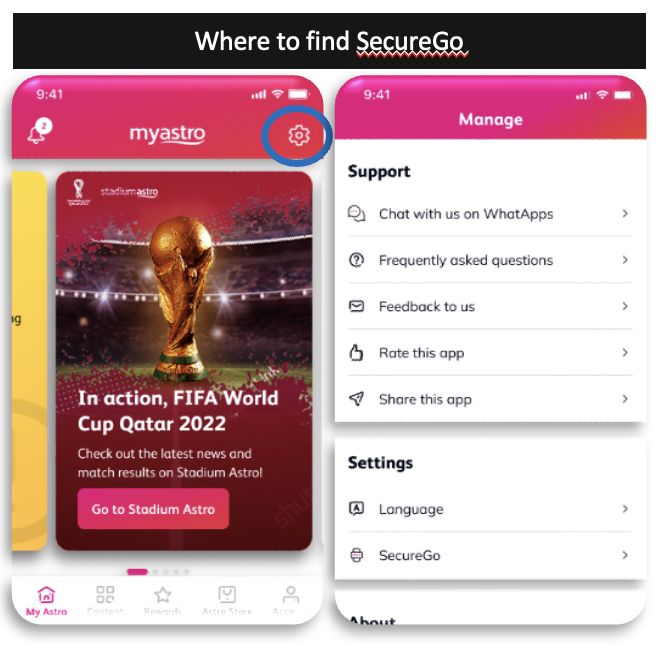
Launch the My Astro app, tap the gear icon on top right of the screen to go to Manage. Under Settings, tap on SecureGo.
Step 1: Under SecureGo, tap the toggle to turn off/de-register
Step 2: Tap Yes and your SecureGo will be de-registered.
Similar Articles

