


 Track
Track
 Login
Login


How do I link my Astro ID to my Astro account?
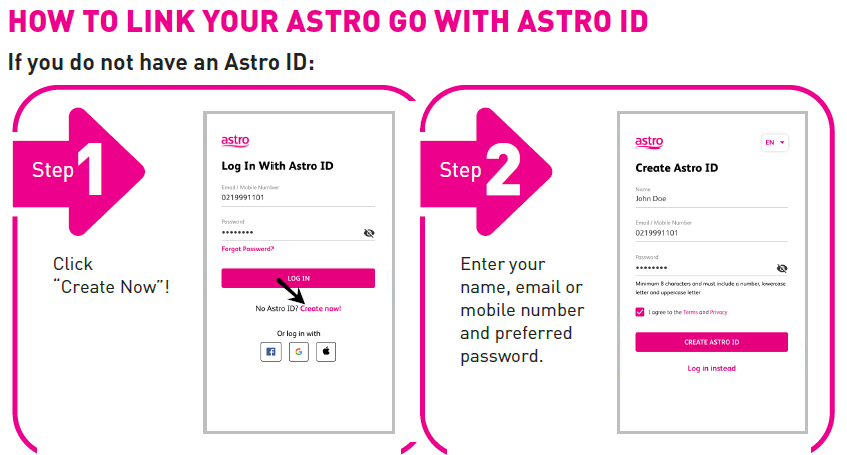
Upon logging in or creating a new account, you will be prompted to link your Astro Account to your Astro ID.If you do not have an Astro ID, please follow the steps in to create one and linking if to your Astro Account:
- Step 1: Click “Create Now” on the Astro ID login page
- Step 2: Enter your name, email or mobile number, and your preferred password
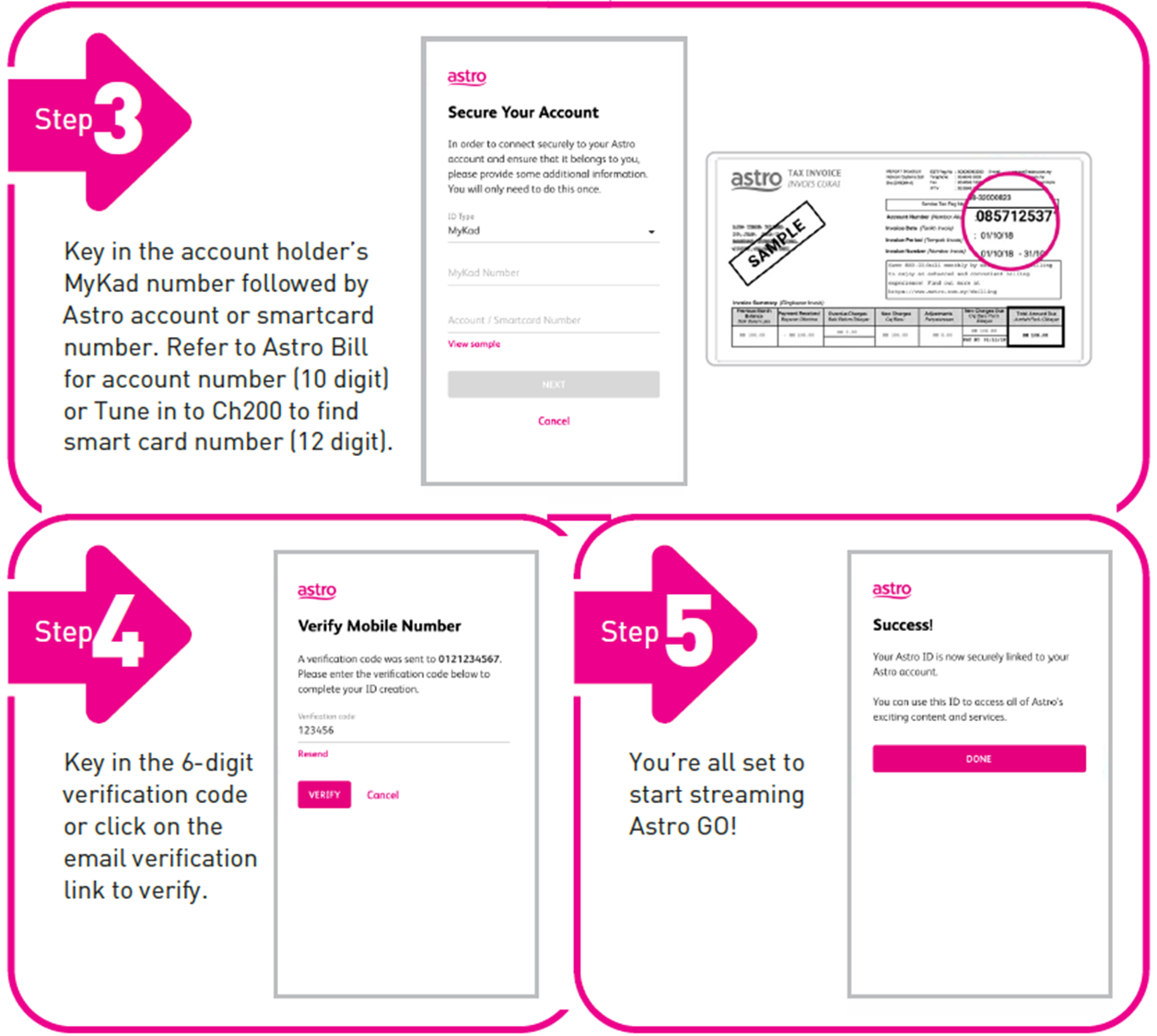
- Step 3: Key in the account holder’s MyKad number followed by the Astro account or smartcard number. Refer to your Astro Bill for the account number (10 digits).
- Step 4: Enter the 6-digit verification code sent to your mobile or click on the email verification link to verify
- Step 5: You’re all set!
Similar Articles

