


 Track
Track
 Login
Login


Restore factory settings - Ultra Box / Ulti Box
Watch this video or follow below steps to restore factory settings - Ultra Box / Ulti Box
Tengok Astro guna internet dengan mod Plug & Play (Part 1)
STEP 1
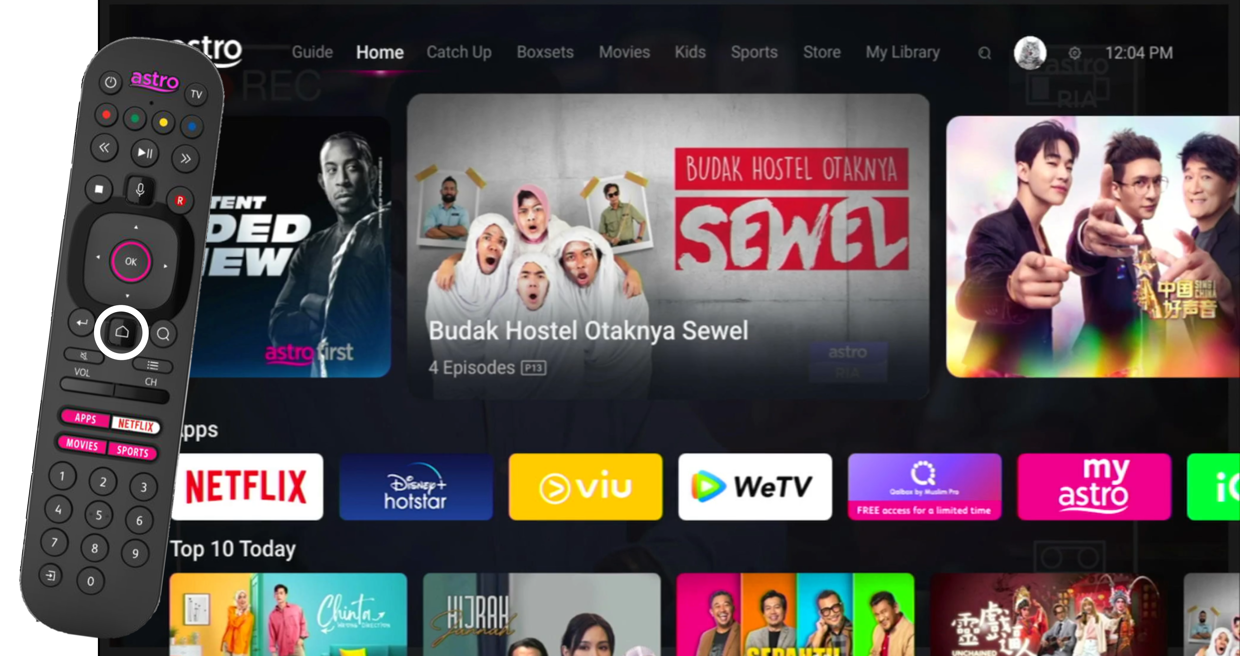
On your remote, press the Home button and the menu will be displayed on top of your screen.
STEP 2
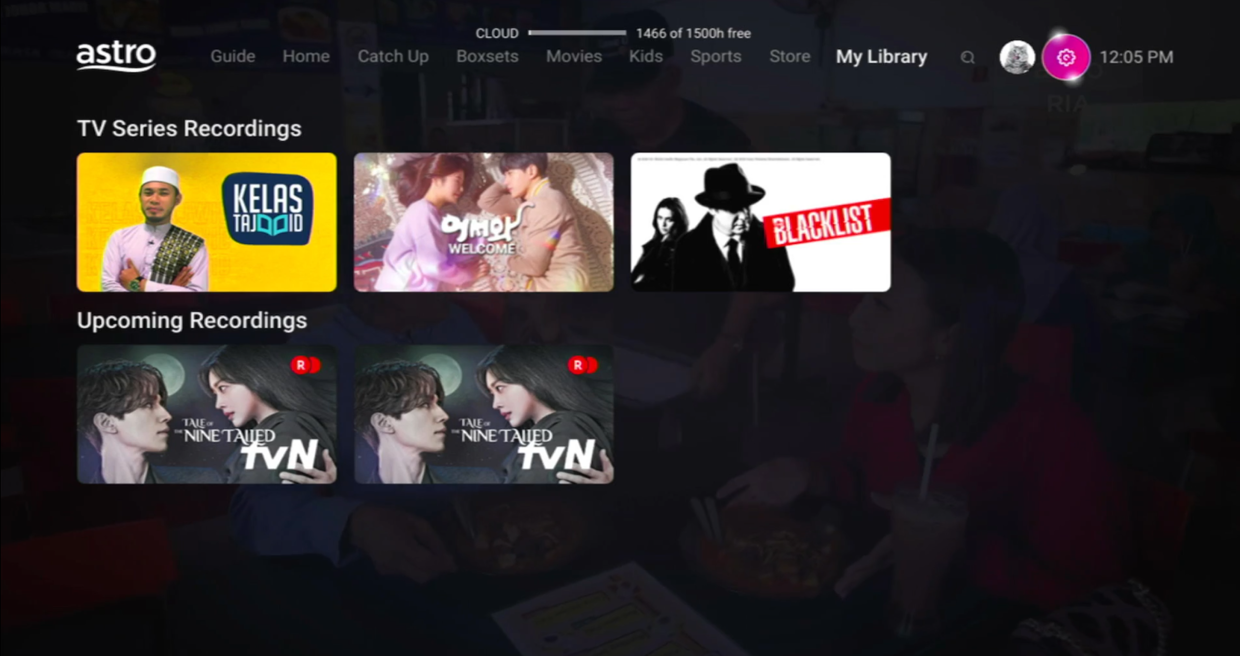
Navigate to Settings.
STEP 3
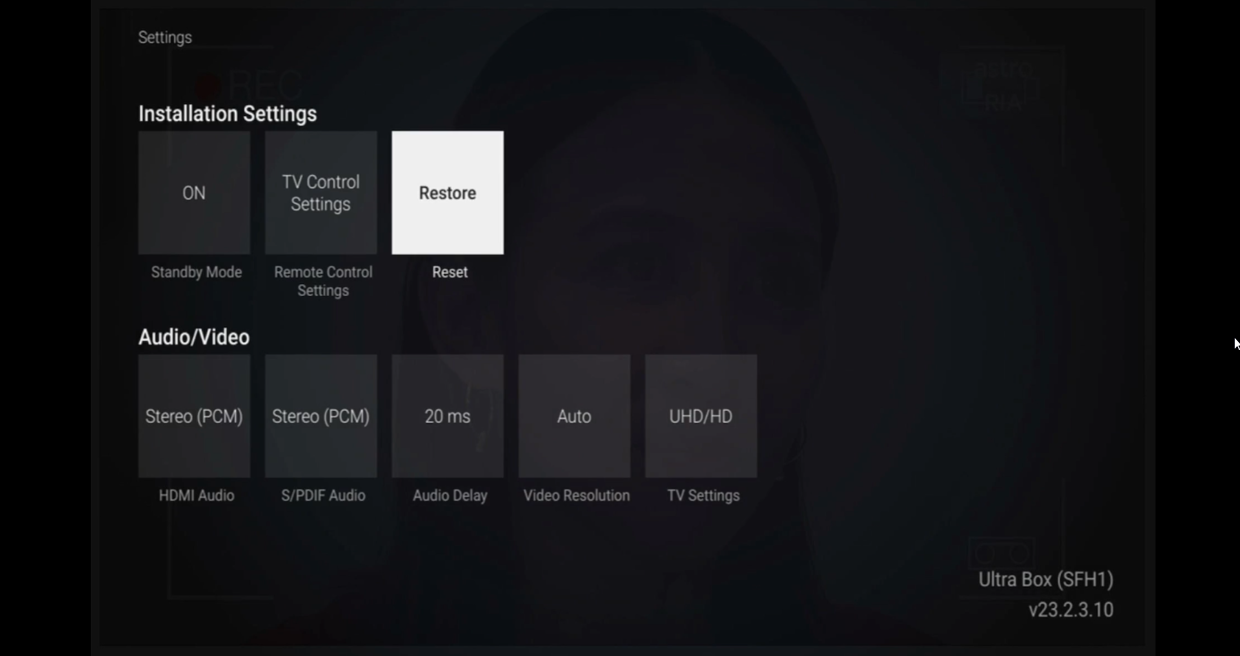
Navigate to Restore and press "OK".
STEP 4
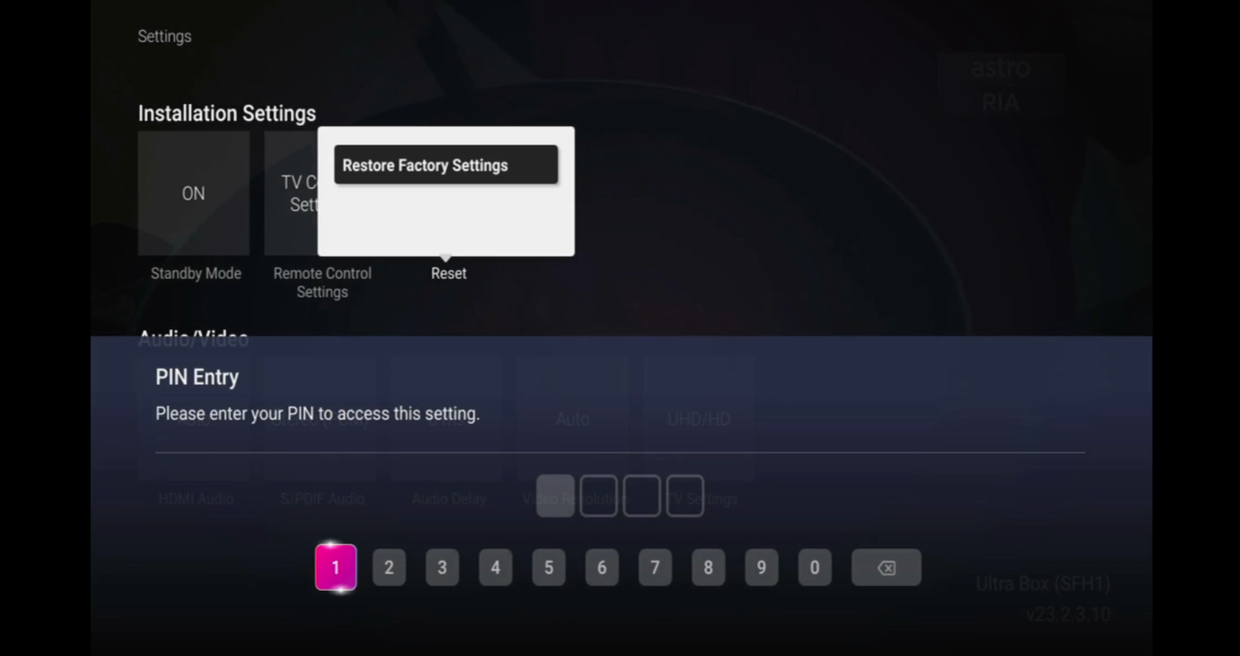
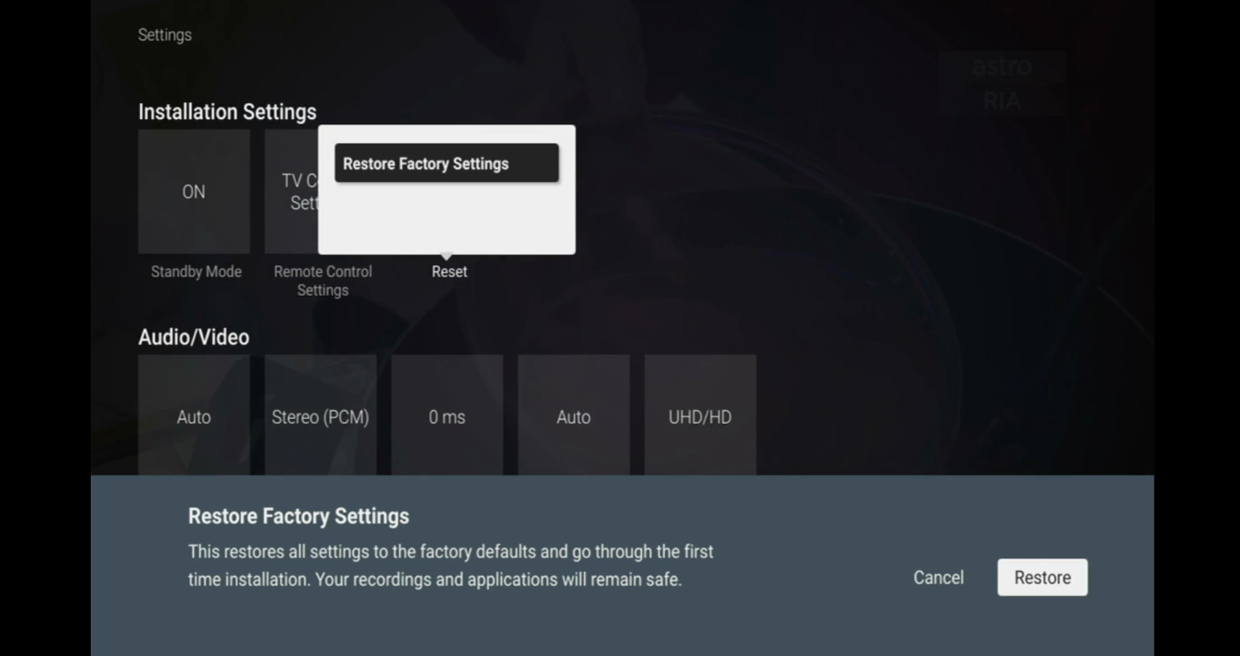
Navigate to Restore Factory Settings and press "OK".
STEP 5
Enter your PIN to access this setting. (Default PIN is 0000).
STEP 6
Navigate to Restore and press "OK" to confirm your selection.
Otherwise, navigate to Cancel, go back to remain the settings.
STEP 7
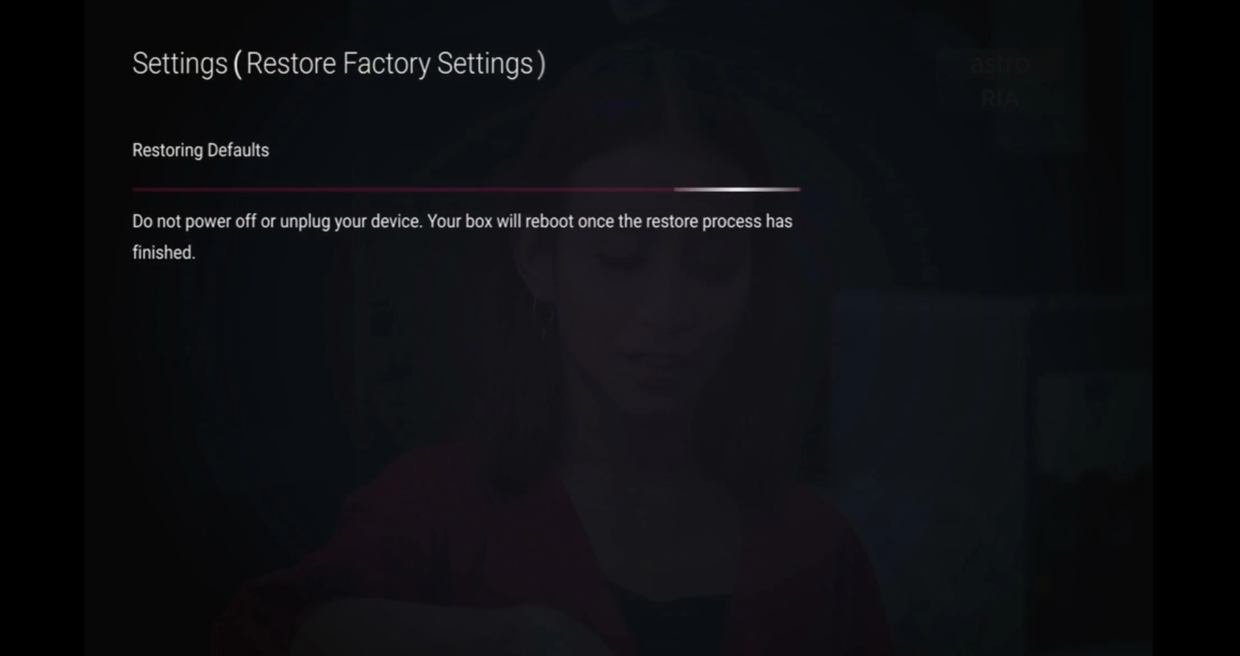
Please wait while the box restoring defaults and will reboot once complete.
STEP 8
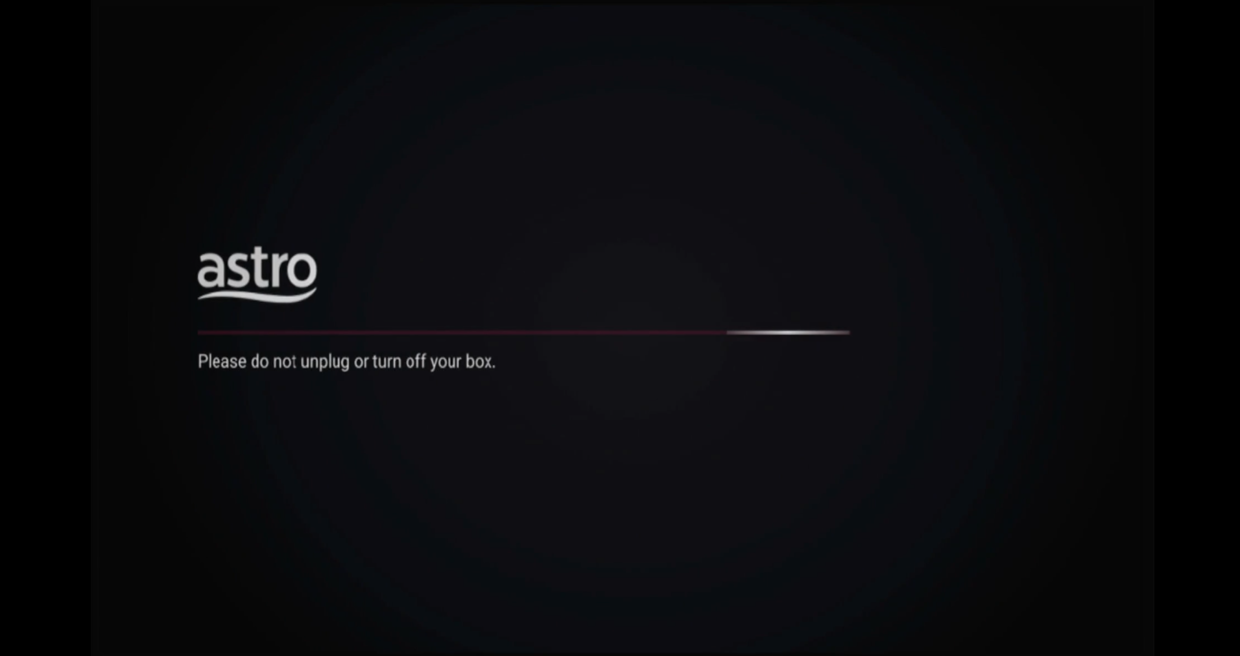
Your box will automatically restart and display this screen.
Click here to follow New Installation Settings guide for Satellite
Click here to follow New Installation Settings guide for Plug and Play
Similar Articles

