


 Track
Track
 Login
Login


I forgot my password, what do I do now?
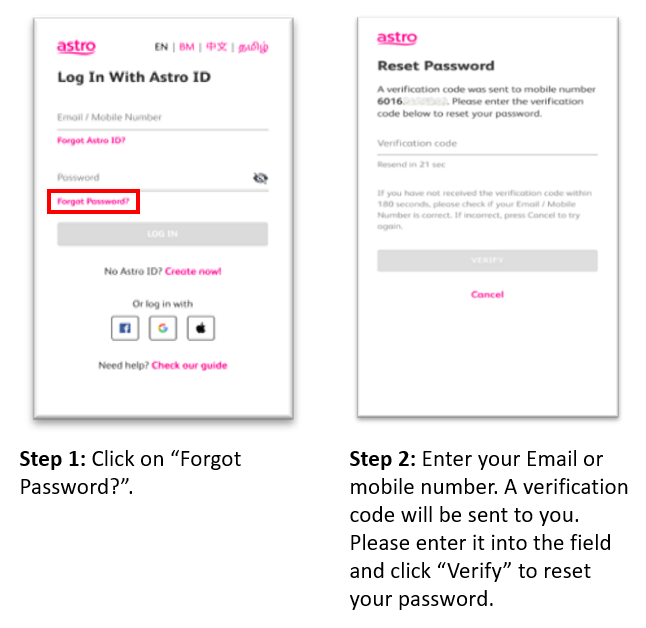
If you are having difficulty remembering your password, you can reset it easily on the My Astro website or My Astro app by following these simple steps:
Step 1: Click on “Forgot Password?” on the Astro ID login page
Step 2: Enter your email address or mobile number. A verification code will be sent to you. Enter the code in the field and click “Verify” to reset your password.
Similar Articles

