


 Track
Track
 Login
Login


How do I verify my Astro ID?
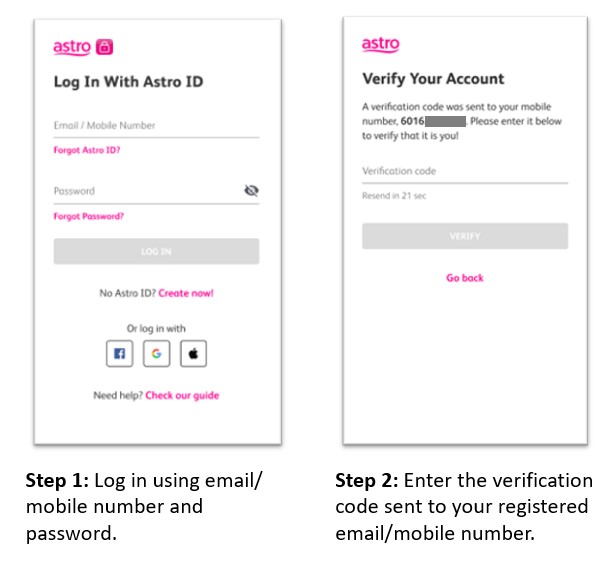
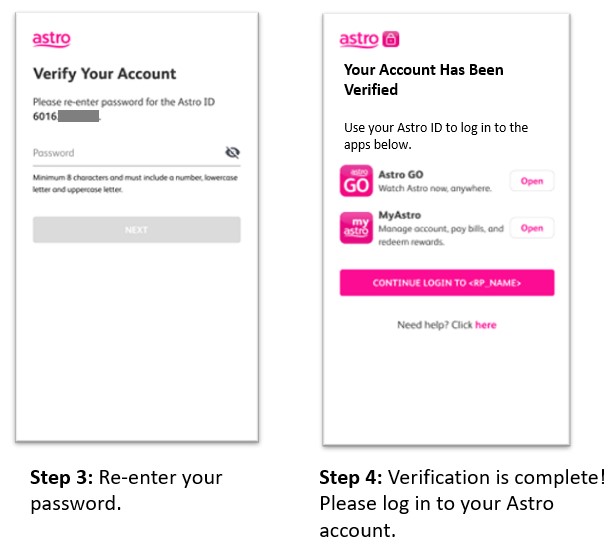
You will be required to verify your account once when you register your Astro ID or when you reset your password. This can be done either on the My Astro website or the My Astro app. The steps are simple:
Step 1: Log in using your email address or mobile number and password
Step 2: Enter the verification code sent to your registered email or mobile number
Step 3: Re-enter your password to confirm your Astro ID
Step 4: Verification is complete! You can now log in to your Astro account and access apps like Astro GO and My Astro
Similar Articles

