


 Track
Track
 Login
Login


New Installation setting - HD enabled Box
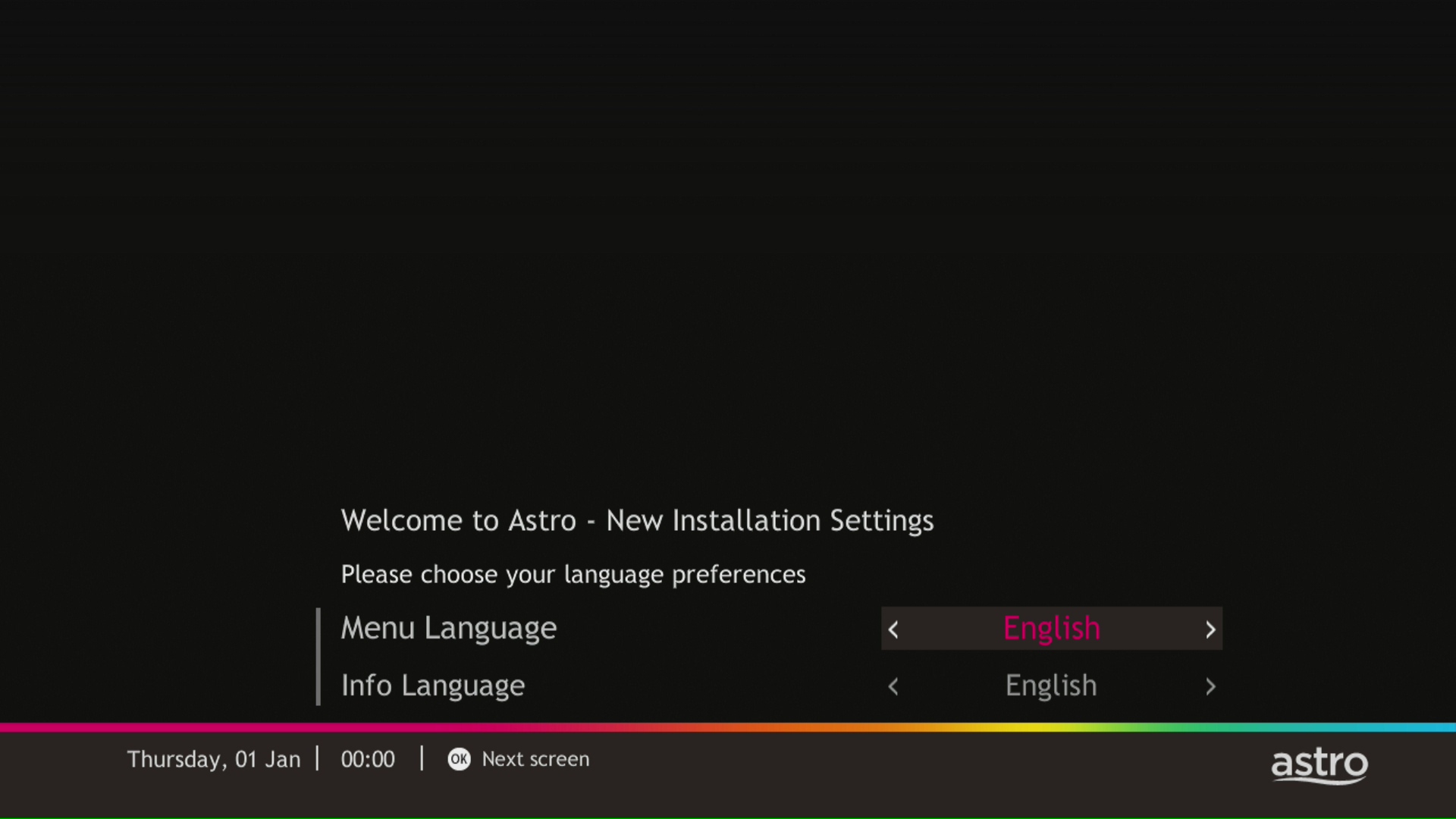
STEP 1
Choose your language preferences for both Menu Language and Info Language. Then, press "OK".
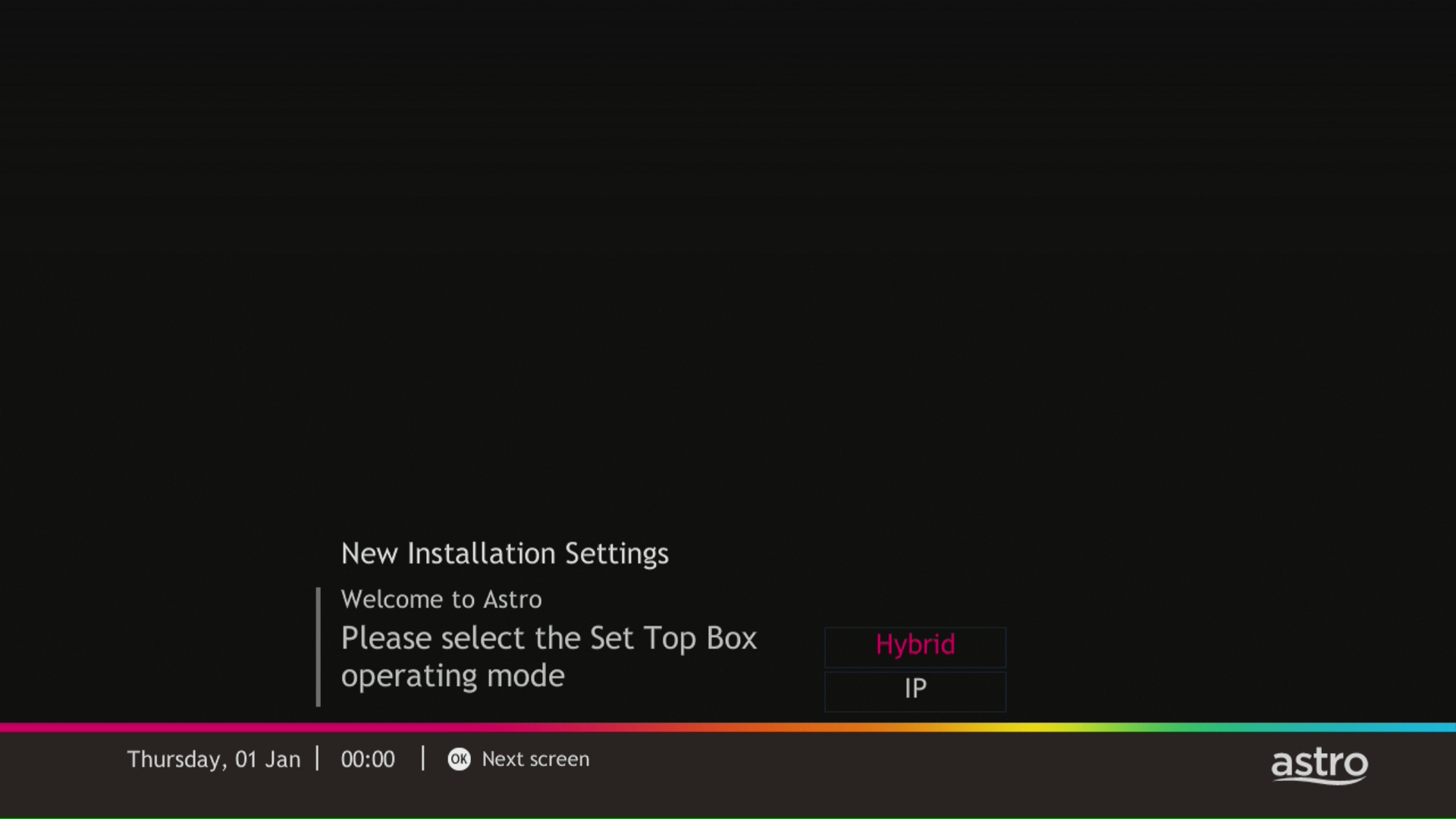
STEP 2
Select you box operating mode and press "OK".
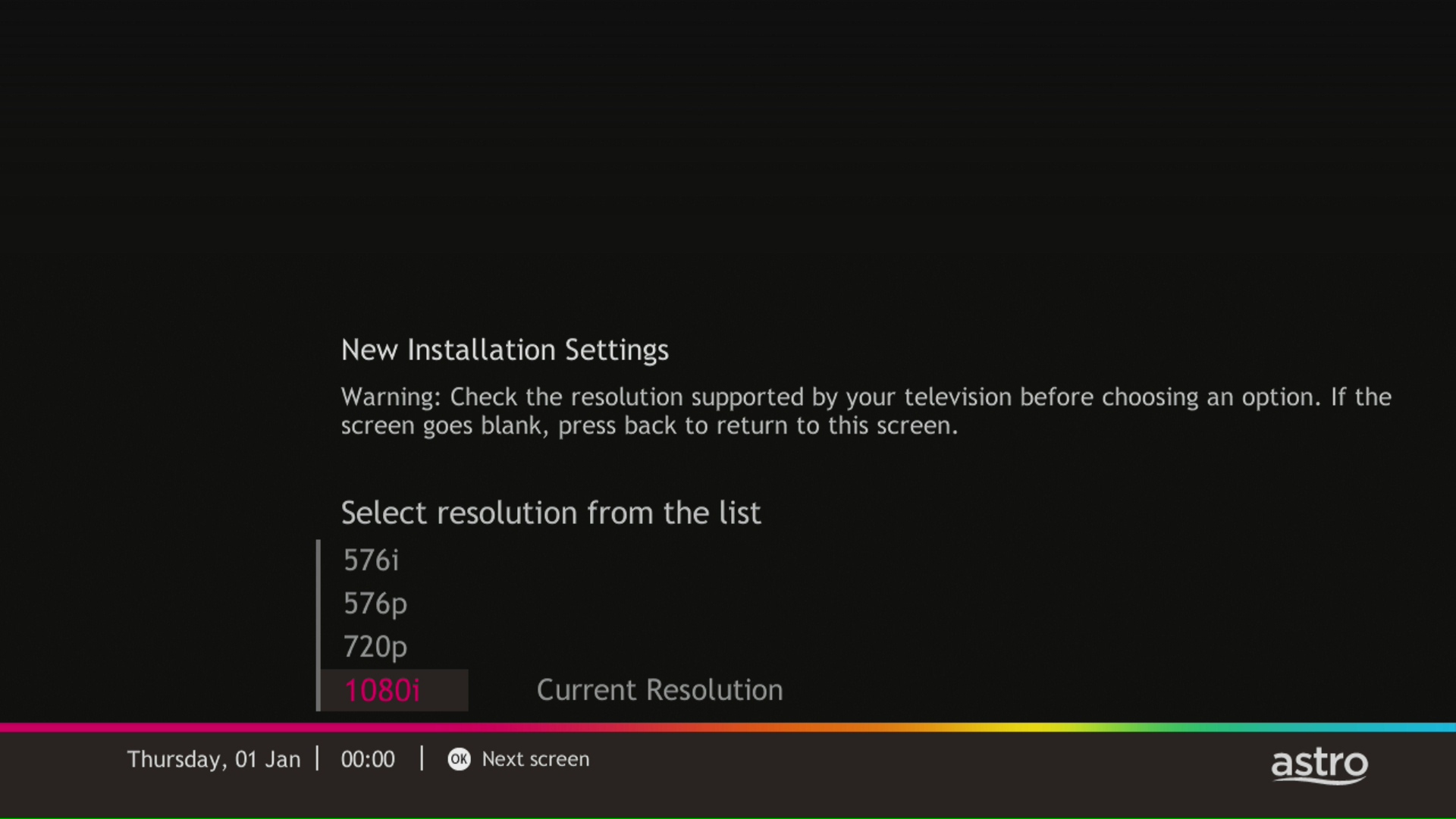
STEP 3
Select the resolution supports by your TV and press "OK".
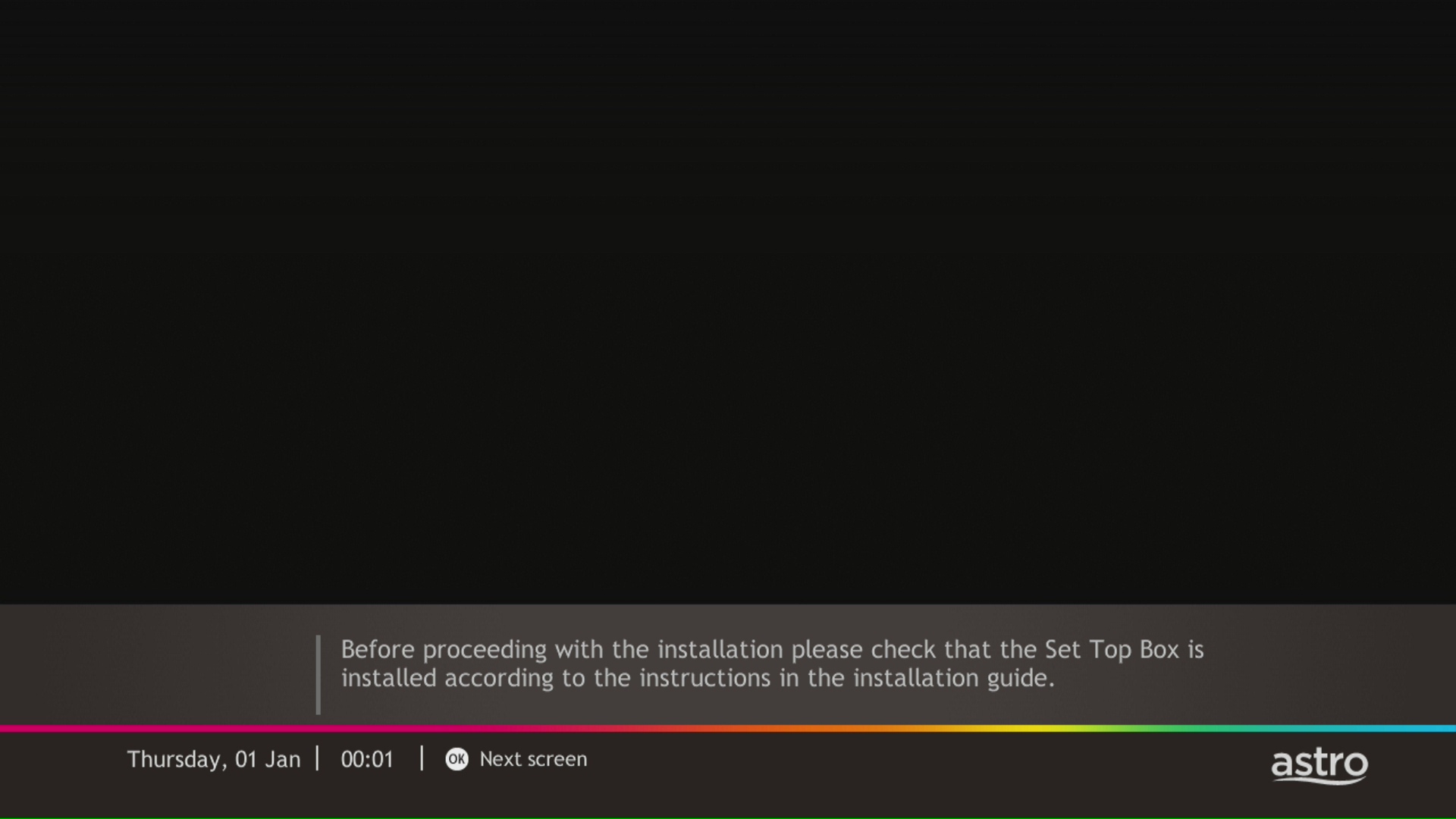
STEP 4
Press "OK" to proceed to the next screen.
STEP 5
Please select the LNB type and press "OK".
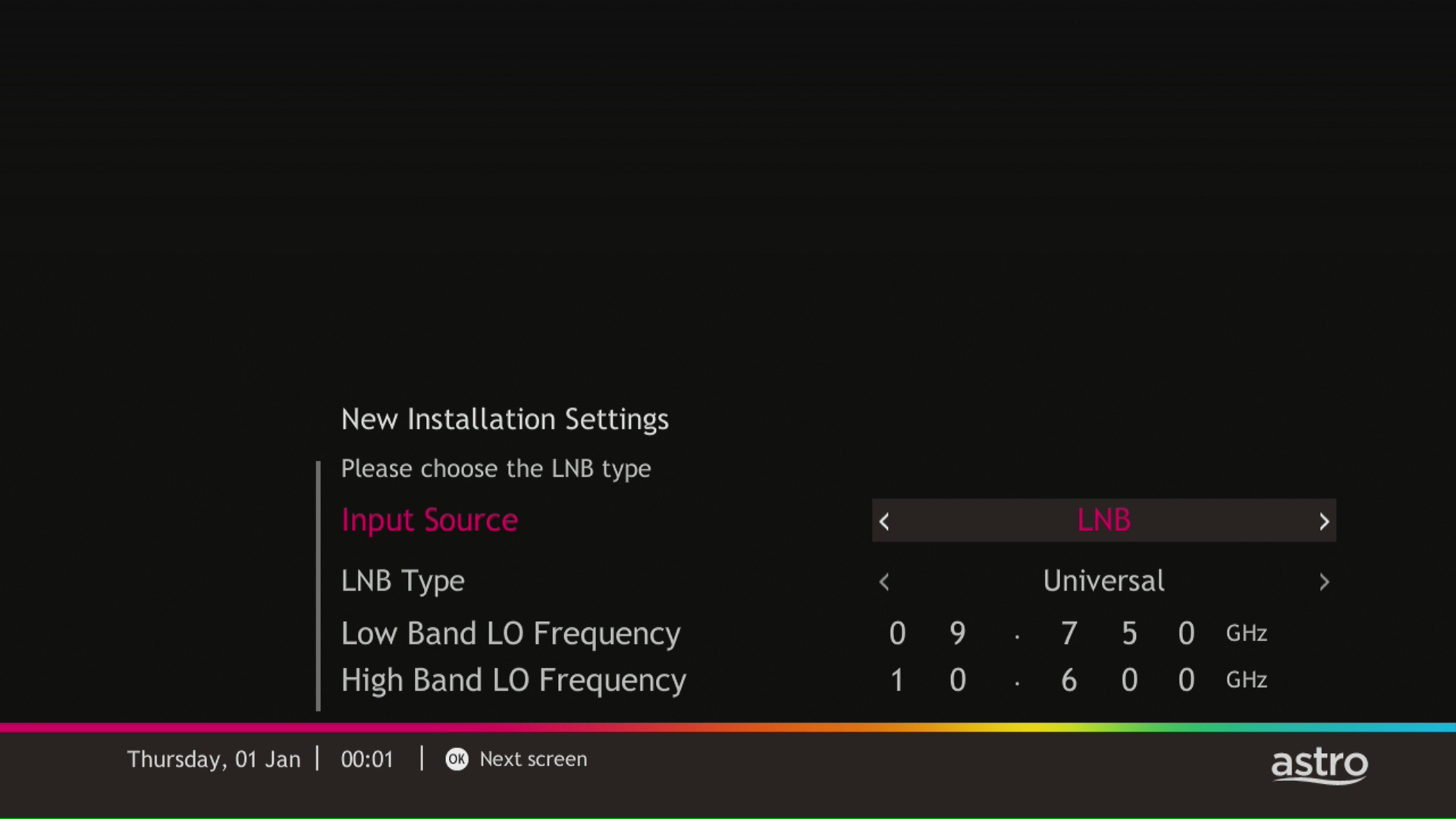
STEP 6
Select this as the Entry Point and press "OK" to confirm your selection.
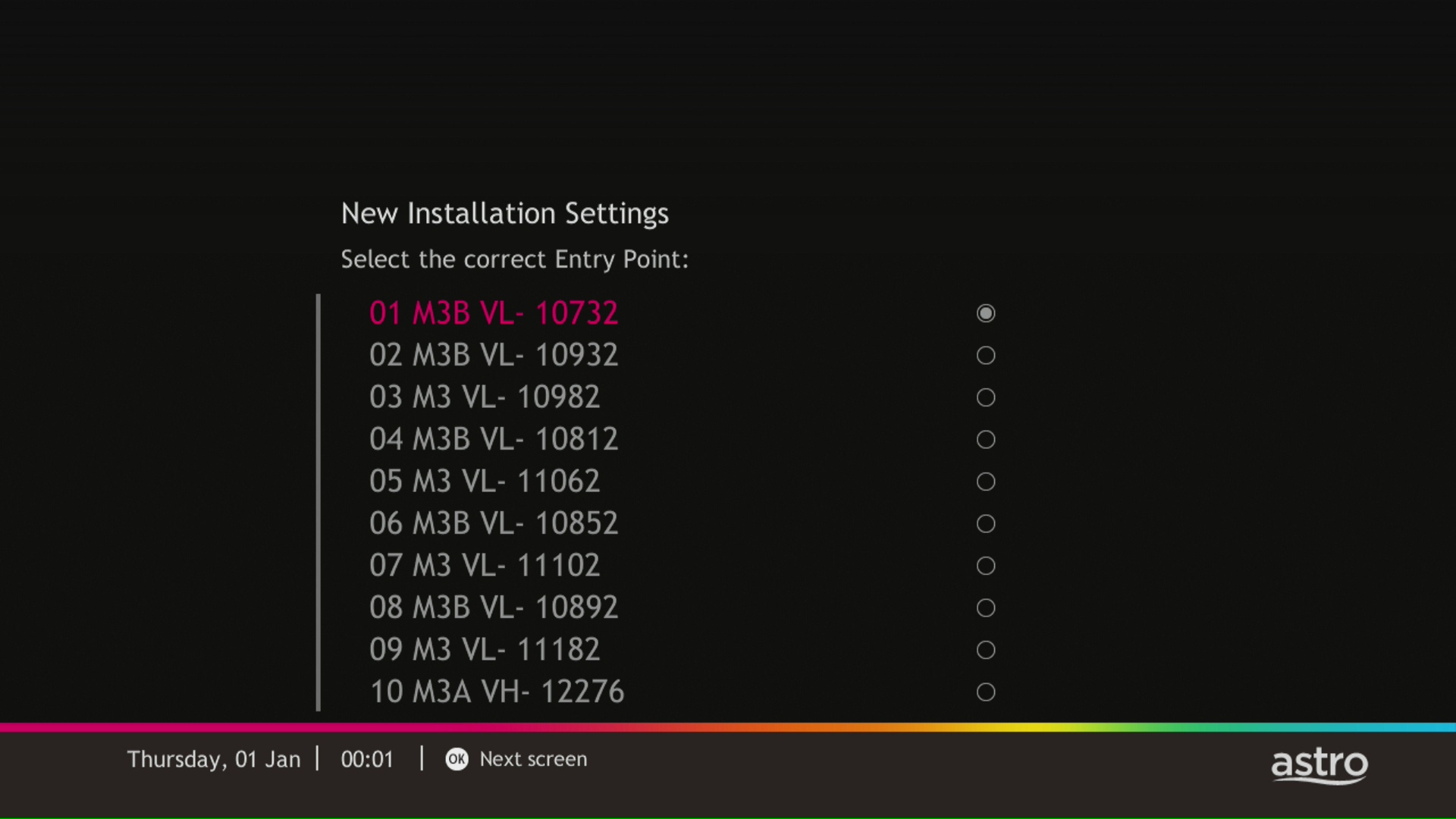
STEP 7
Signal reading results for Tuner 1 and Tuner 2 screen will be displayed. Then, press "OK" to proceed to next screen.
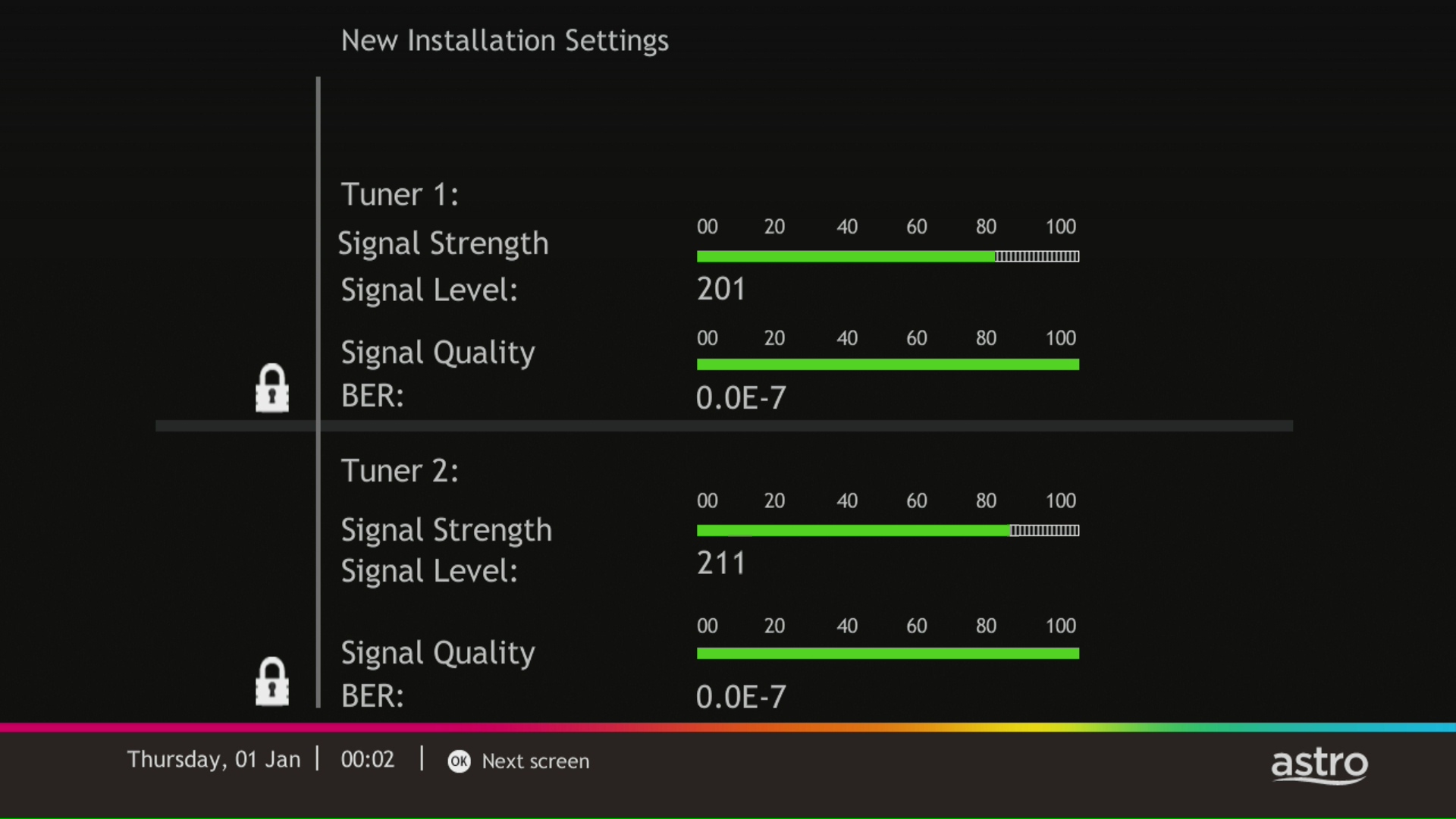
STEP 8
Select Yes, continue and press "OK" to connect to Wi-Fi network.
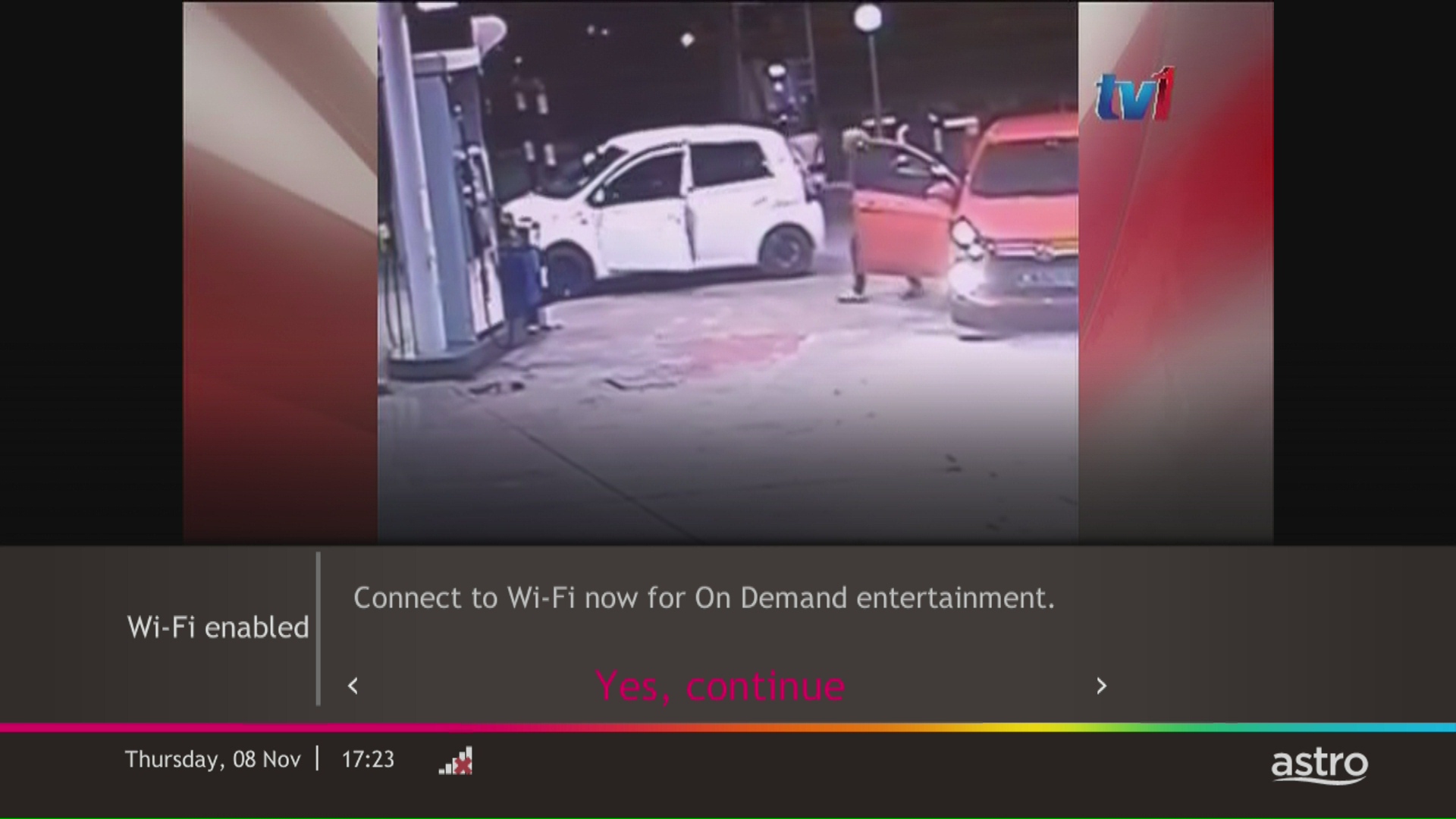
STEP 9
Please wait while the box scanning for the available Wi-Fi network.
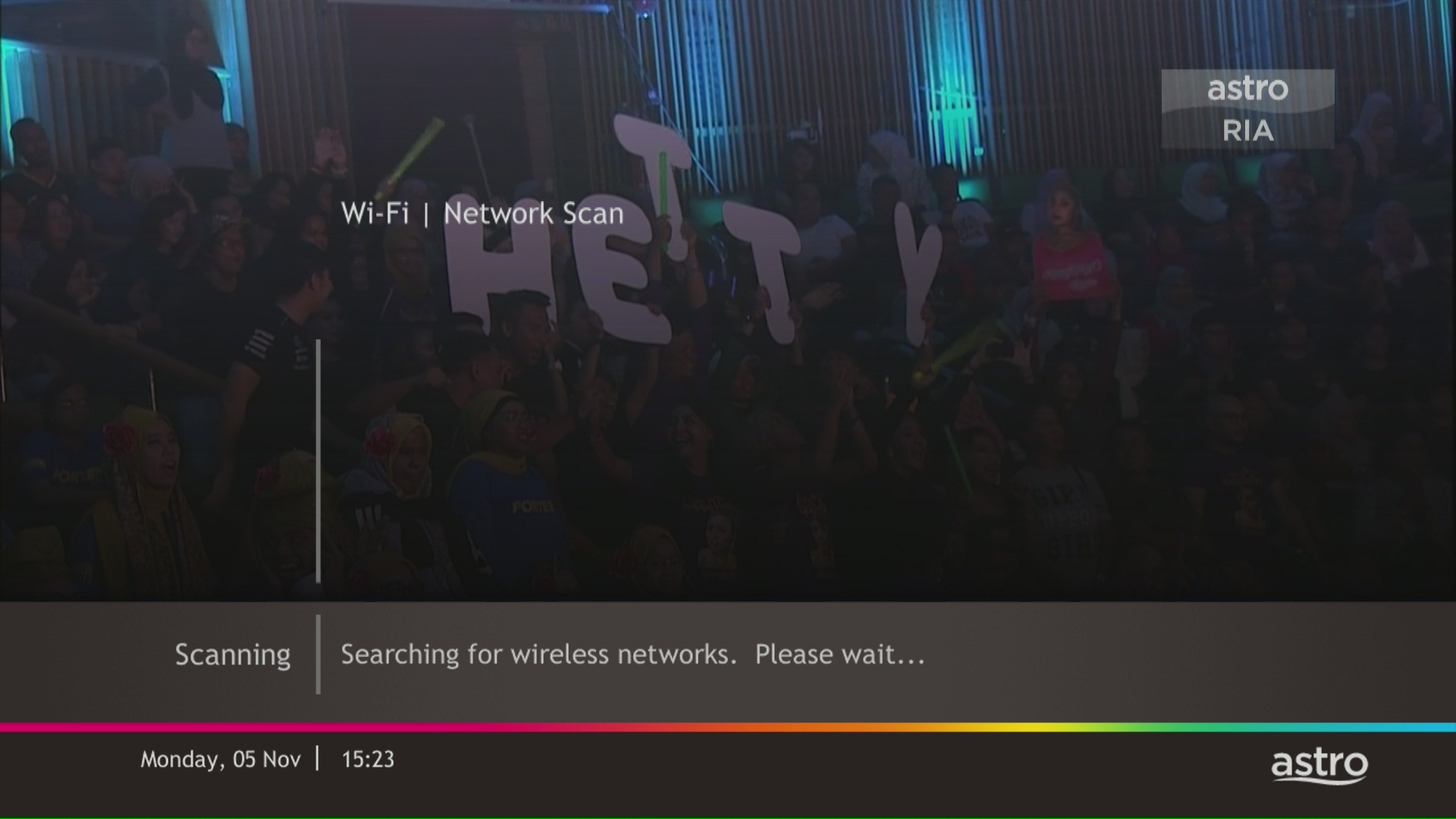
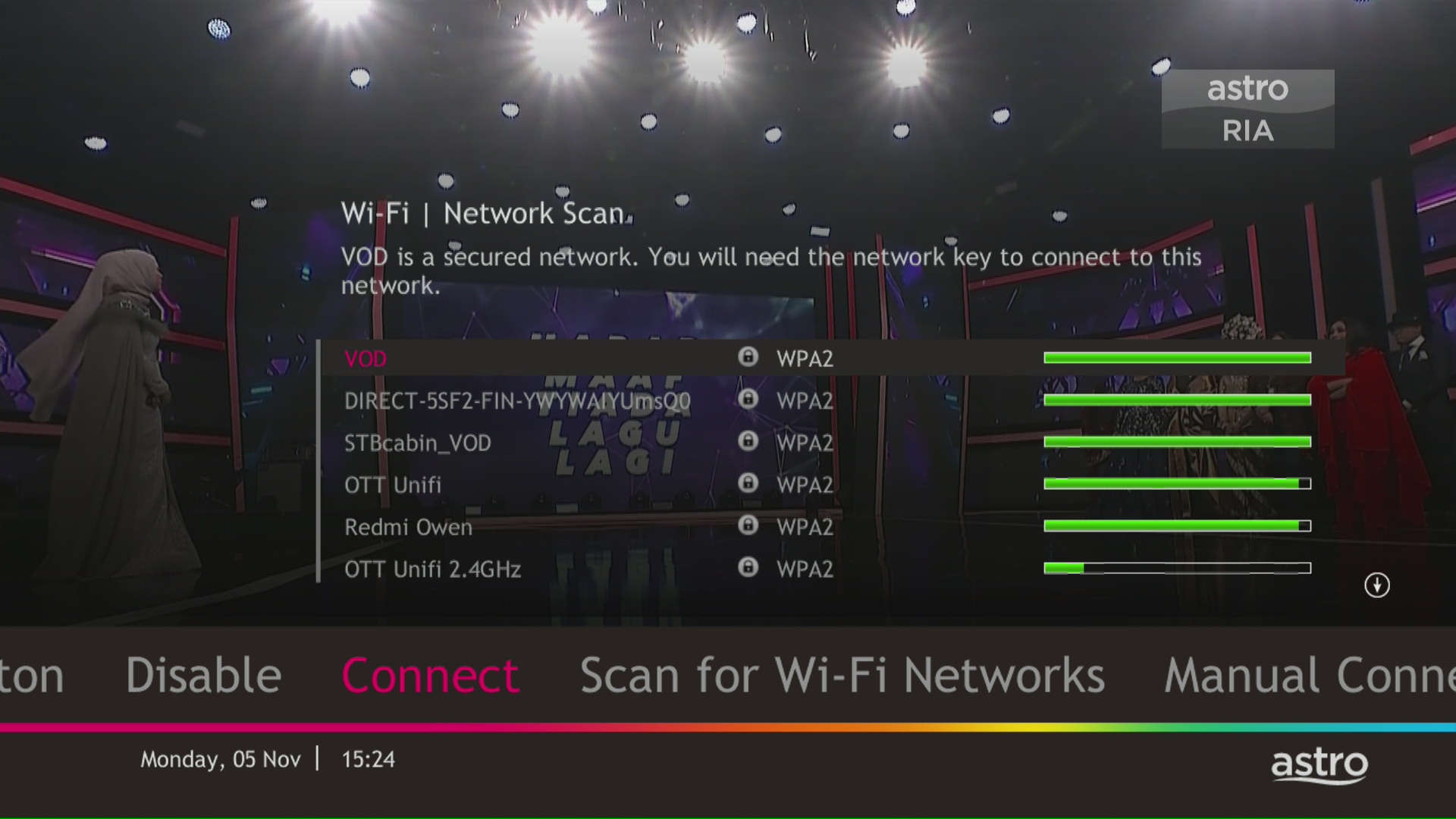
STEP 10
Select your Wi-Fi network and navigate to "Connect".
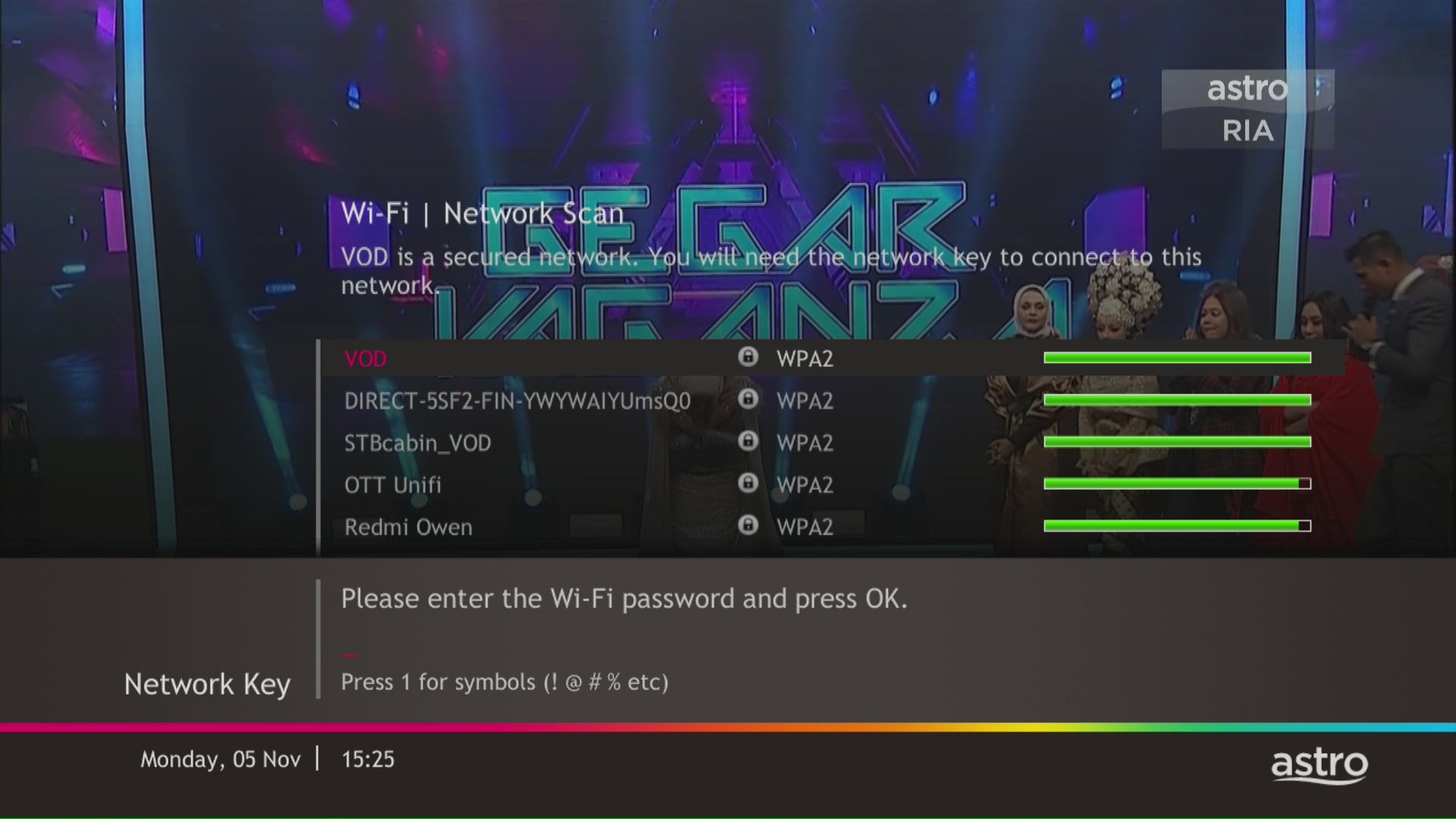
STEP 11
Please enter the password to connect to your network and press "OK".
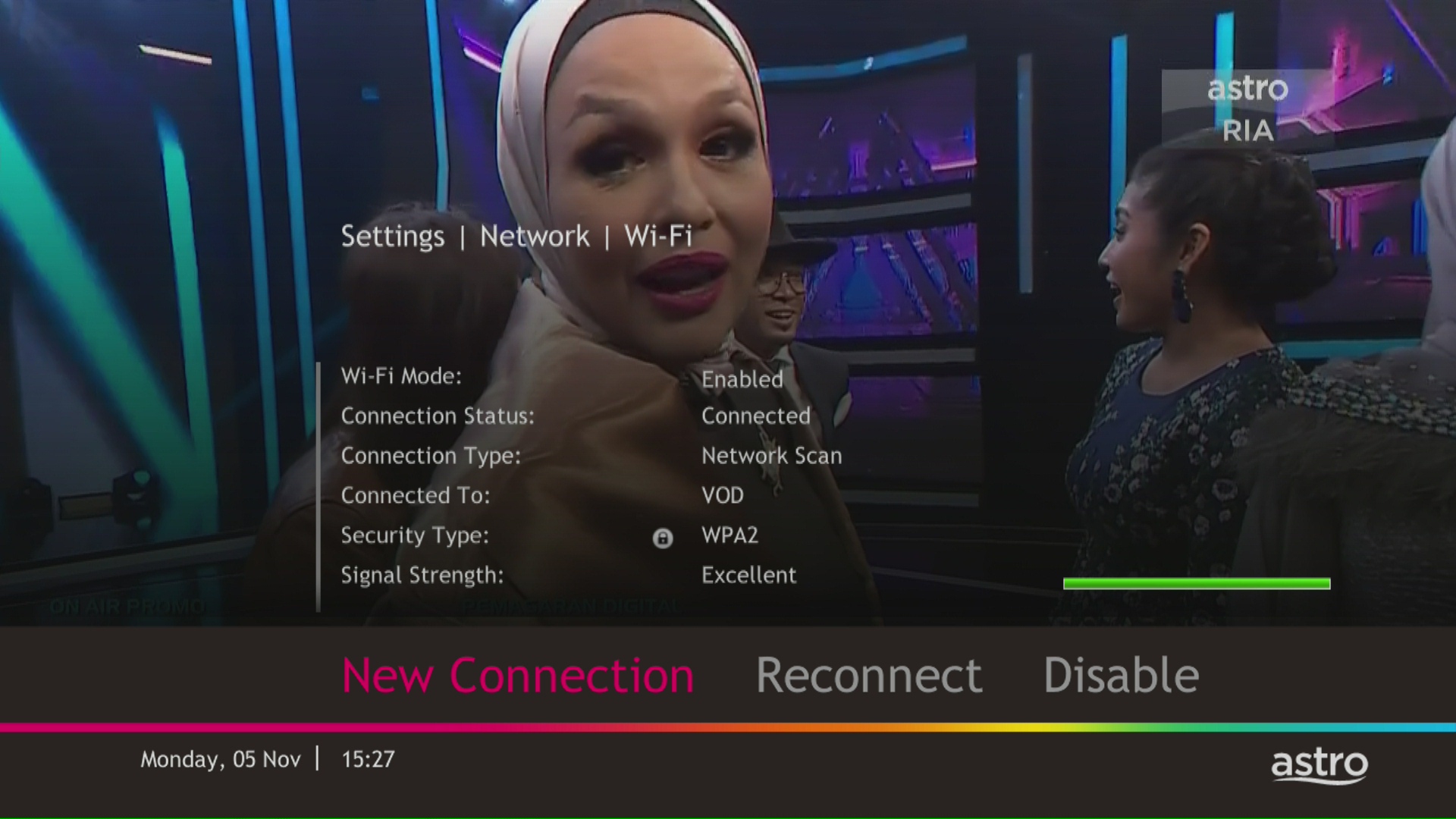
STEP 12
You are successfully connected when this screen appears.
Similar Articles

