


 Track
Track
 Login
Login


Pay Bill - Card Payment
1. Open/Download the My Astro app or visit My Astro web.
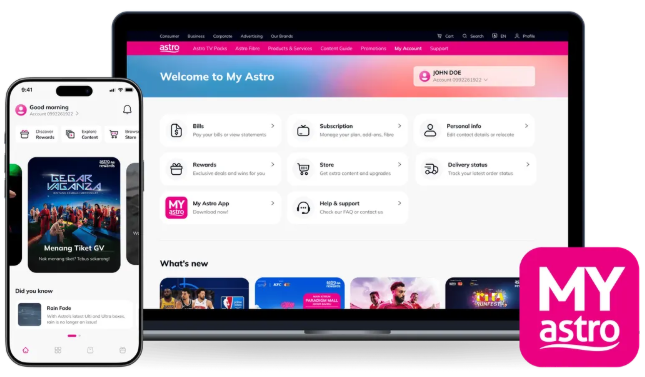
2. Login with your Astro ID.
3. Go to Pay Bill.
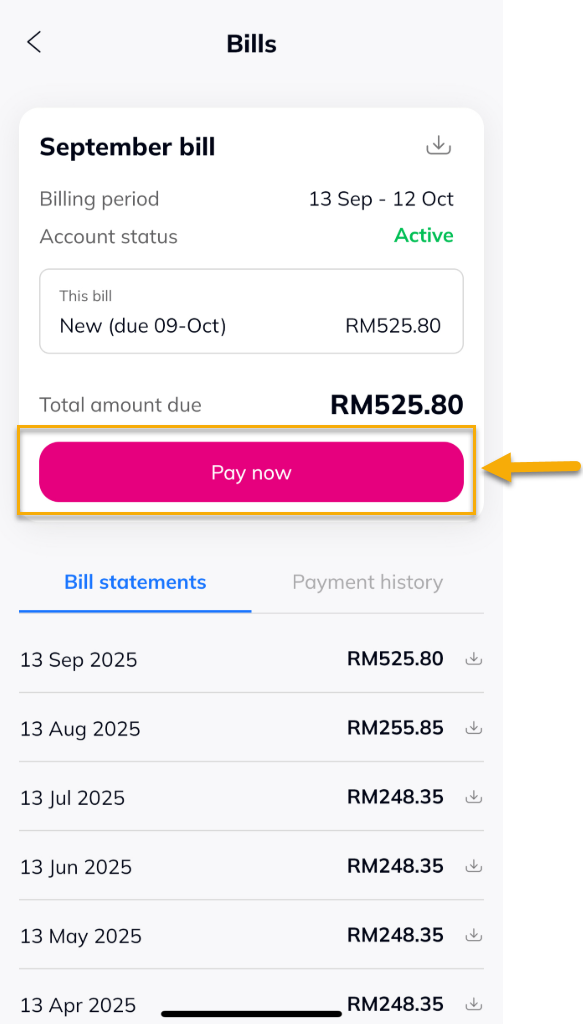
4. Tap on 'Pay now'.
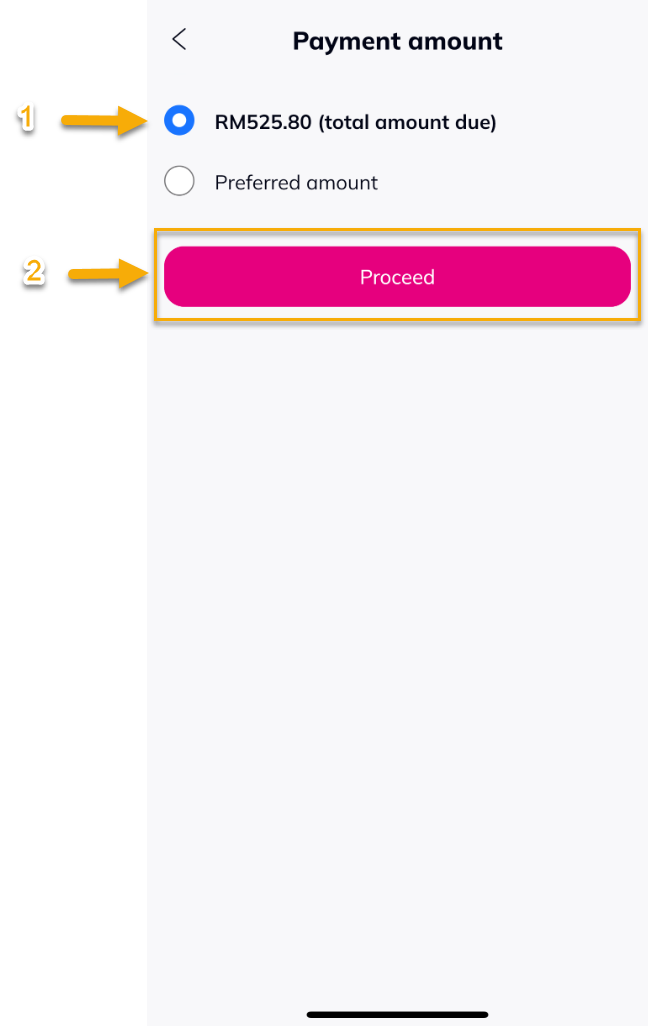
5. Select the amount to be paid and tap on 'Proceed'.
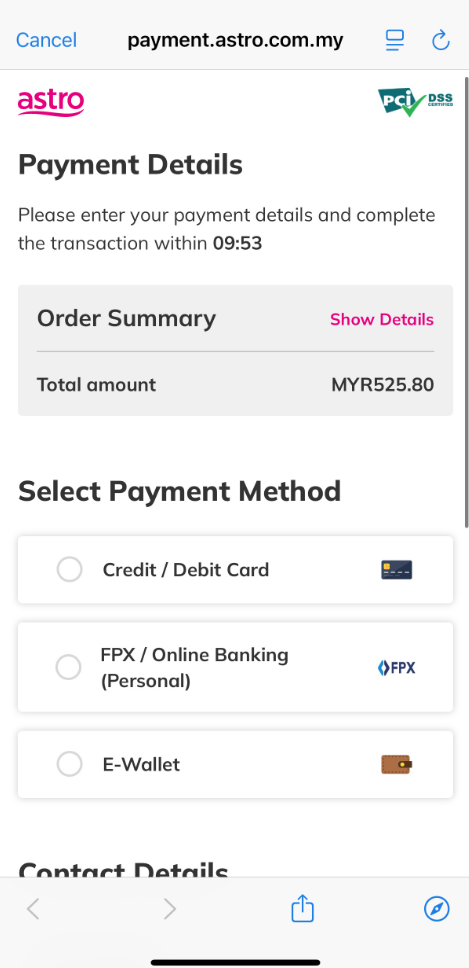
6. Select 'Credit / Debit Card' as the payment method.
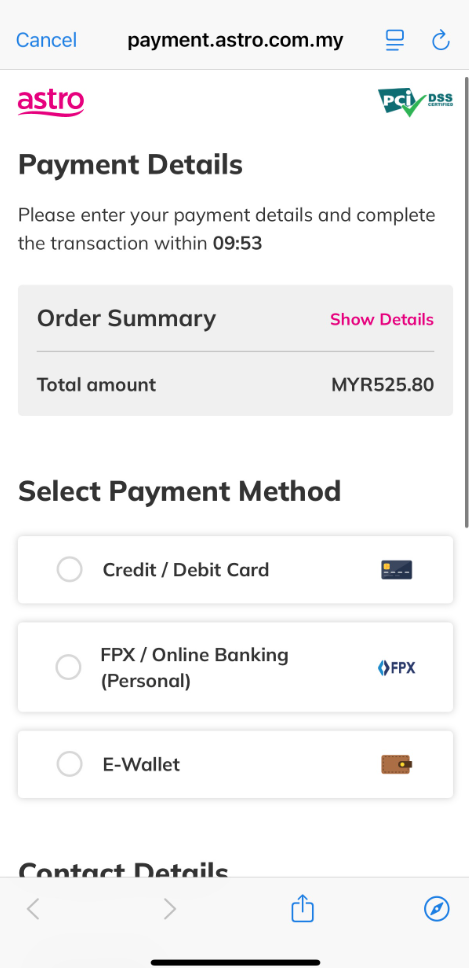
7. Fill in the card information.
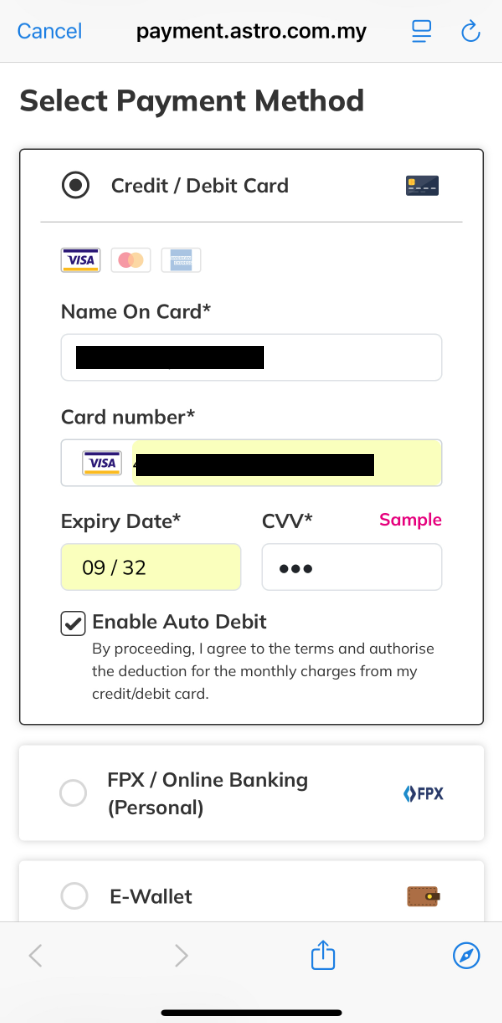
8. Fill in your contact details, then tap 'PROCEED TO PAY'.
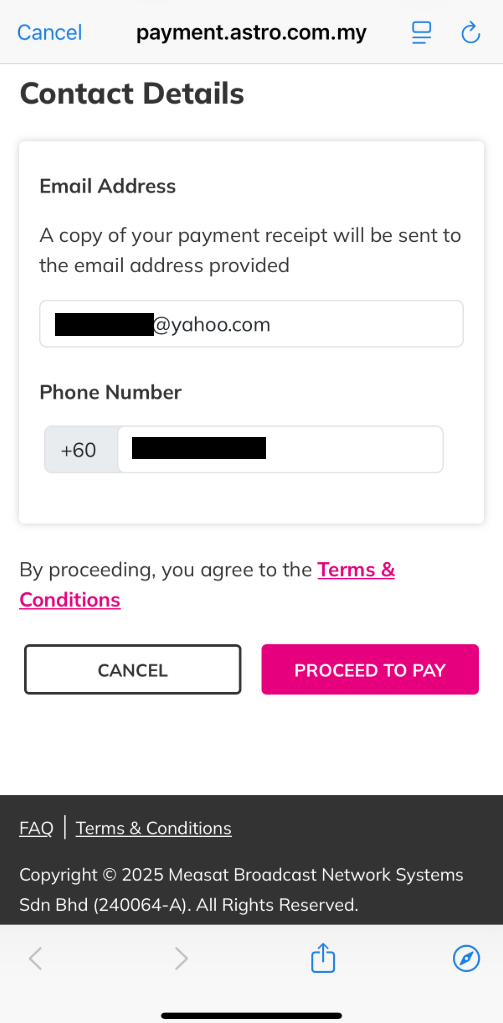
9. Your payment status will be displayed. Tap 'COMPLETE' to close the session.
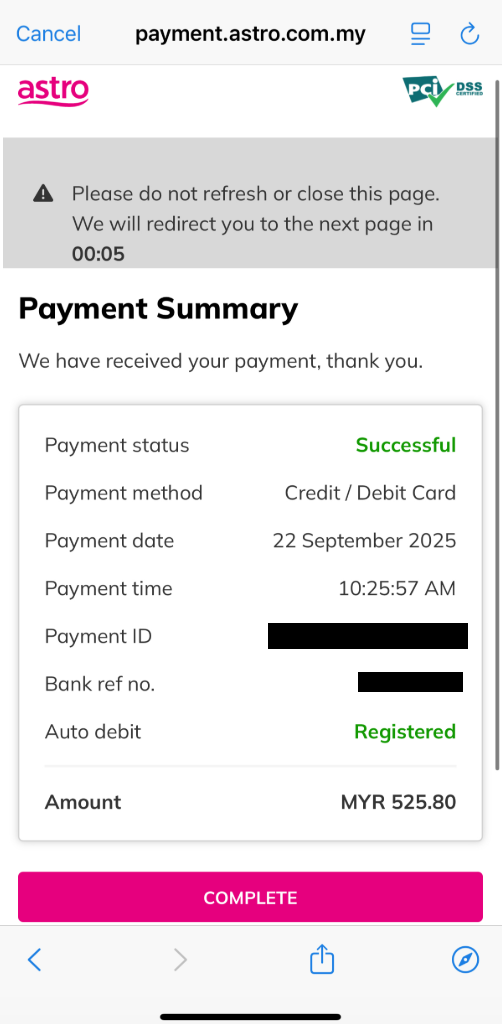
10. A successful notification will be displayed.

Similar Articles

