


 Track
Track
 Login
Login


Please ensure that your Astro Smart Card is fully inserted (S1) - HD enabled Box
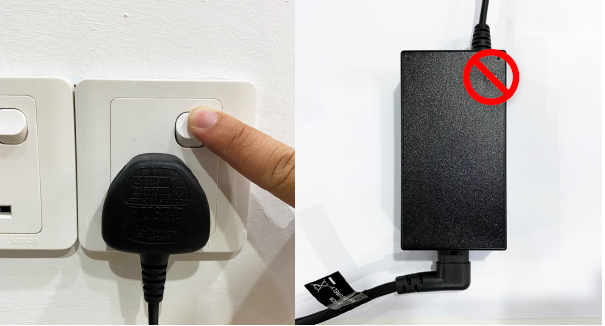
STEP 1: Power Off the Box
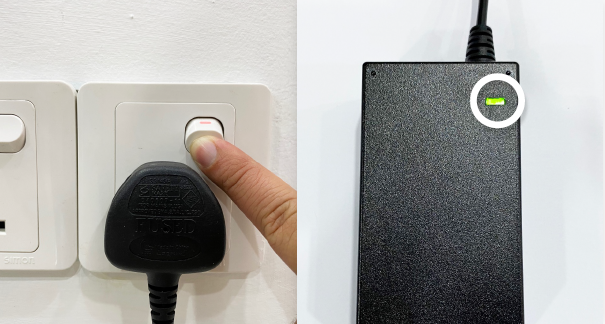
Switch off the power for your box. Ensure the adapter's power light is off.
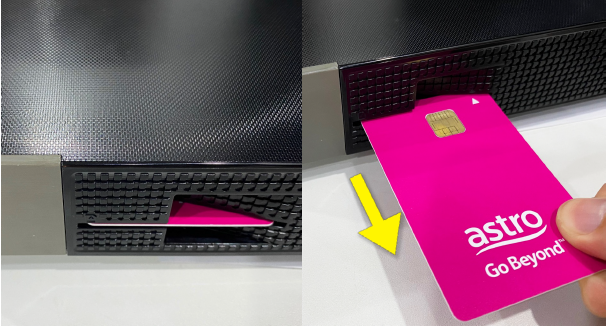
STEP 2: Remove the Smart Card
Locate the Smartcard at the front or right side and gently pull it out.
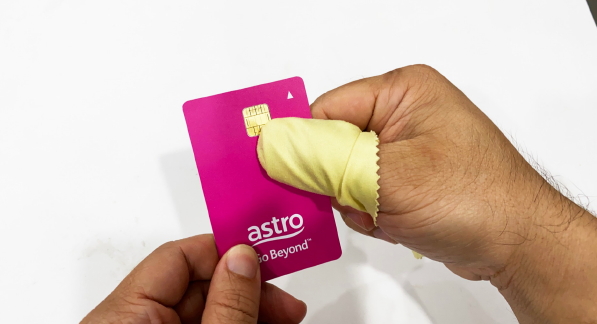
STEP 3: Clean the Smart Card
Wipe the Smartcard's gold chip clean using a dry soft cloth.
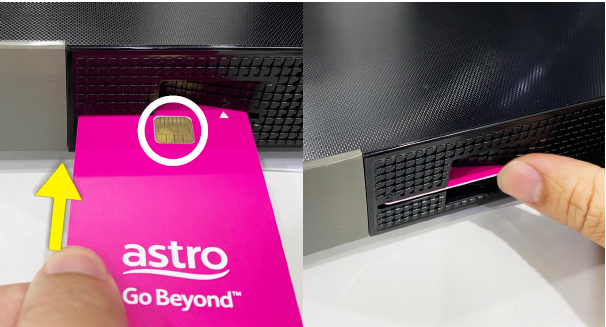
STEP 4: Reinsert the Smart Card
Make sure the gold chip is facing upwards. Insert the Smart Card fully into the slot until it seats firmly.
STEP 5: Power On the Box
Switch on the power for your box and make sure that the adapter's power light is on. Please wait for 5 minutes.
STEP 6: Turn On the Box
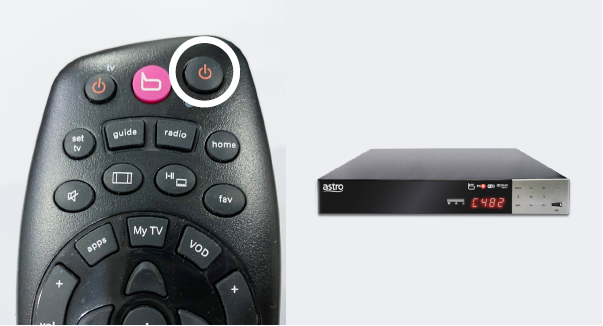
Power on the box and check if the issue is resolved.
If issue persist, please submit the issue on our Feedback Form and attach a picture of your smart card number for assistance or chat us via WhatsApp at 03-95433838.
Similar Articles

