


 Track
Track
 Login
Login


Software Update - Ultra / Ulti Box
STEP 1
Switch OFF the power of your Ultra / Ulti box and make sure that the adapter's power light is off.

STEP 2
Switch ON the power of your Ultra / Ulti box and make sure that the adapter's power light is on.

STEP 3
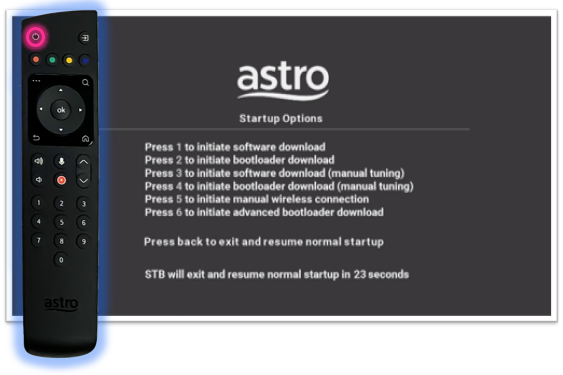
On your remote control, press the standby button repeatedly until the Startup Options appear on TV.
STEP 4
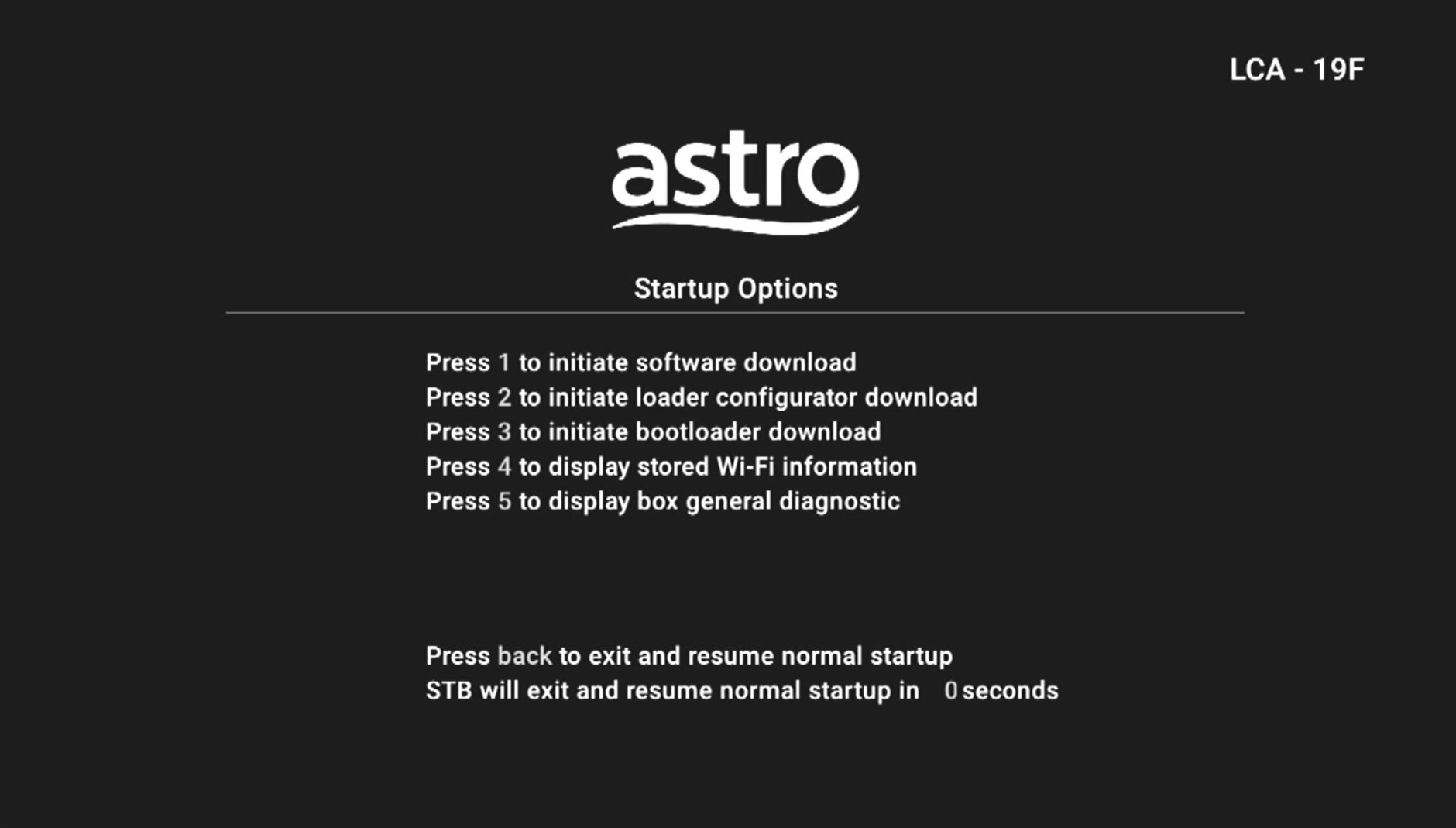
Press "1".
STEP 5
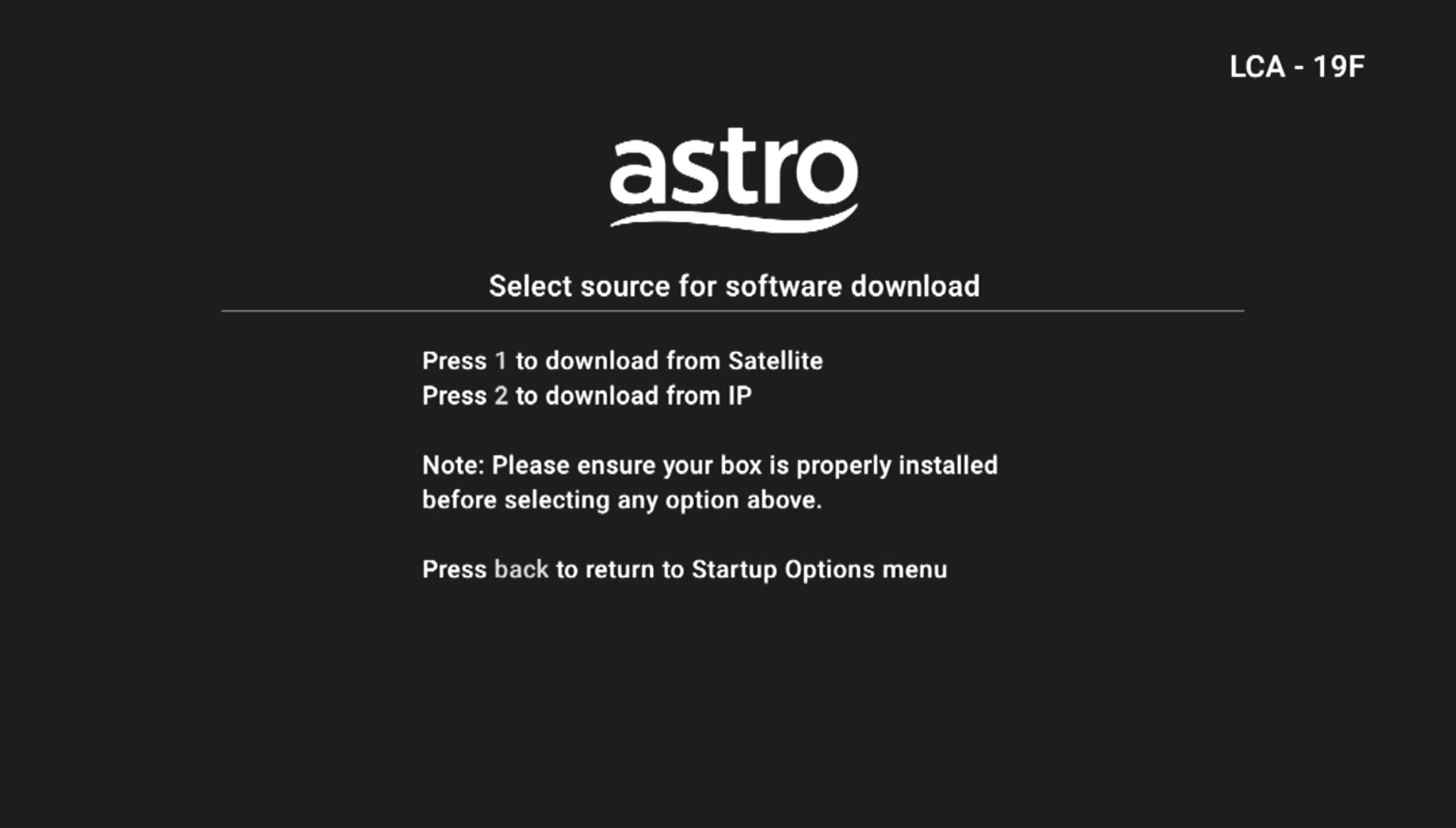
Press "1" if your box setup under Satellite Mode.
Press "2" if your box setup under Plug and Play Mode.
STEP 6
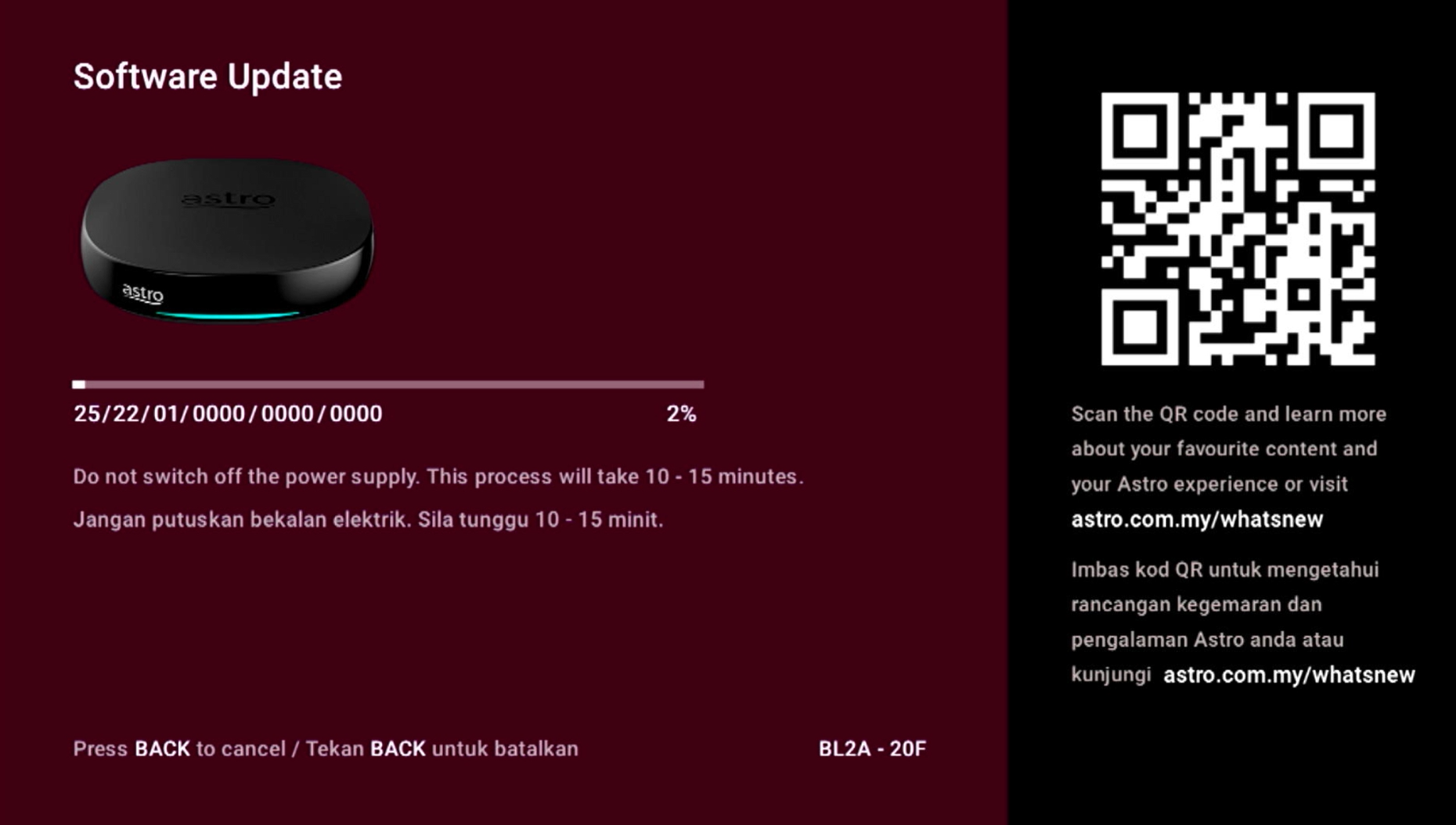
The Software Update progress screen will appears.
The update will take 10 - 15 minutes to complete.
Please be patience.
Similar Articles

