


 Track
Track
 Login
Login


Split WiFi to 2.4GHz and 5GHz
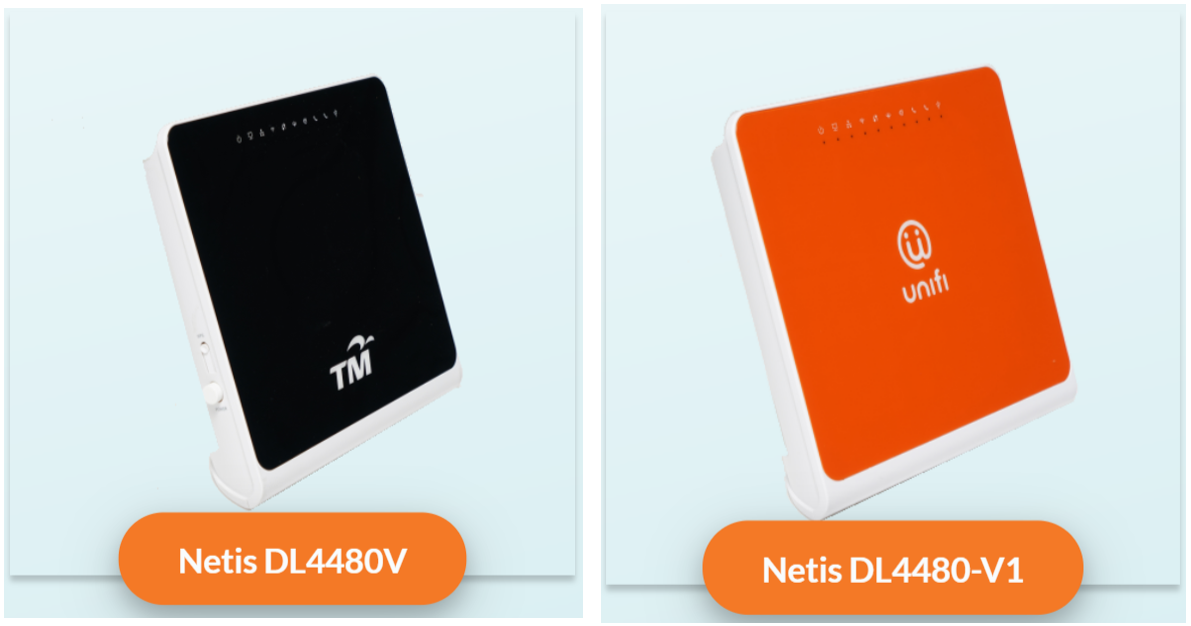
1. Unifi netis brand
The following shows an Interface based on Unifi router
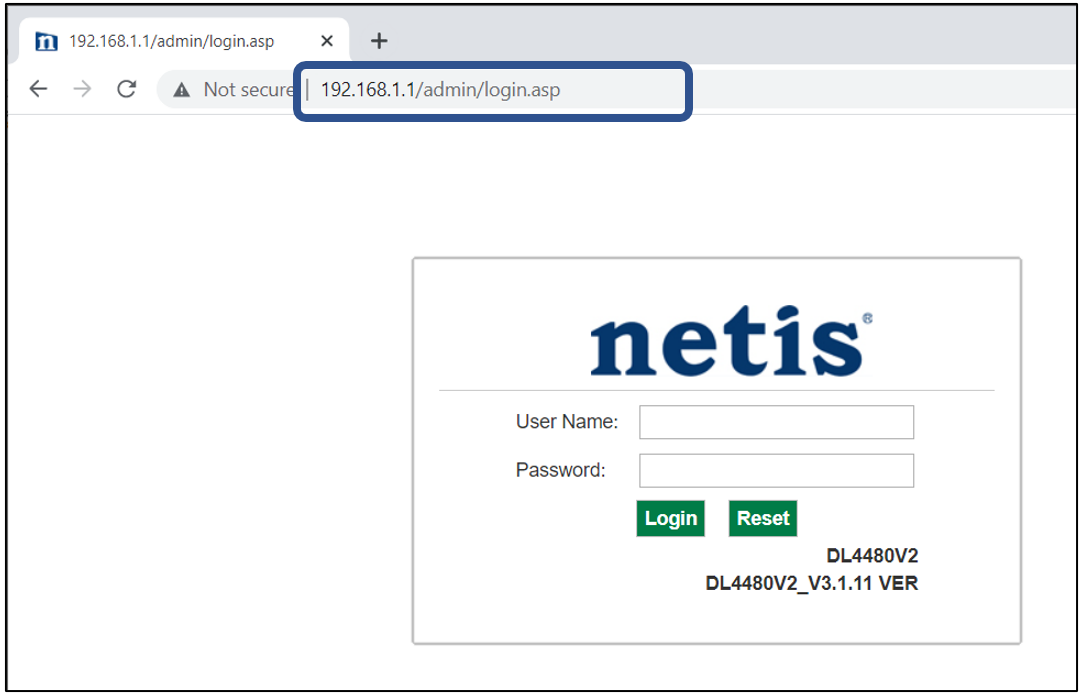
- Launch Web Browser and enter the default's gateway's IP address (192.168.1.1) in the address bar.
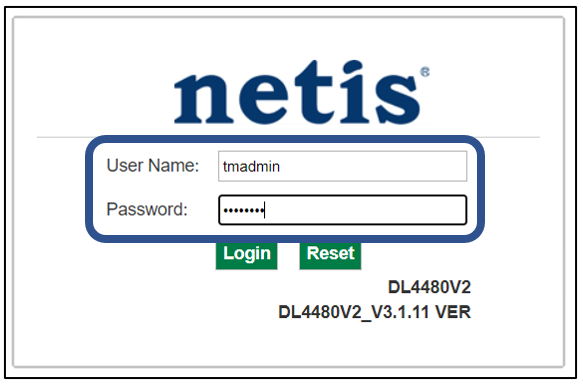
- Enter Username and Password.
- Username = tmadmin
- Password = Adm@xxxx (xxxx refers to last four digits of MAC address)
- Choose WLAN -> wlan0 (2.4GHz) Basic Setting. Note down on SSID.
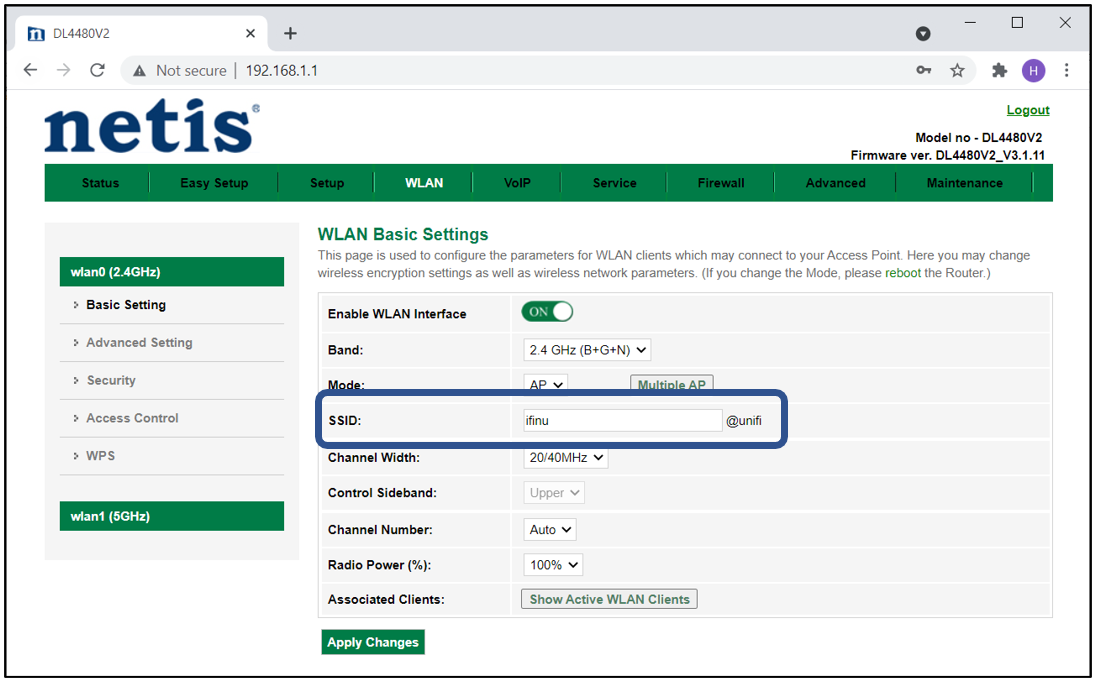
- Choose WLAN -> wlan1 (5GHz). Compare SSID with previous SSID.
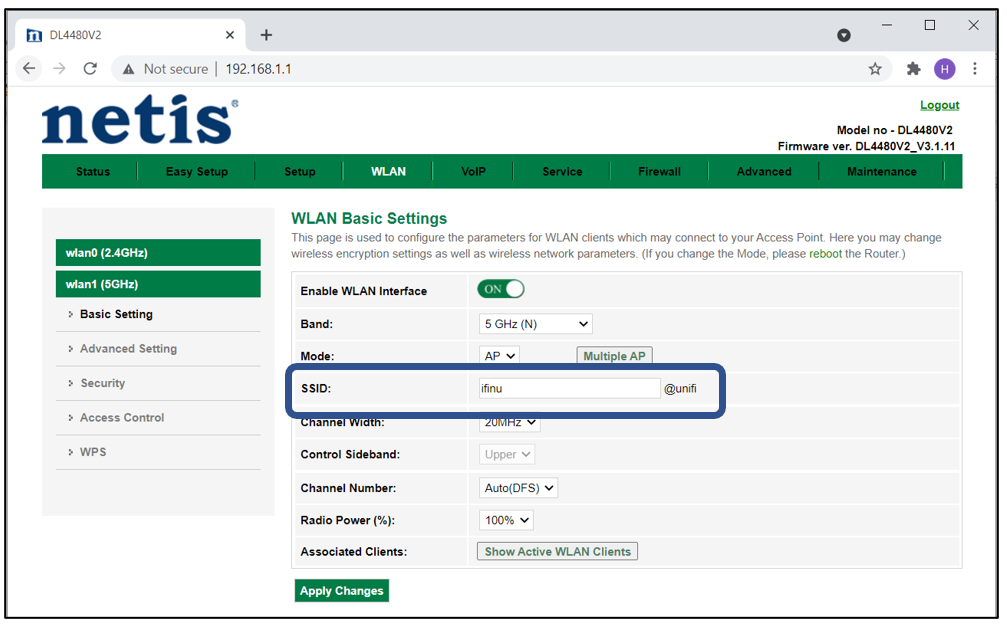
- If SSID for wlan0 (2.4GHz) and wlan1 (5GHz) are the same. Change wlan1 (5GHz) SSID by adding number 5(i.e. ifuni_5G) to differentiate from 2.4 GHz. Click Apply Changes.
Note: Connection to Wi-Fi may be temporarily loss while the changes is updated.

