


 Jejak
Jejak
 Log masuk


Bagaimana cara untuk menukar kata laluan saya?
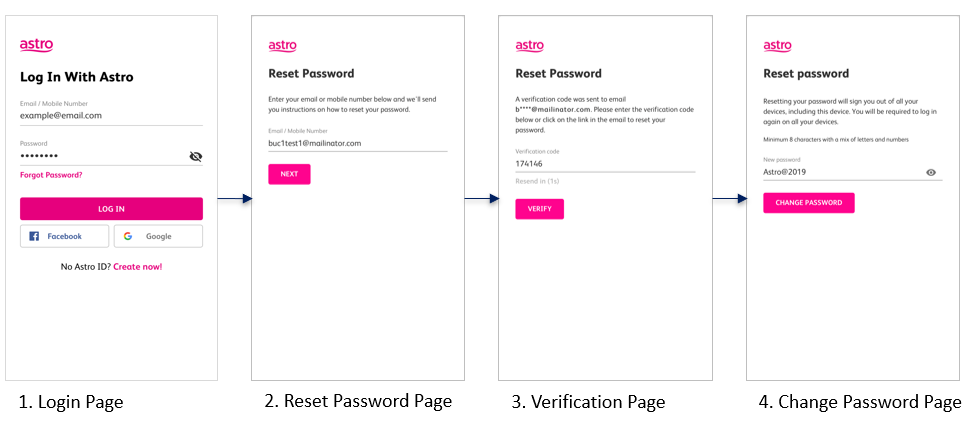
To change your password, you may use the ‘forgot password’ recovery feature on the login page. Just enter the email address/ mobile number you signed up with and we will send you a recovery email.
Alternatively, you may also change your password or manage your account details by logging on to www.astro.com.my, click My Account, then proceed to Log in.
FORGOT / RESET PASSWORD (EMAIL ADDRESS)
FORGOT / RESET PASSWORD (MOBILE NUMBER)