


 Track
Track
 Login
Login


Check physical smart card number and serial number from box - HD enabled Box
STEP 1
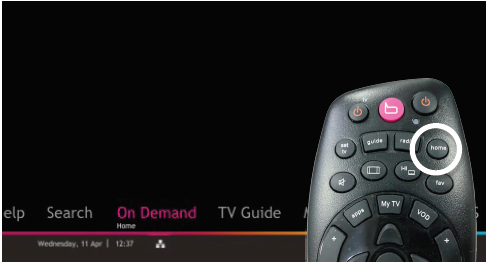
Press "HOME" button on your remote control.
STEP 2
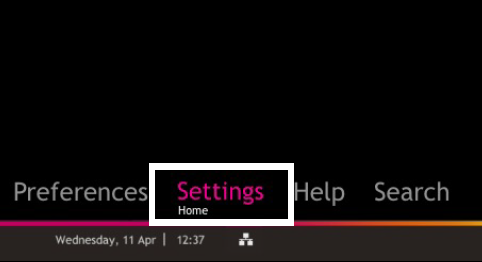
Navigate to Settings and press "OK".
STEP 3
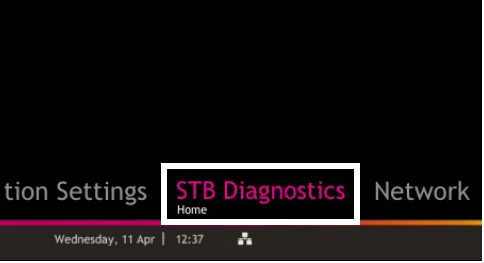
Navigate to STB Diagnostics and press "OK".
STEP 4
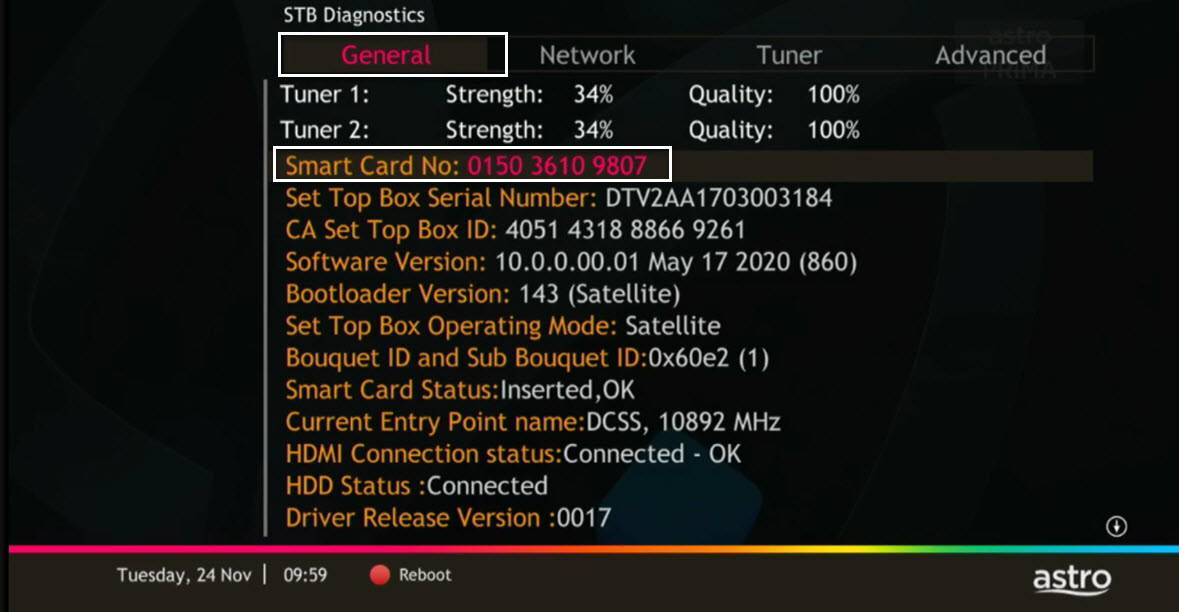
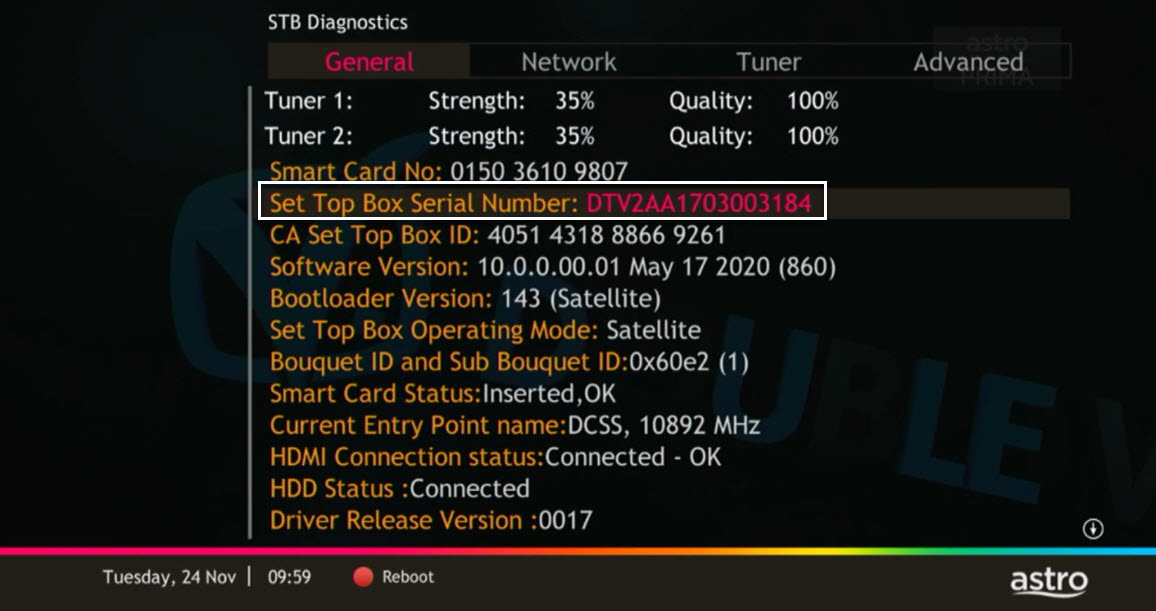
From General Tab, look at the Smart Card No for the smartcard number.
STEP 5
Take look at the Set Top Box Serial Number for the box serial number.
Alternatively, you can check your smartcard number on the My Astro app. Here's how:
1. Download the My Astro app
2. Login using your Astro ID
3. Go to Subscription > Roms
4. You can see your smartcard number for each box you have
Similar Articles

