


 Track
Track
 Login
Login


Installation Setup - Satellite Mode - Ultra Box / Ulti Box
STEP 1
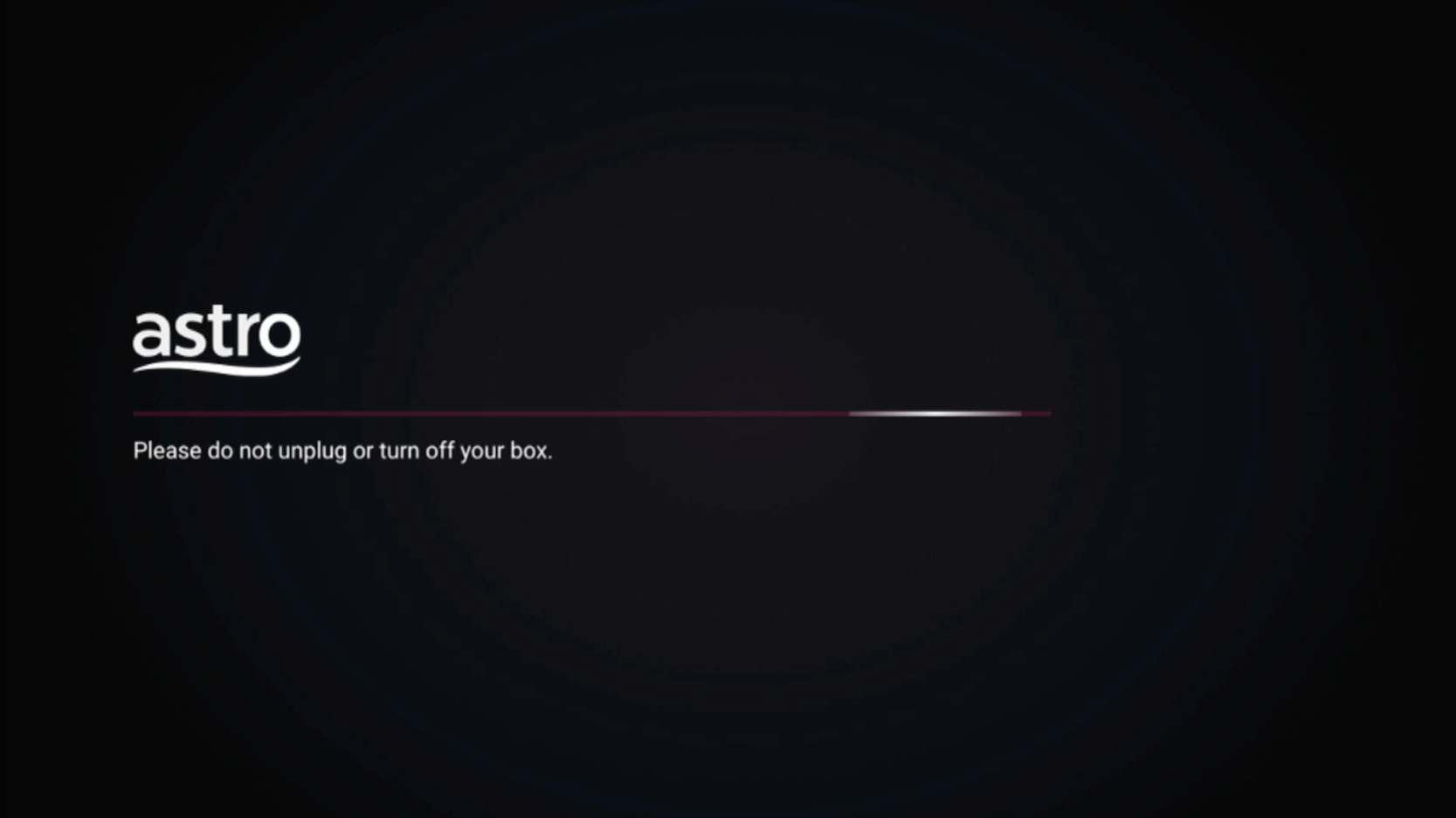
Please wait while your Astro box initializes.
STEP 2
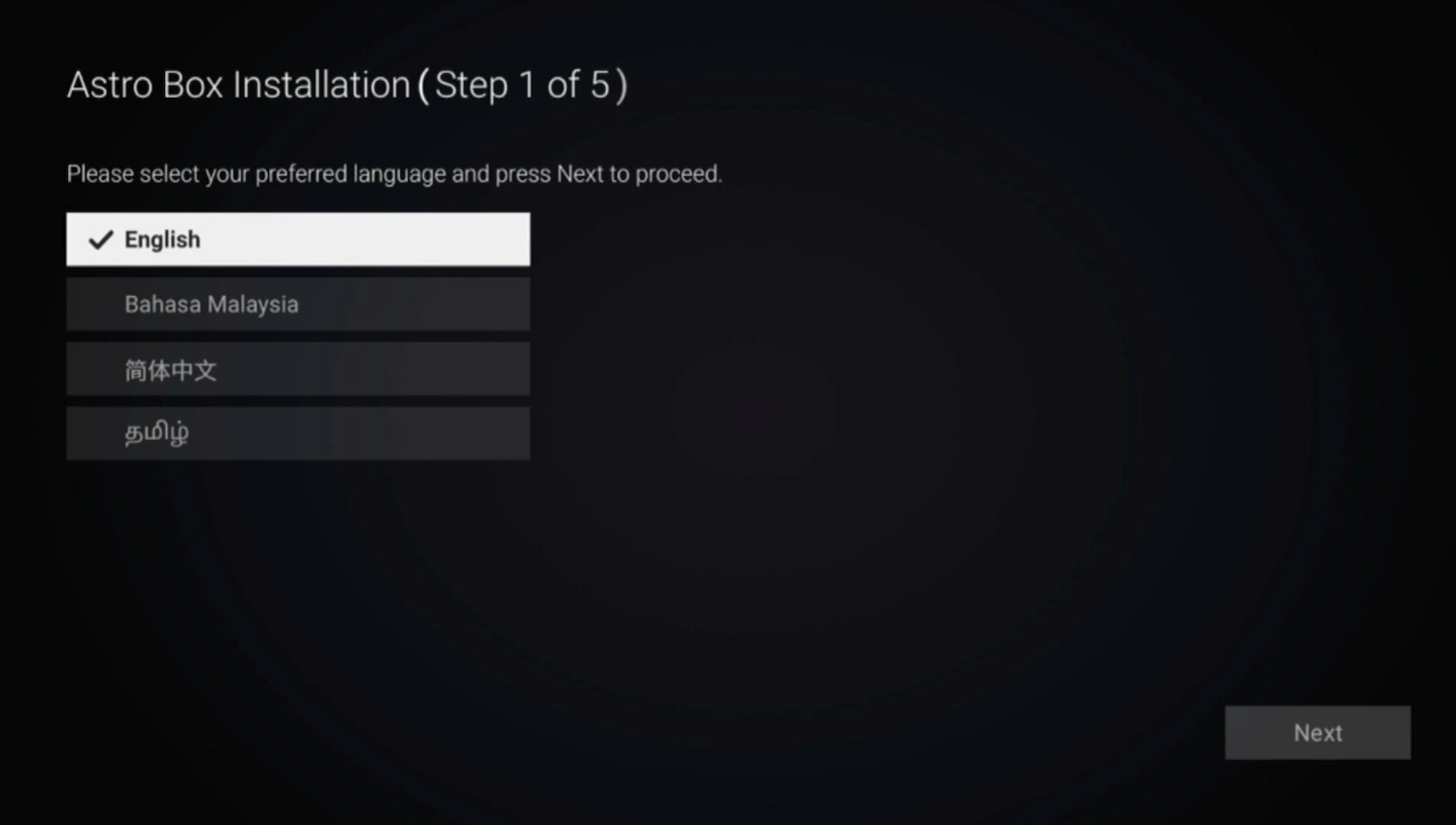
Select your preferred language.
STEP 3
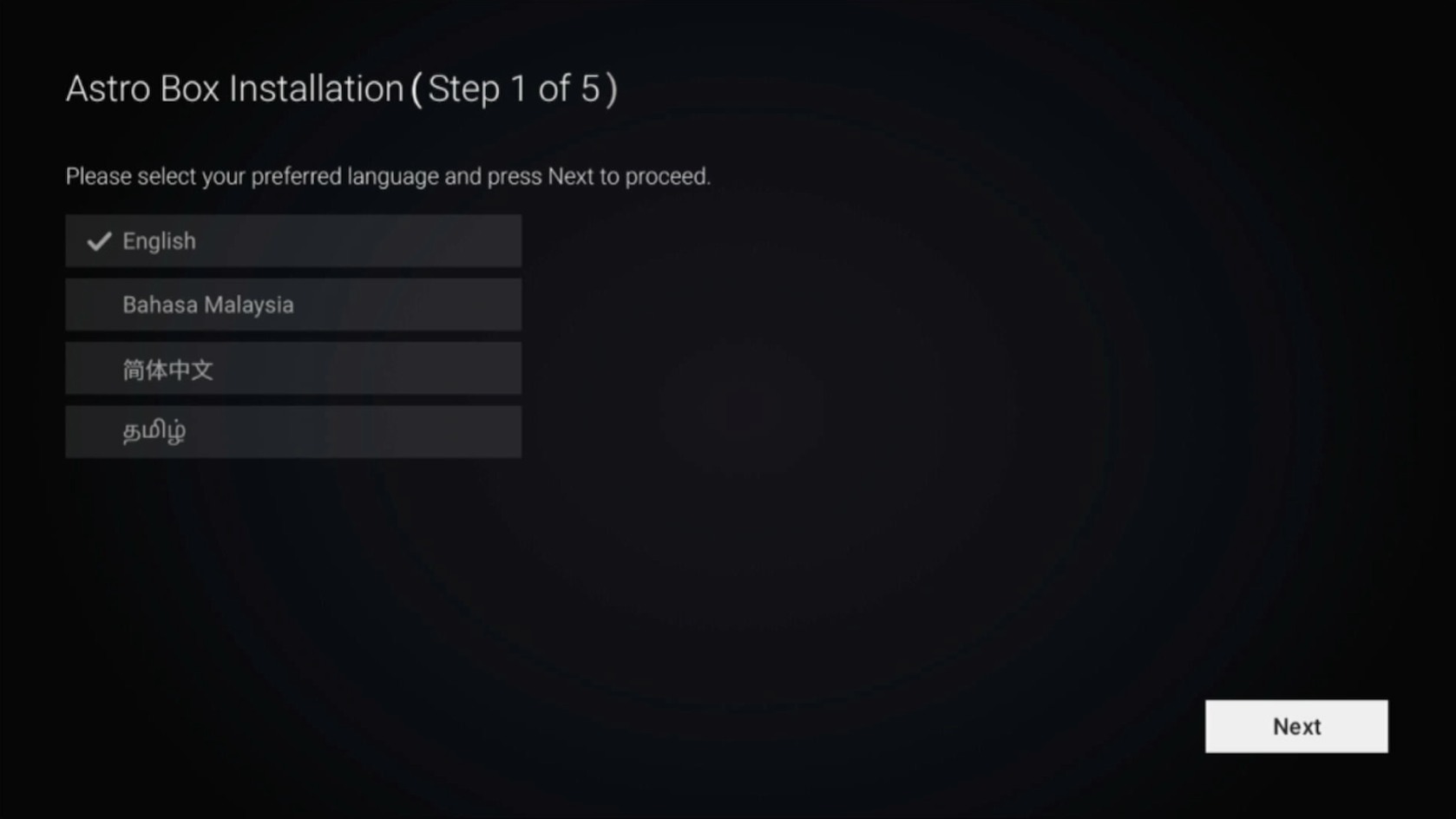
Navigate to Next and press "OK".
STEP 4
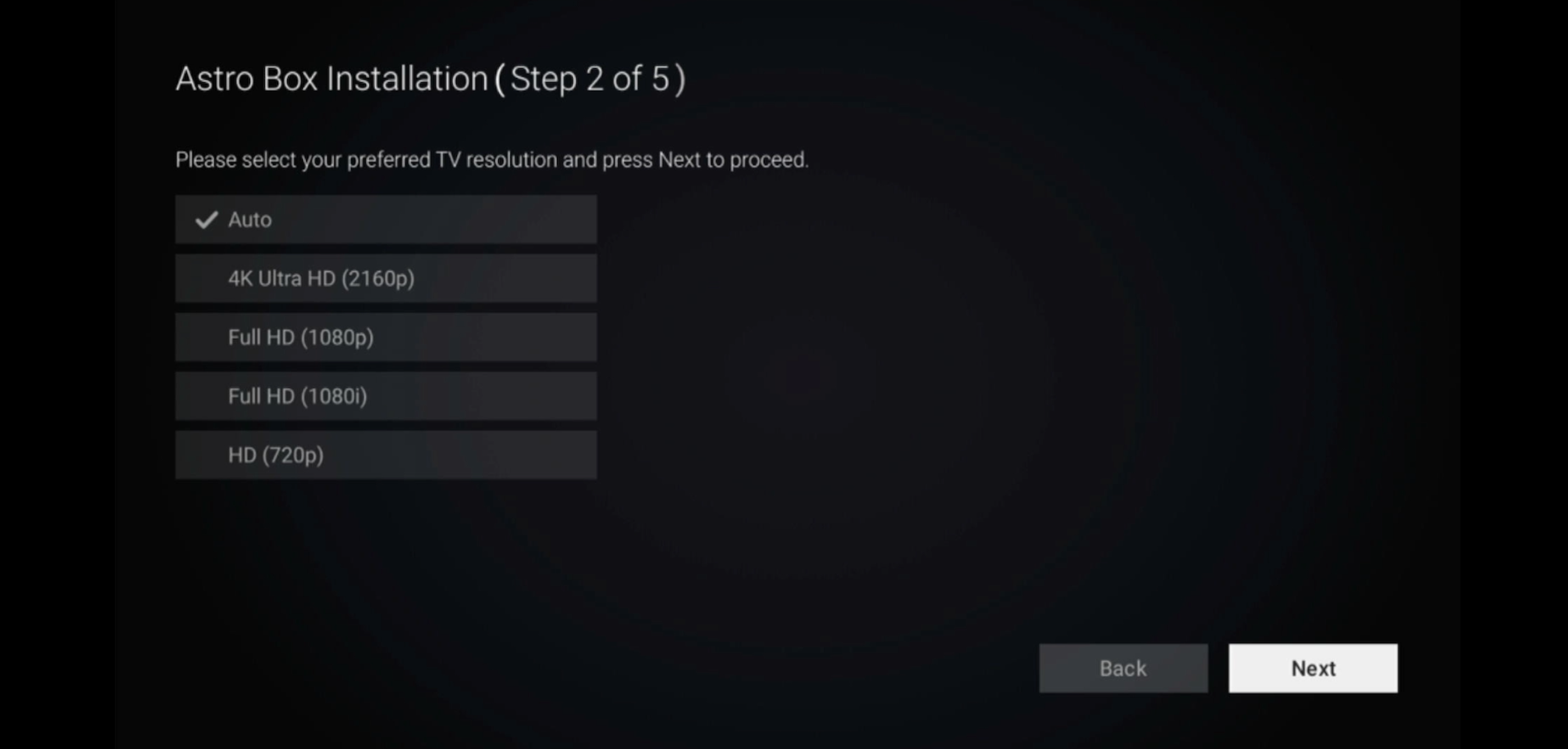
Select Auto as the Video Resolution.
STEP 5
Navigate to Next and press "OK".
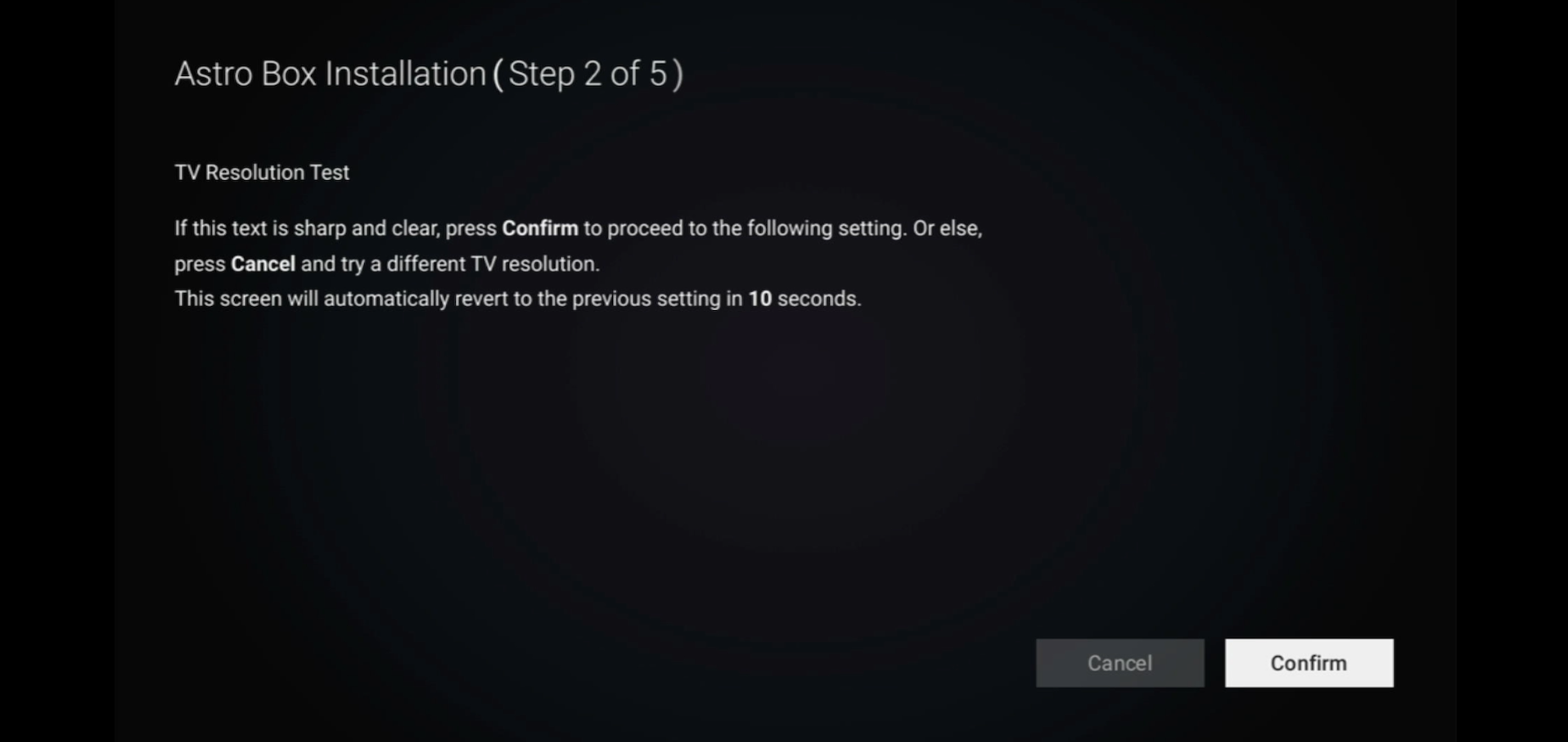
STEP 6
Navigate to Confirm and press "OK" to confirm your selection if you are able to read the texts on screen properly.
Otherwise, navigate to Cancel to revert to the previous settings.
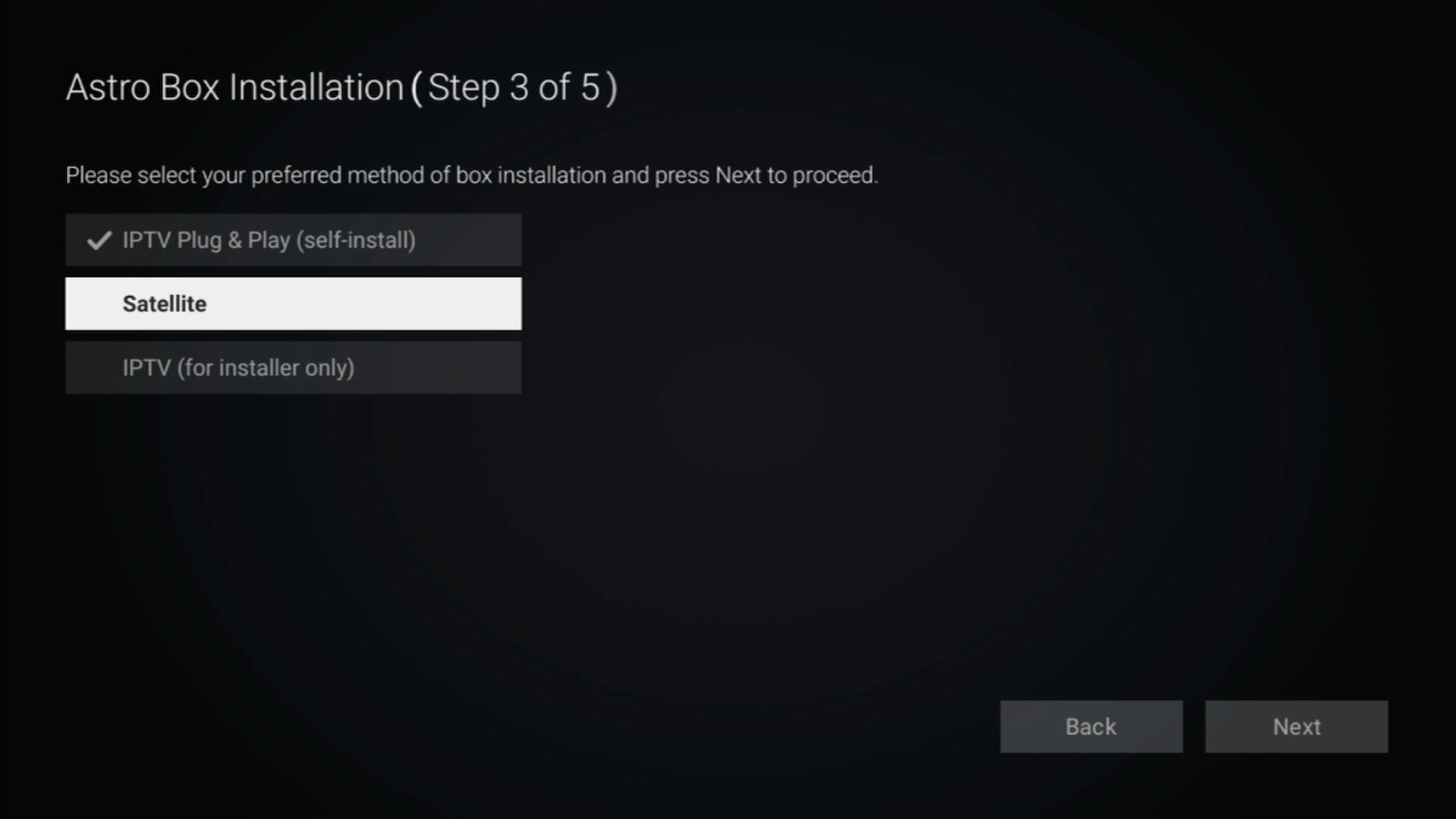
STEP 7
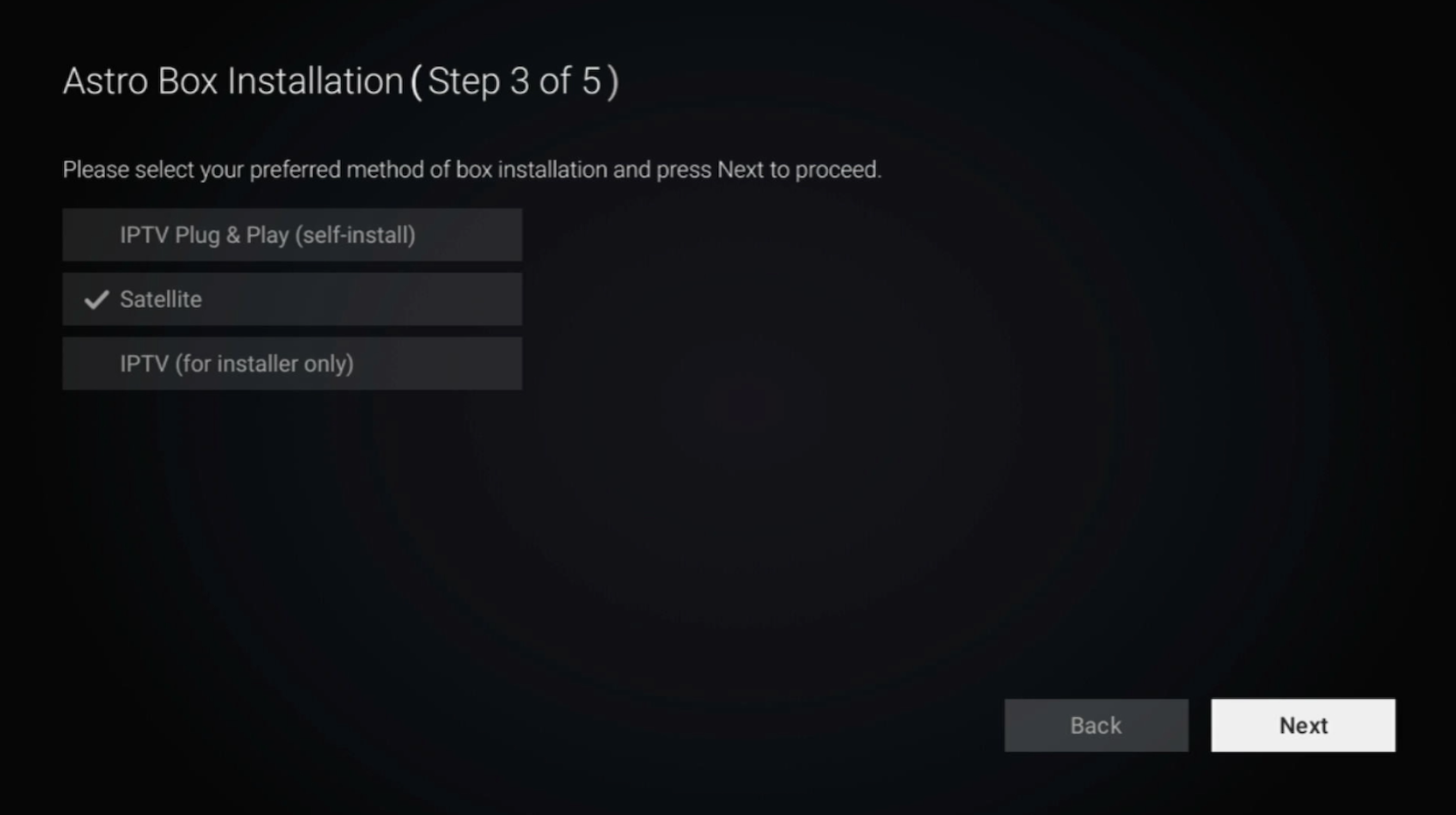
Select Satellite as the box operating mode.
STEP 8
Navigate to Next and press "OK".
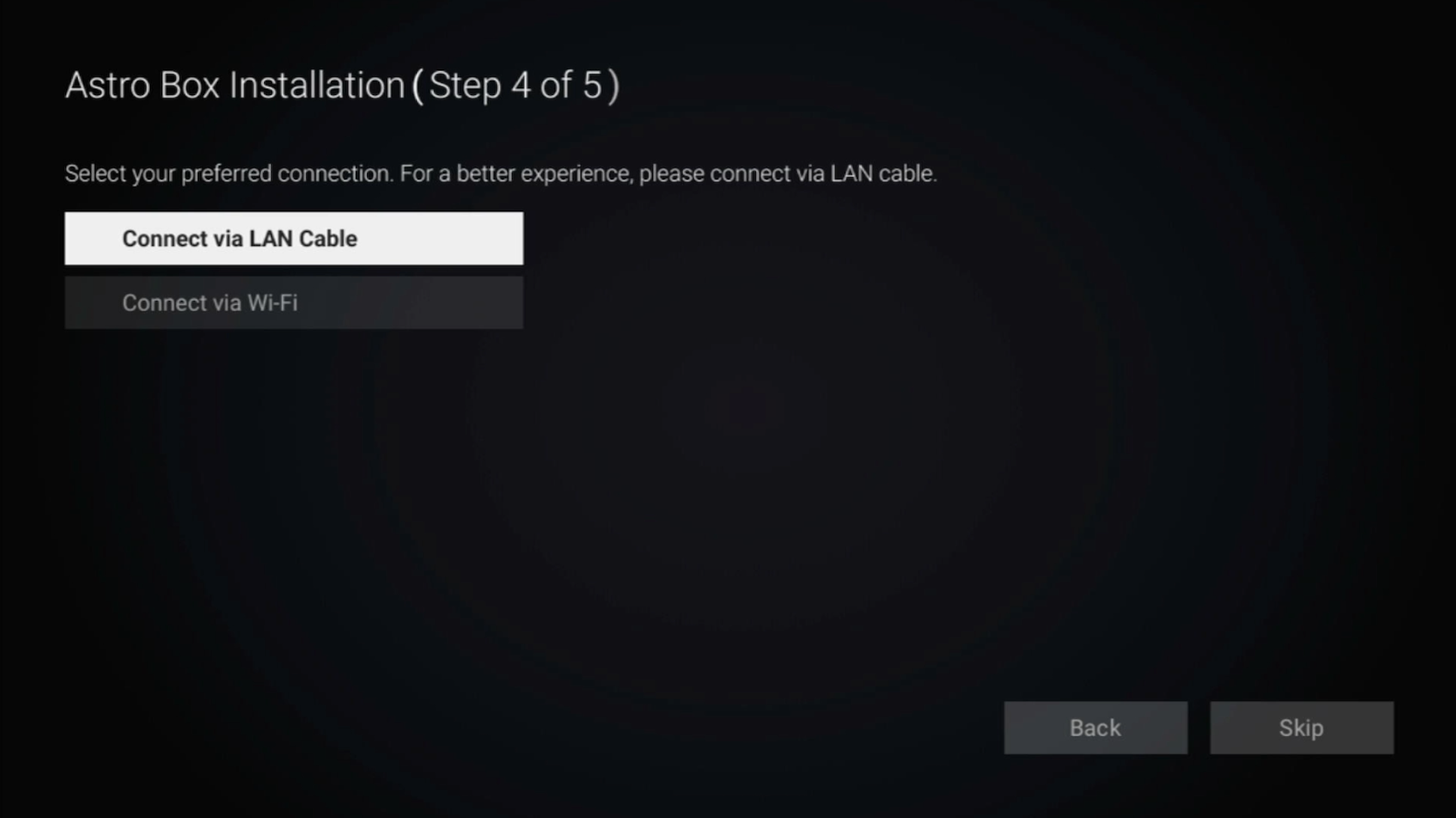
STEP 9
Select your preferred connection.
For connection via Wi-Fi, proceed to STEP 10.
For connection via LAN Cable, proceed to STEP 16 once you are connected.
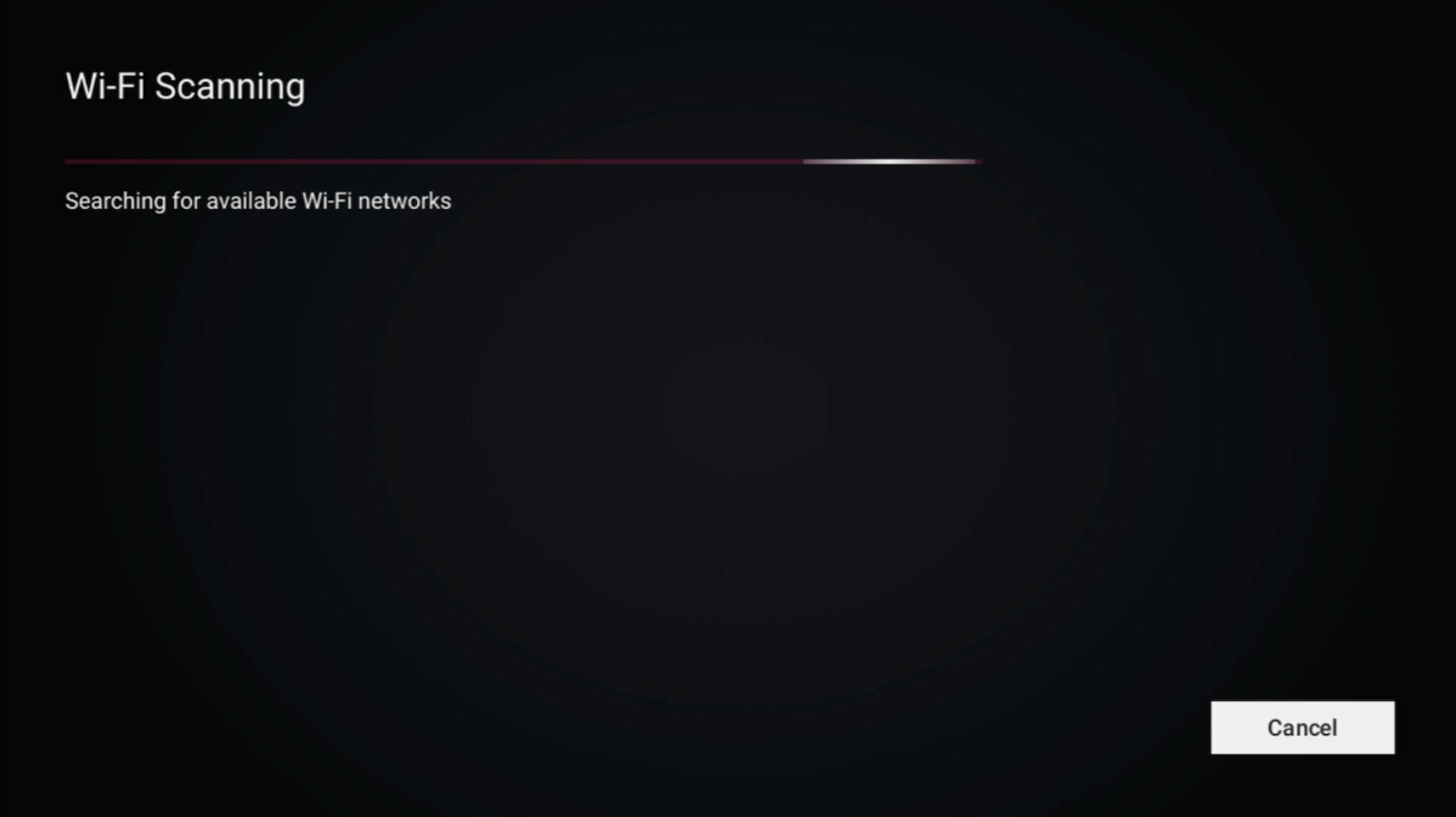
STEP 10
Please wait while your Astro box searches for available Wi-Fi networks.
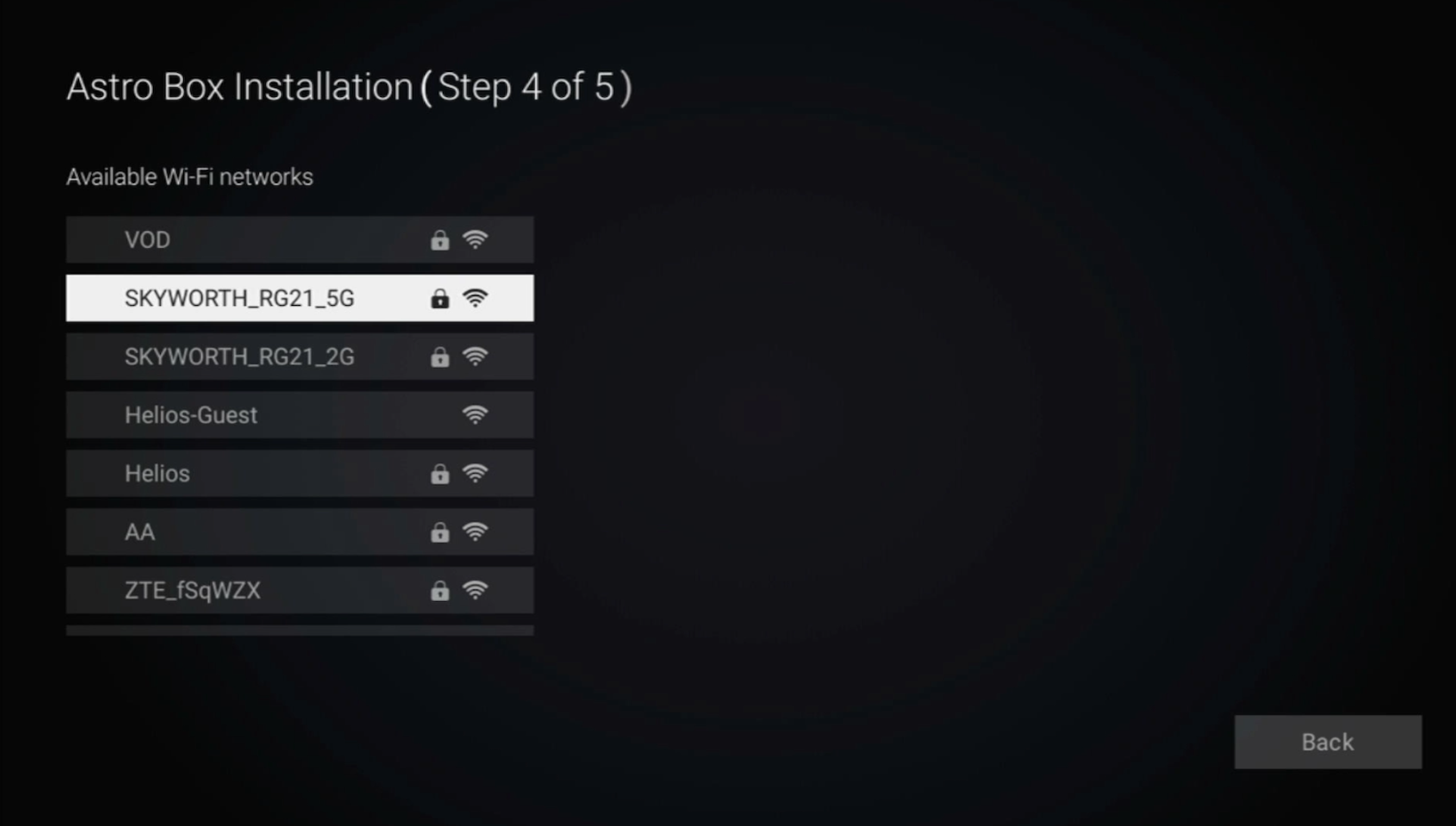
STEP 11
Navigate to your preferred Wi-Fi network and press "OK".
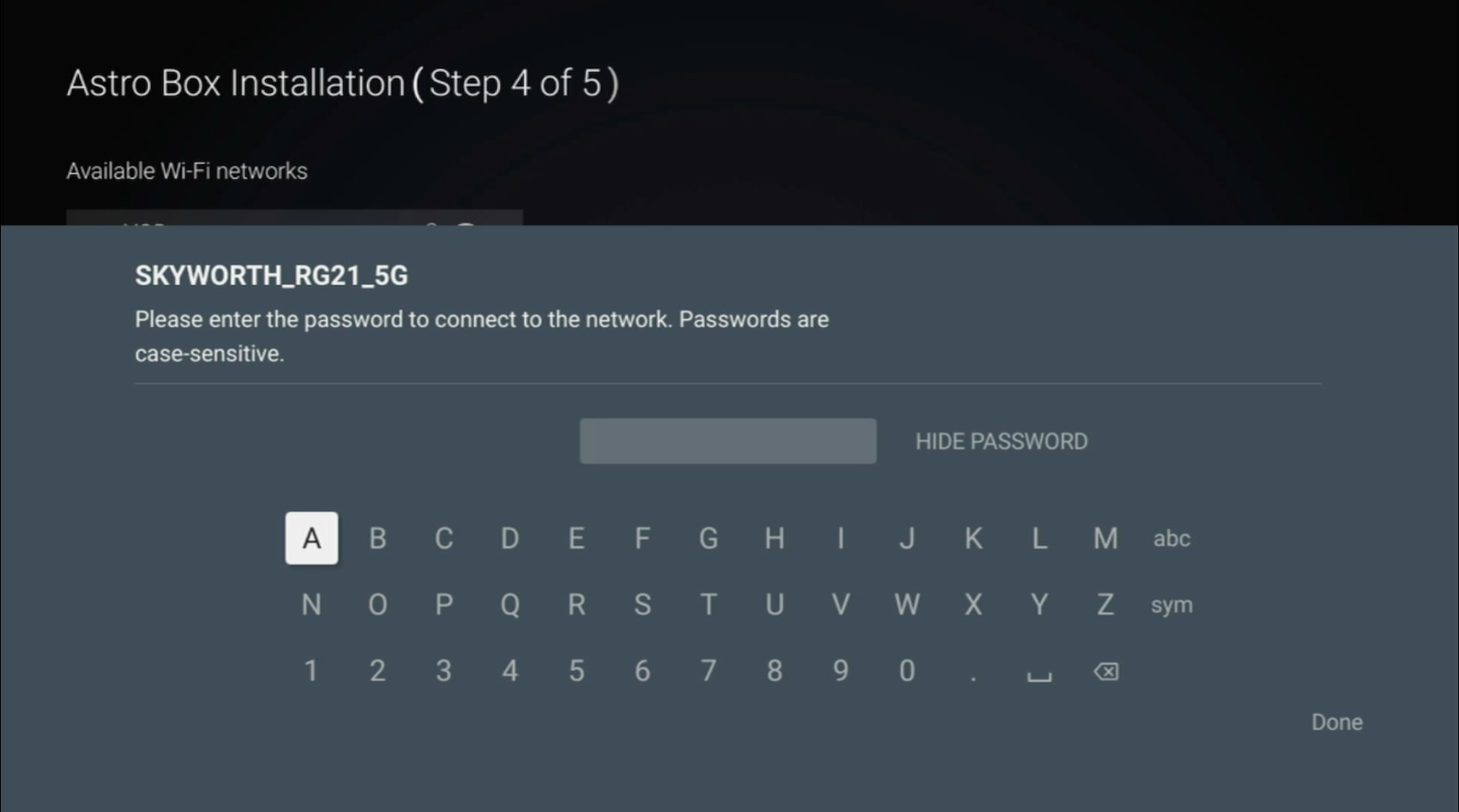
STEP 12
Please enter the password to connect to the Wi-Fi network.
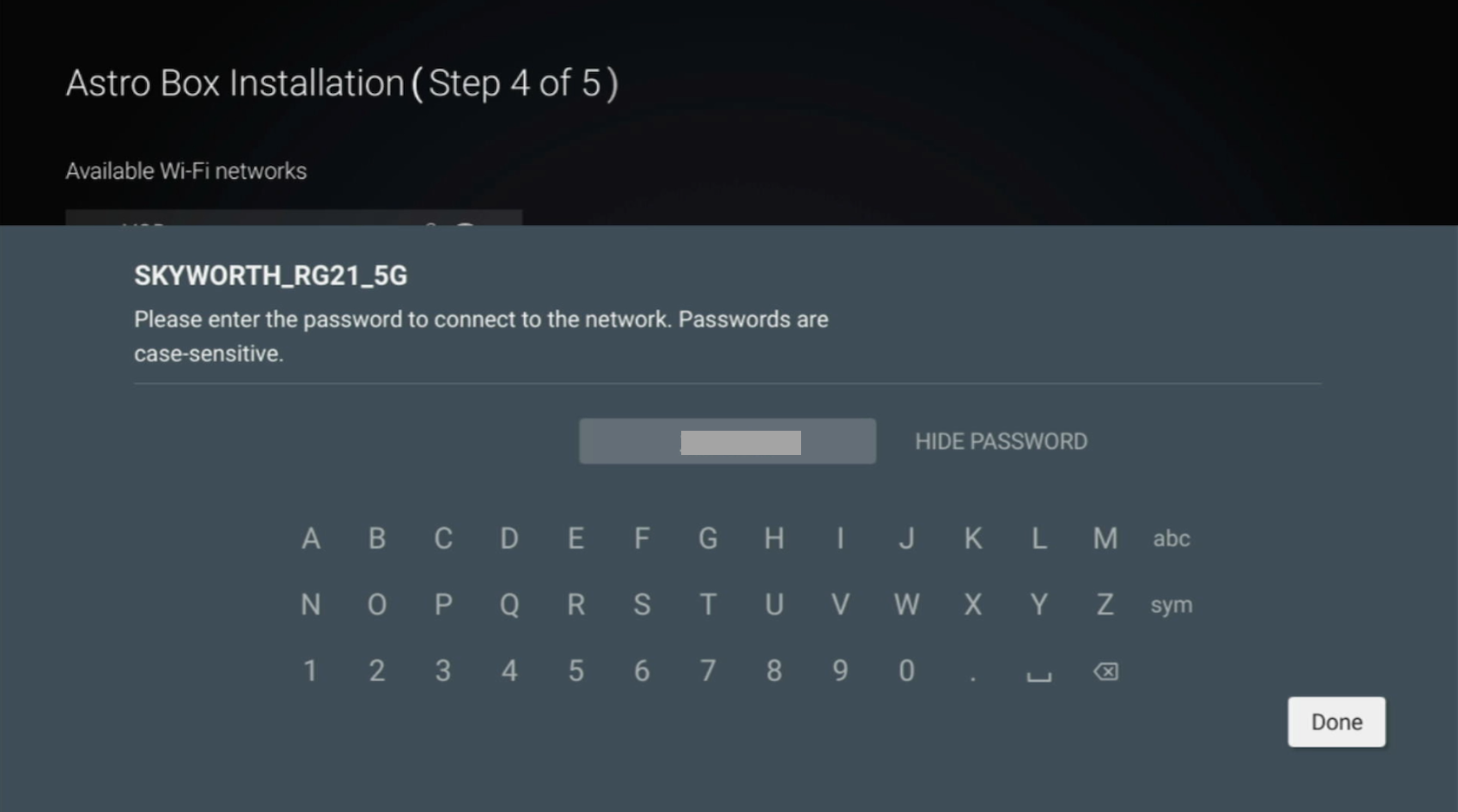
STEP 13
Navigate to Done to continue.
STEP 14
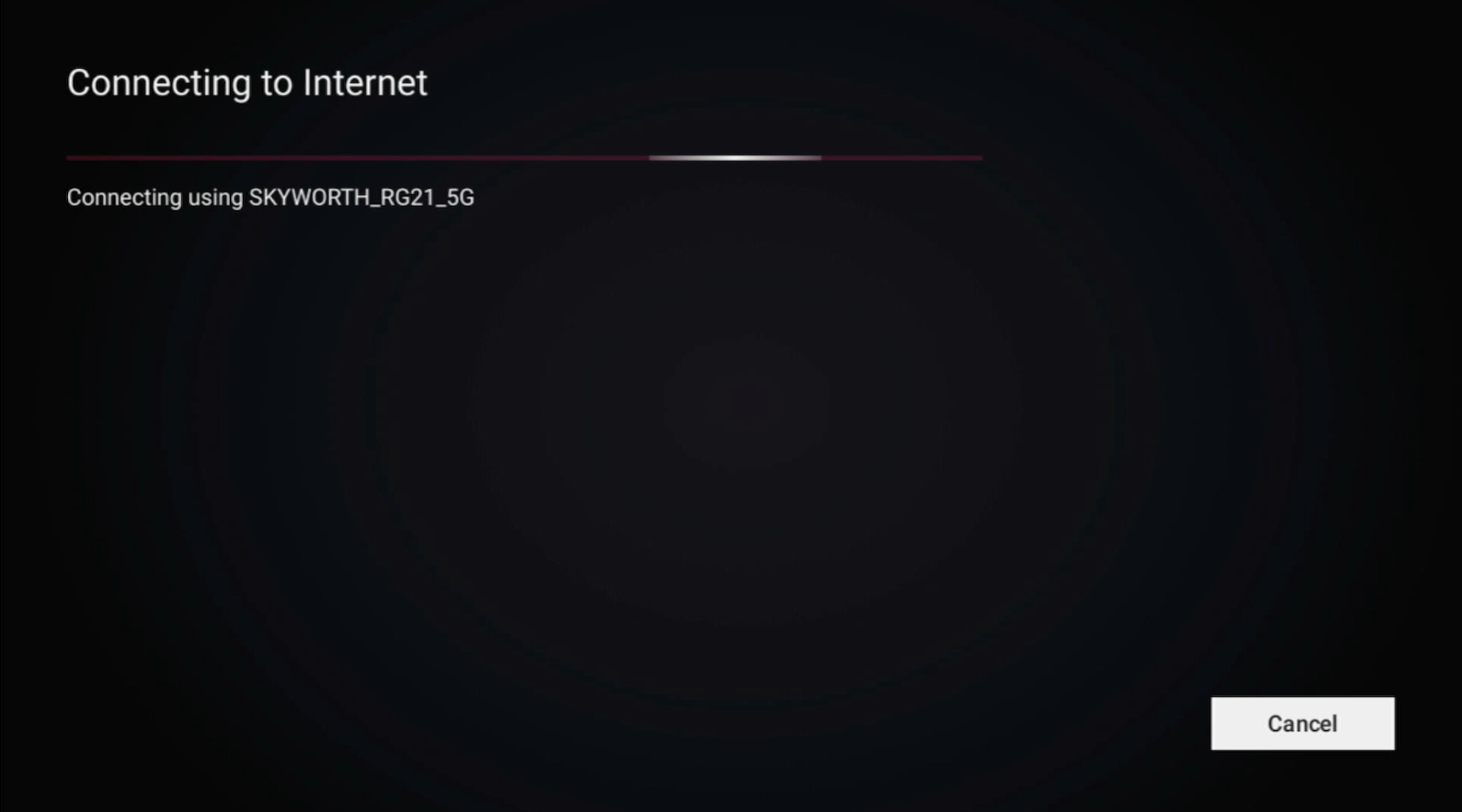
Please wait while your Astro box connects to the internet.
STEP 15
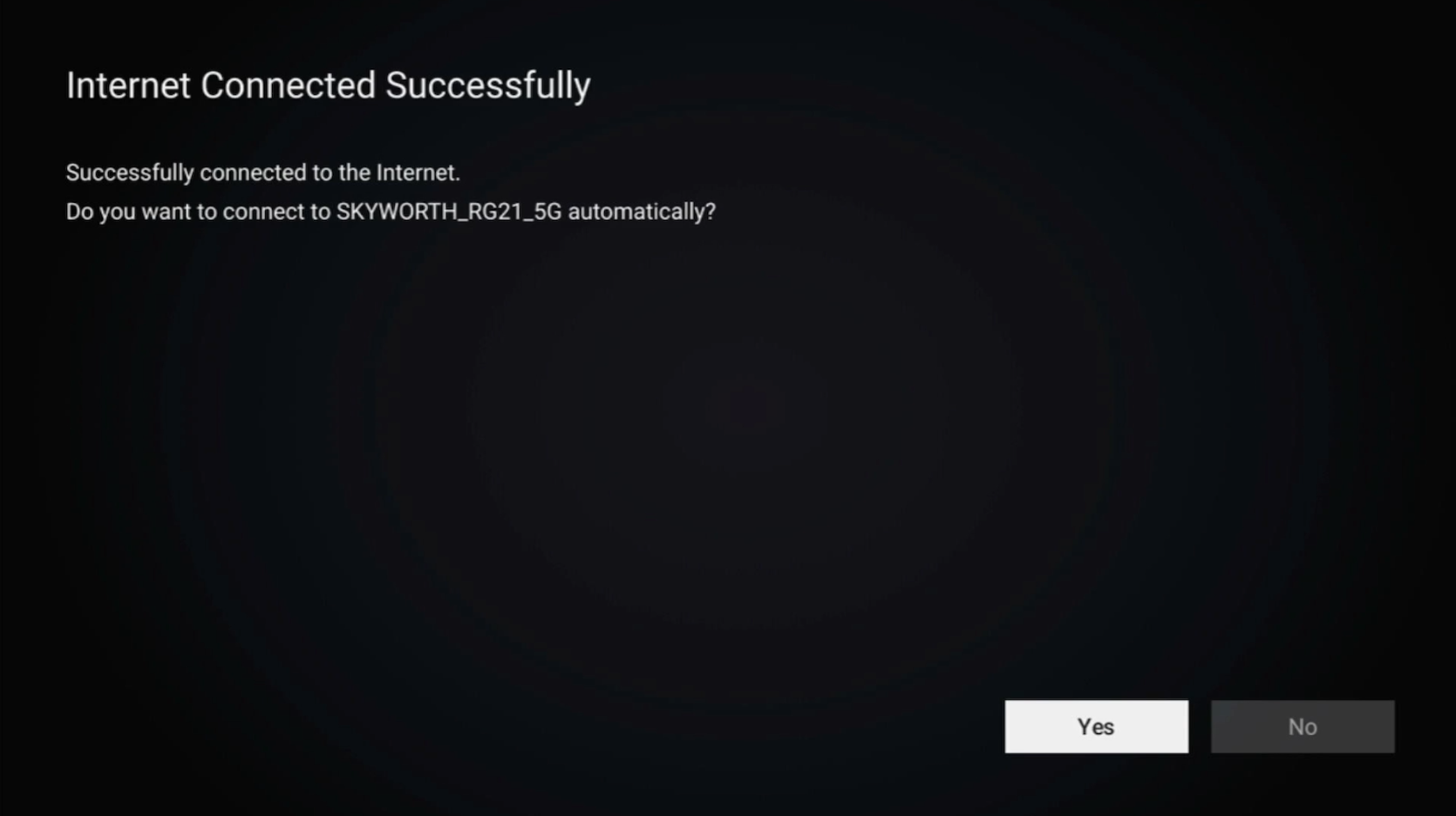
Navigate to Yes to allow your Astro box to connect to this network automatically.
Otherwise, navigate to No.
Proceed to STEP 17 for the next step.
STEP 16
Navigate to Next and press "OK".
STEP 17
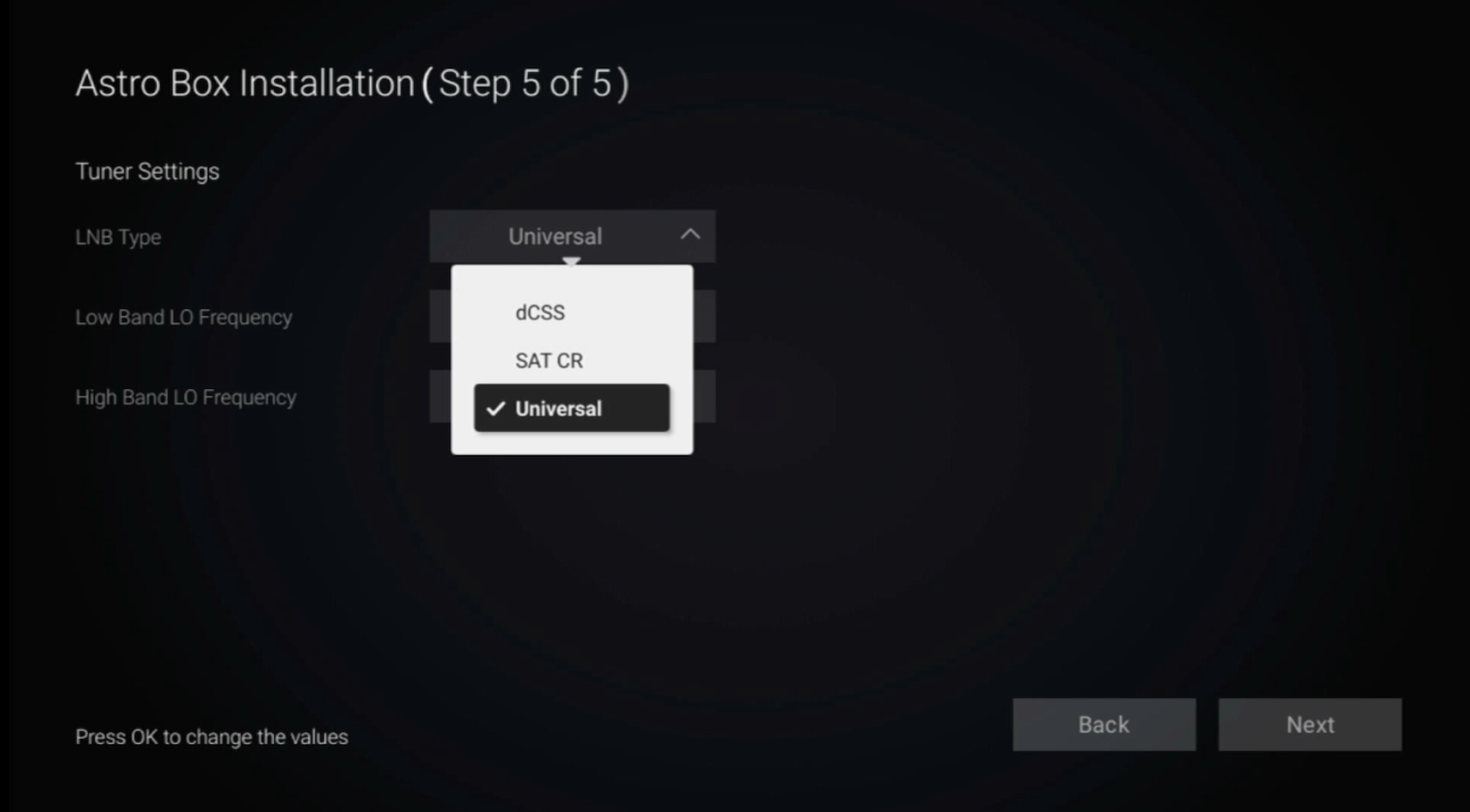
Navigate to Universal.
STEP 18
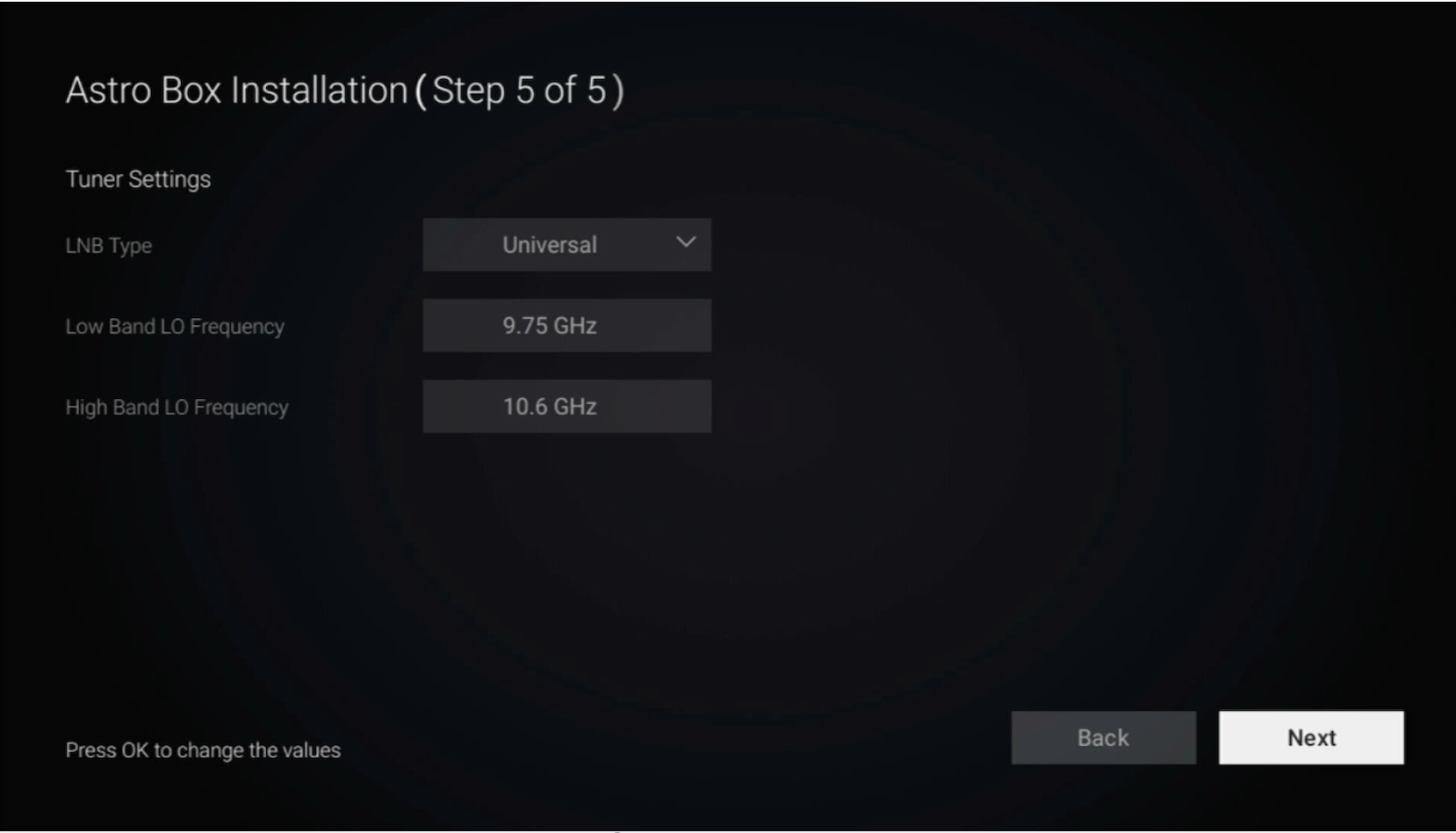
Navigate to Next and press "OK".
STEP 19
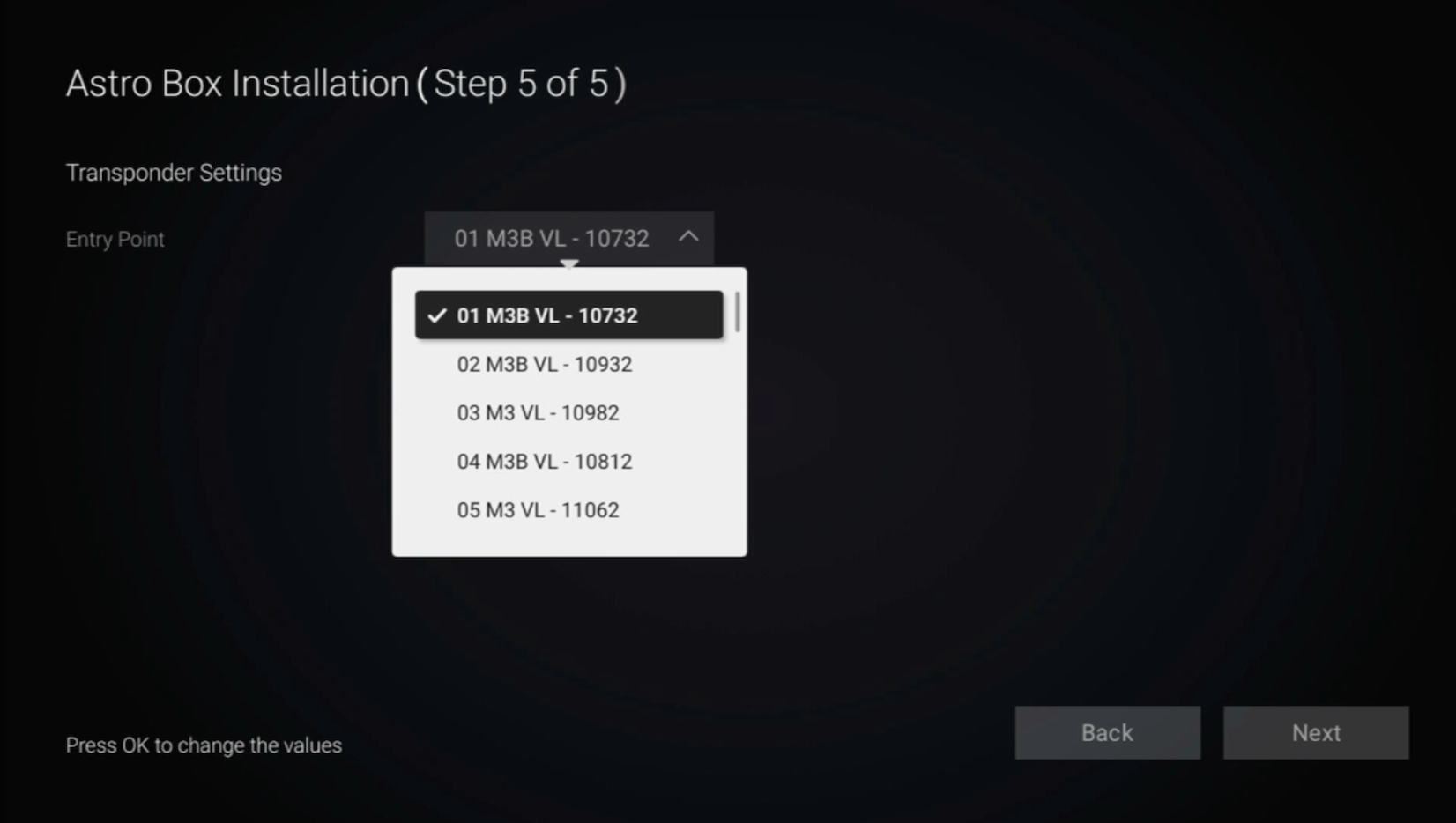
Select 01 M3B VL - 10732 as the Entry Point.
STEP 20
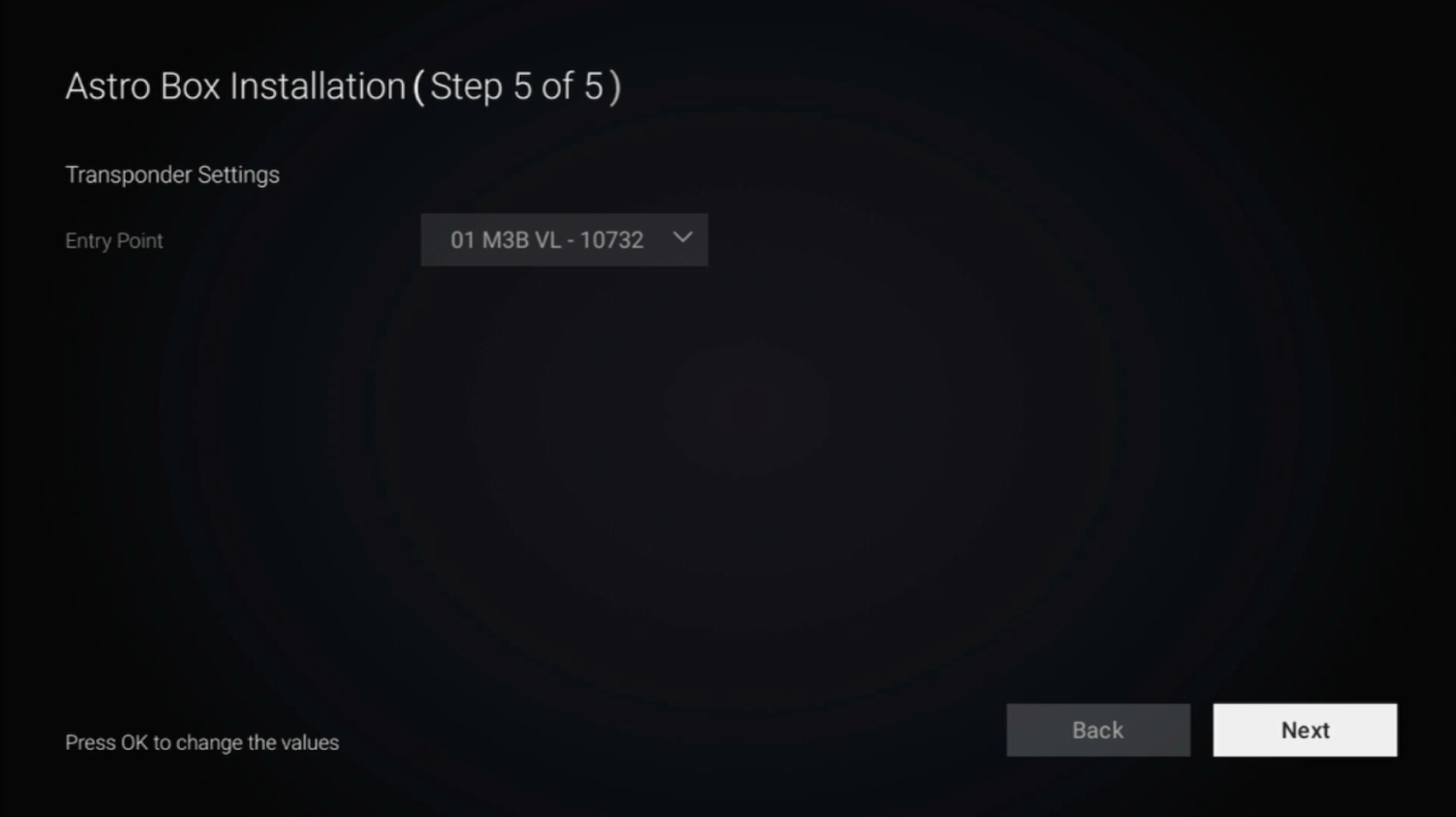
Navigate to Next and press "OK".
STEP 21
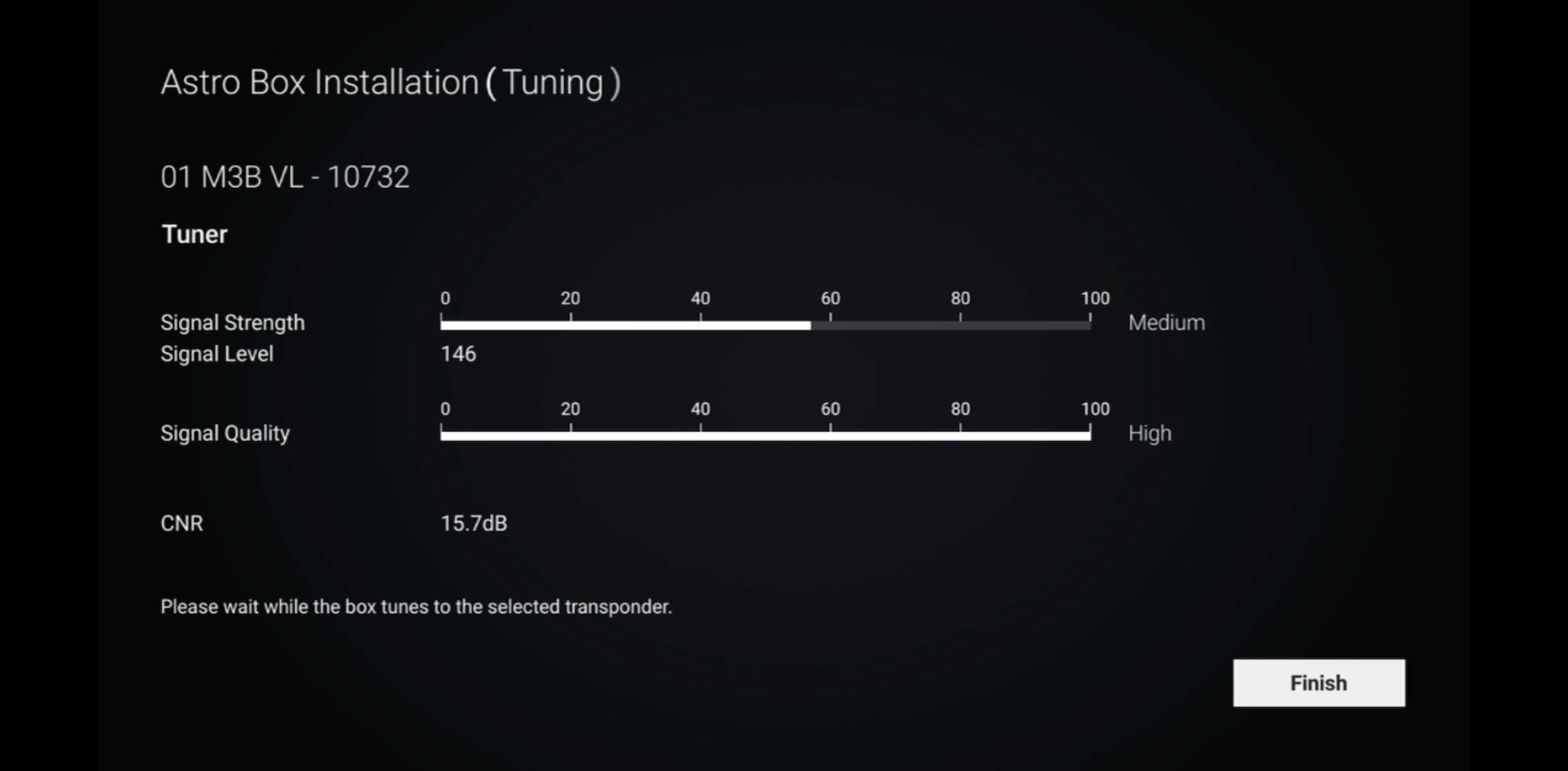
Please wait until the signal reading is updated.
Navigate to Finish and press "OK" to complete the settings.
Similar Articles

