


 Track
Track
 Login
Login


Switch from Kids to Adult Profile
STEP 1
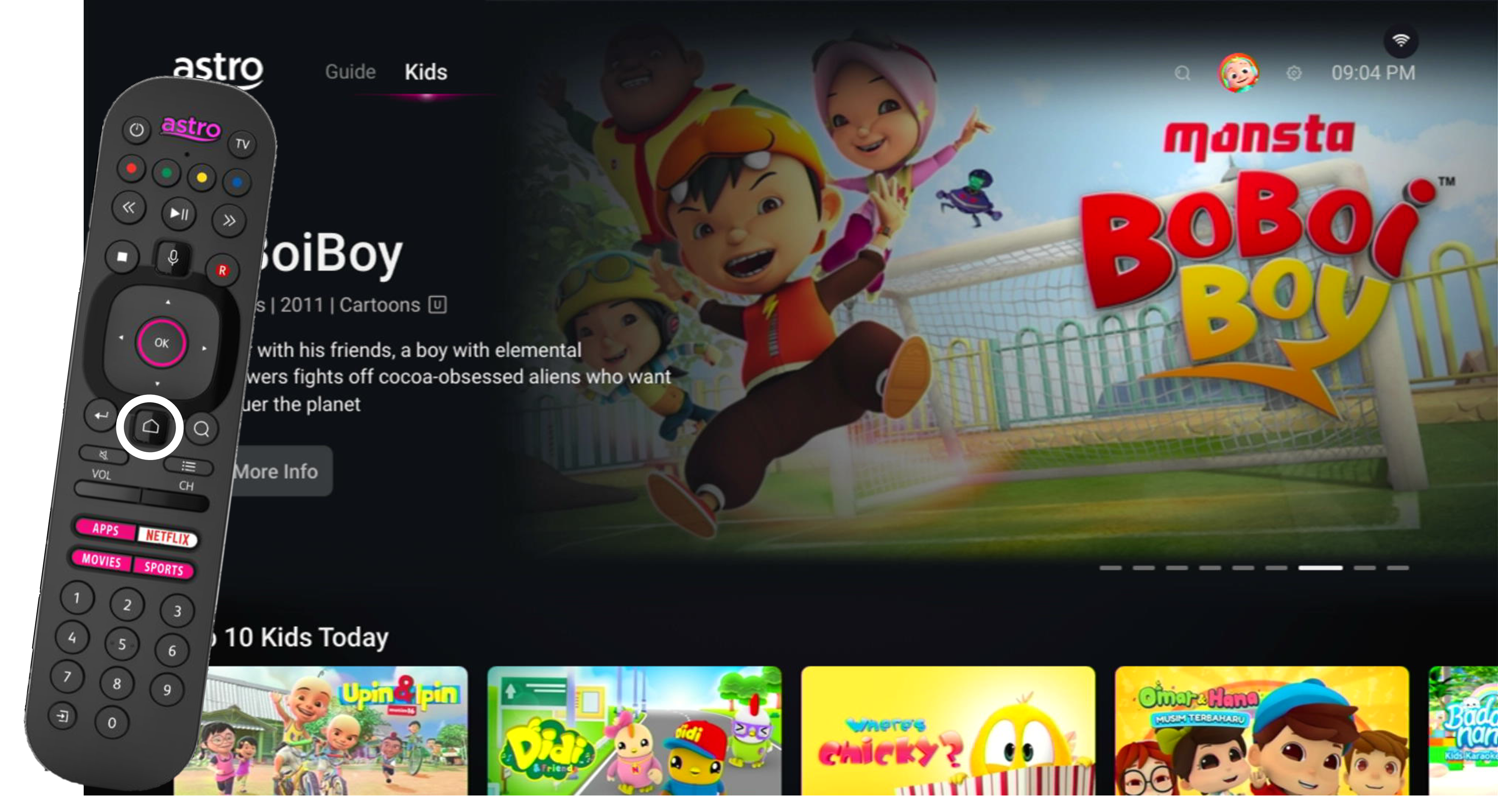
In the Kids Profile, press the Home button on your remote and the home menu will be displayed.
STEP 2
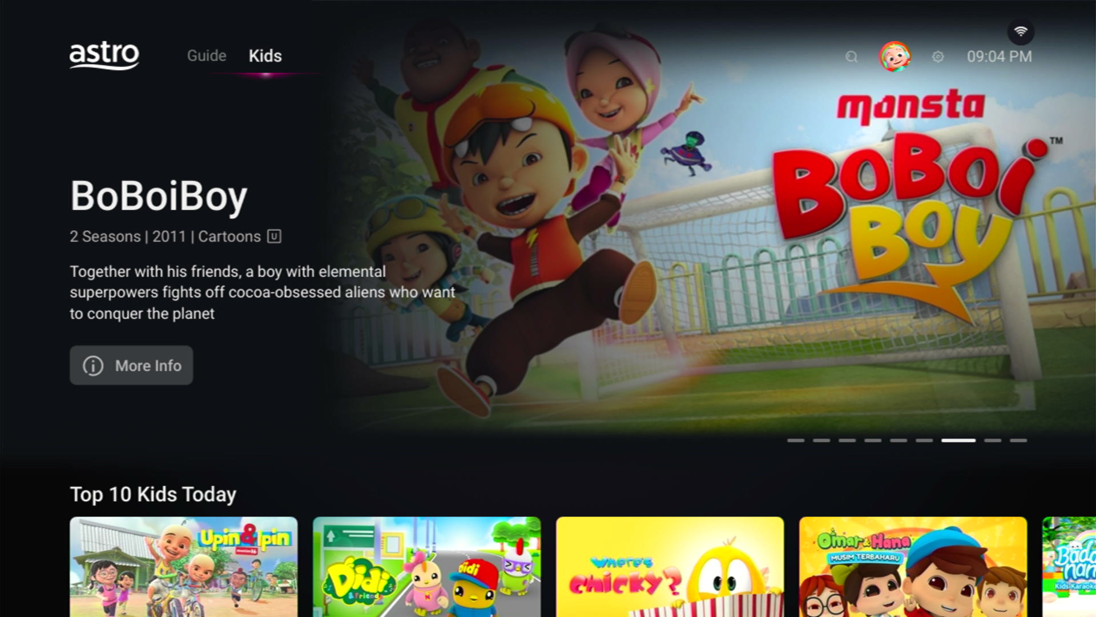
Navigate to Profile.
STEP 3
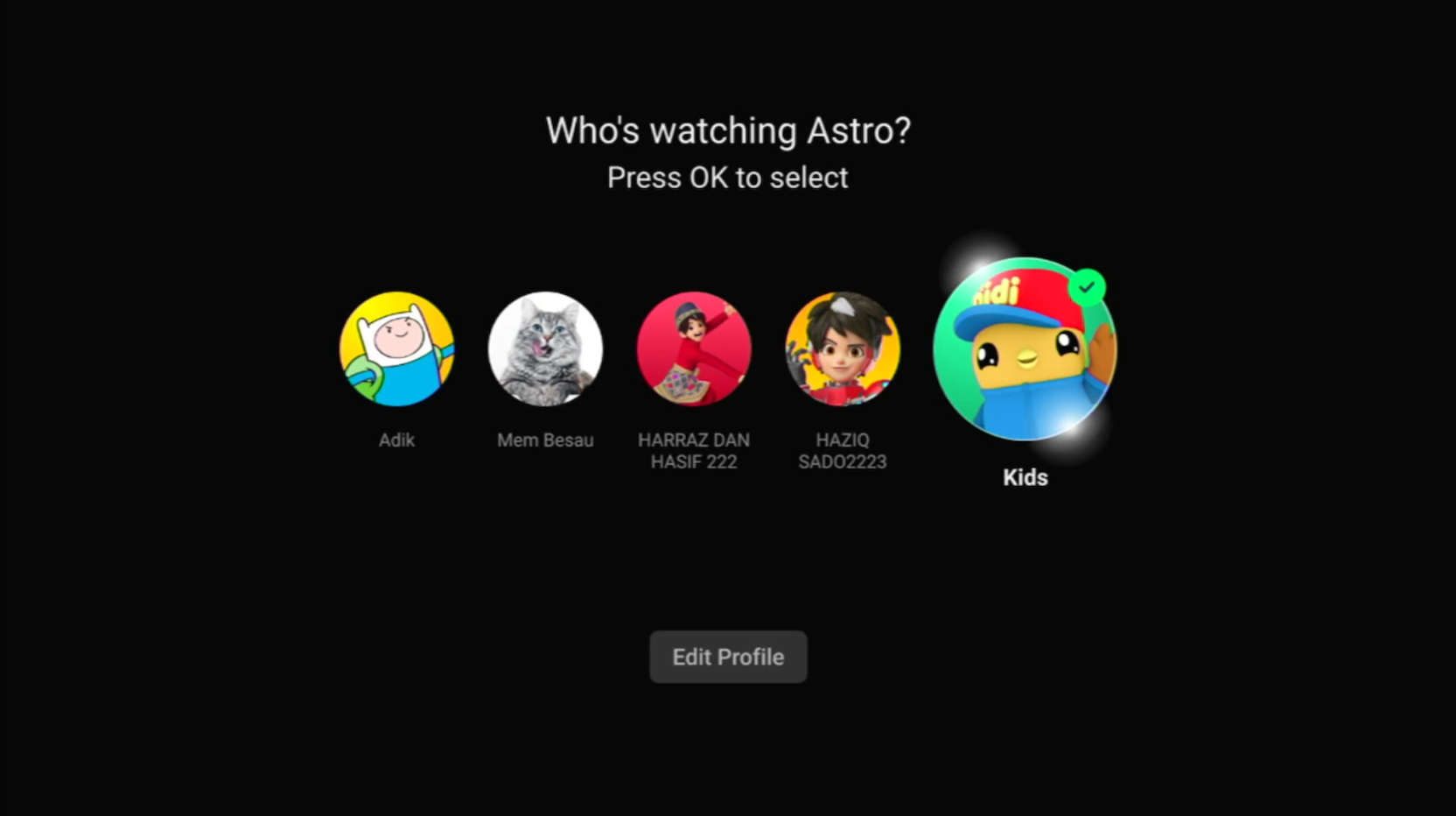
The Profile Selection Screen will be displayed.
STEP 4
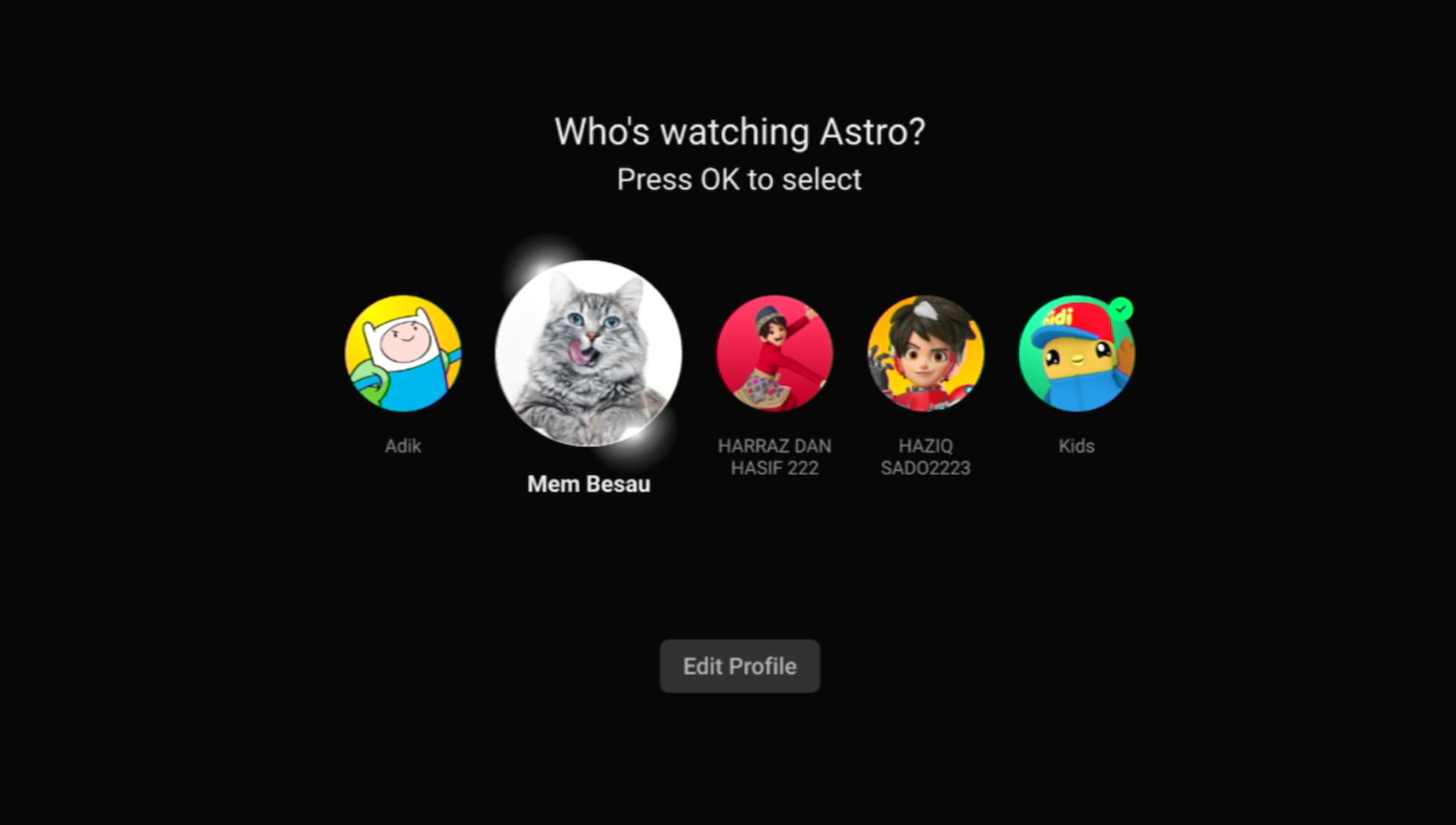
Choose an Adult Profile.
STEP 5
Switching from a Kids to an Adult Profile will require you to enter a 4-digit PIN.
Please enter your PIN to proceed. If you have not set up your PIN, the default code is 0000.
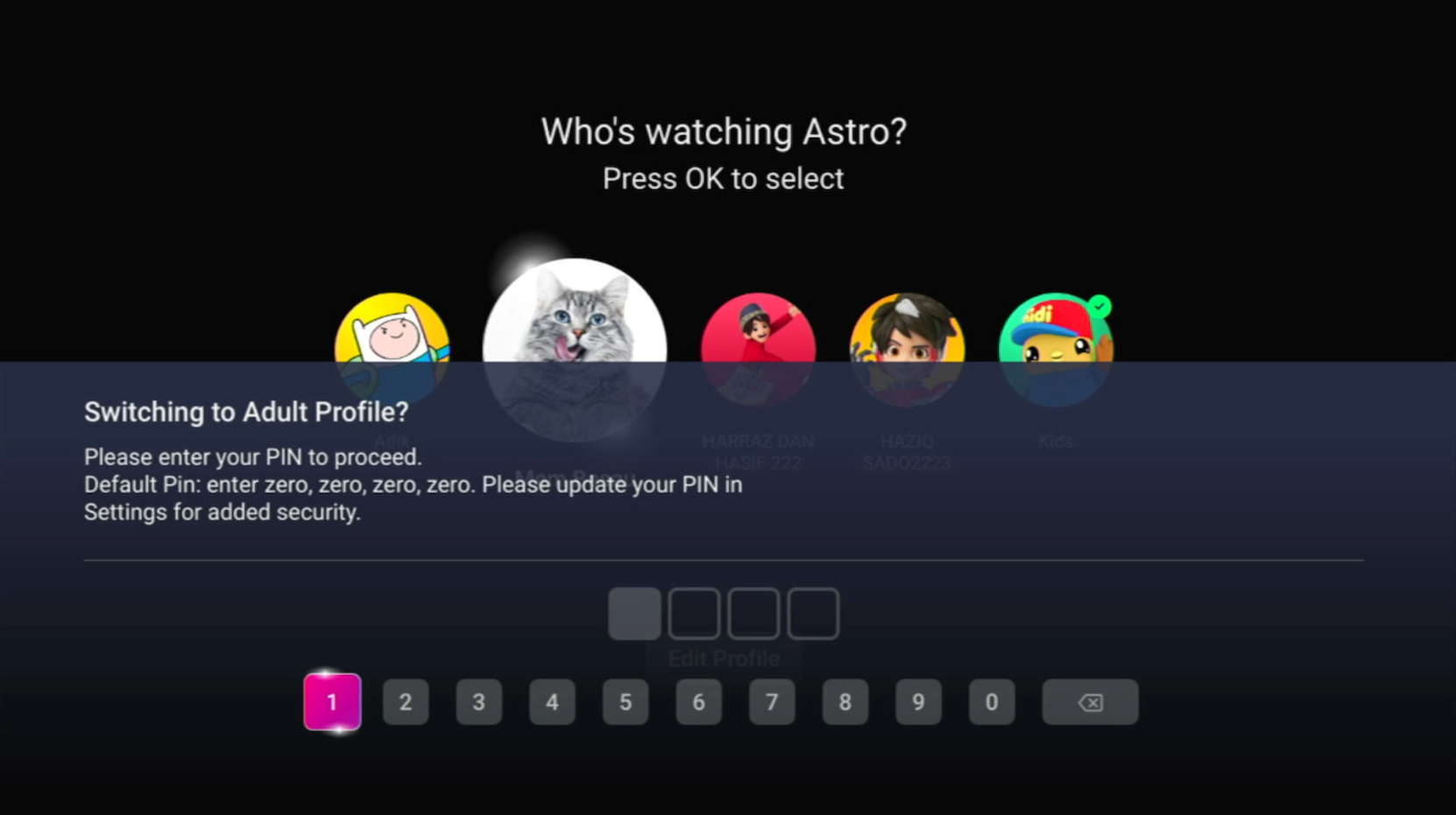
STEP 6
After entering the PIN, you will be able to enter the Adult Profile.
Similar Articles

