


 Track
Track
 Login
Login


Unable to play Video (HDCP Failed) - Ultra / Ulti Box
If your Astro box displays an error message on your TV that says:
- Unable to Play Video (HDCP Failed)
- Your HDMI configuration is preventing the video from being displayed. Please ensure that your HDMI cable is connected to HDCP-capable TV. Please check with your TV manufacturer or qualified technician if your problem persists. (HDCP 2)
- The selected HDMI port on your TV does not support HDCP version required for programme playback. Please check with your TV manufacturer or qualified technician if your problem persists.
HDCP 2.2 support required for 4K UHD and HDCP 1.4 for others (CDE:2)
Error code: HDCP 0, HDCP 1, HDCP 2, CDE:2
Note: To view 4K UHD content on your Ultra Box, your 4K TV must support HDCP 2.2. If you are using a non-4K TV, it is likely not HDCP 2.2 compliant.
If you are sure your TV is HDCP compliant and the error persists, try the troubleshooting steps below:
STEP 1
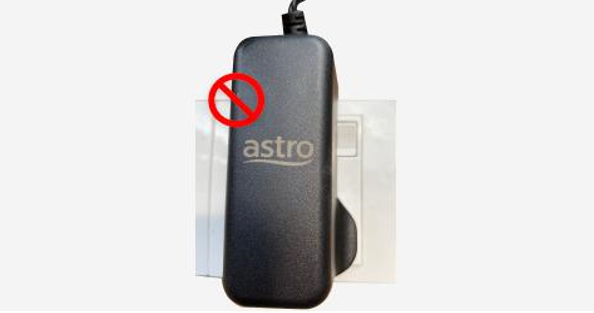
Switch off the power of your box and make sure that the adapter’s power light is off.
STEP 2
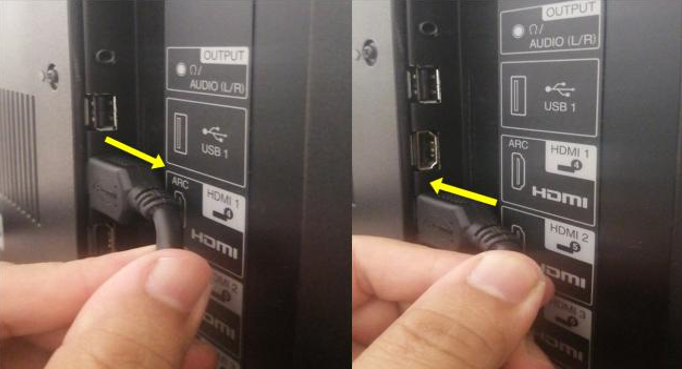
Unplug the HDMI cable from your TV and plug it back in securely to other available HDMI port.
STEP 3
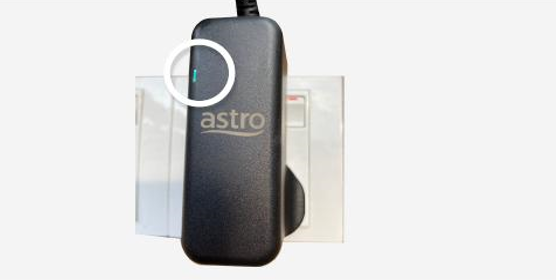
Switch on the power for your box and make sure that the adapter’s power light is on.
Please wait for 5 minutes.
STEP 4
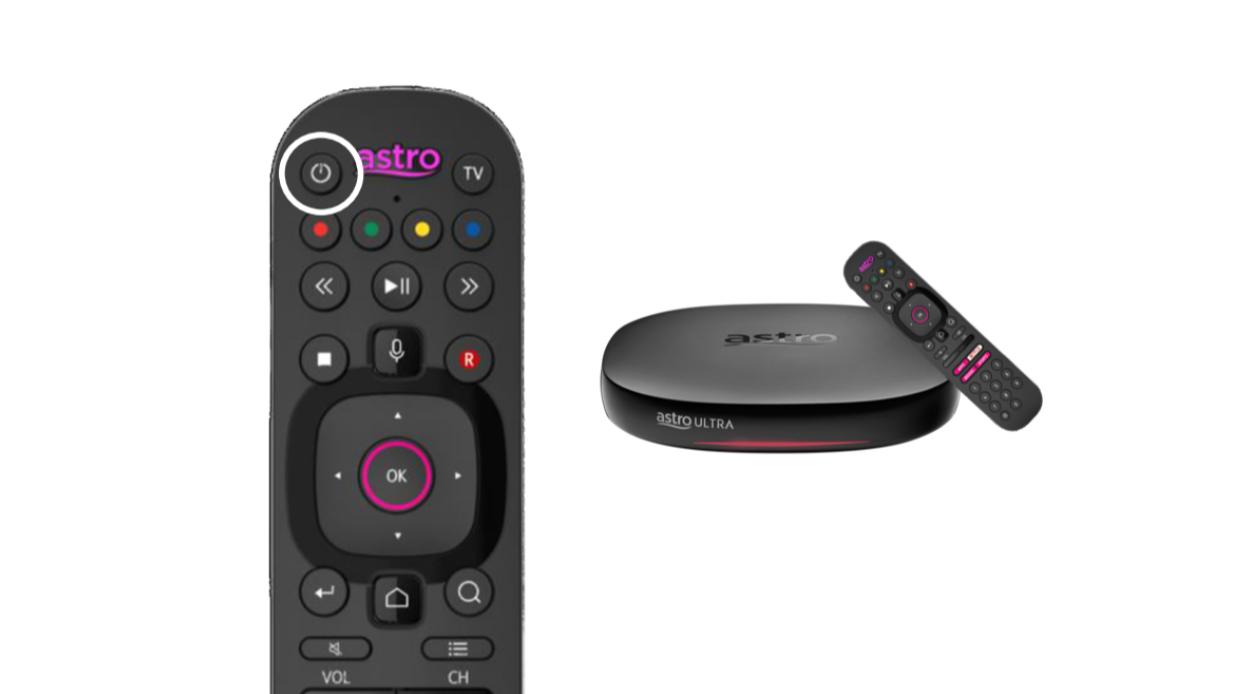
Turn on your box. Do select the correct TV input.
You should no longer be experiencing this problem.
Similar Articles

