


 Jejak
Jejak
 Log masuk

Permohonan e-Invois
1. Buka/Download app My Astro atau layari laman web My Astro.
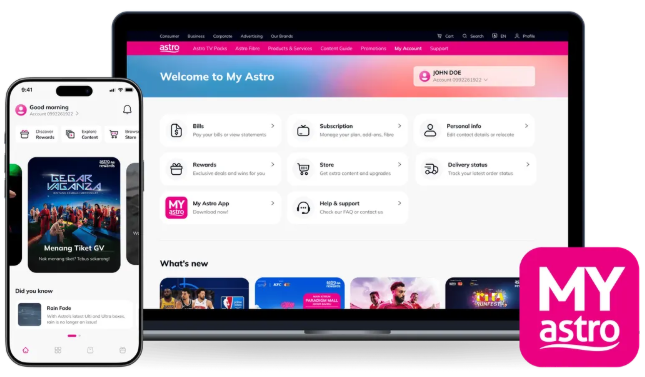
2. Login menggunakan Astro ID anda.
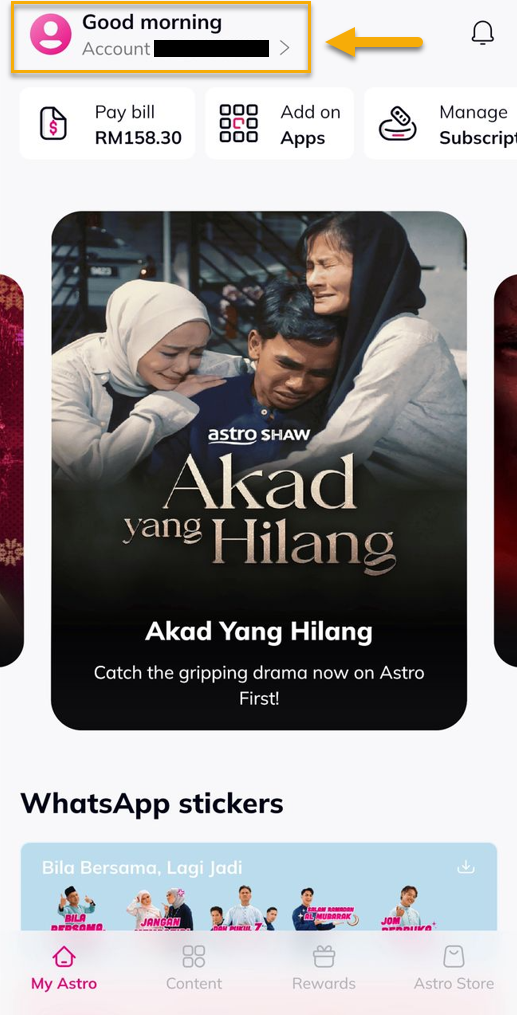
3. Pergi ke Account.
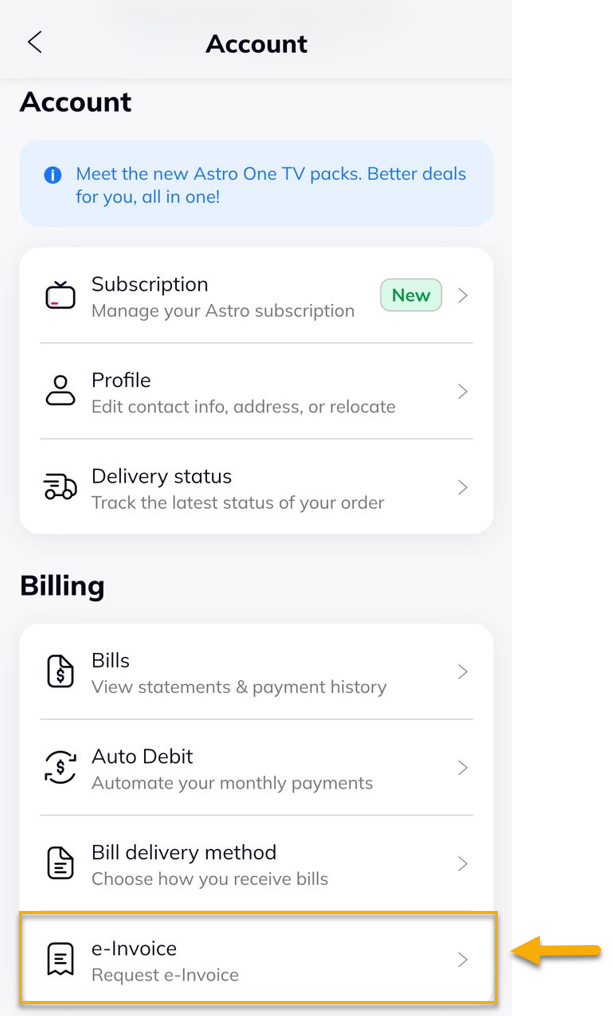
4. Di bawah Billing, pilih e-Invoice.
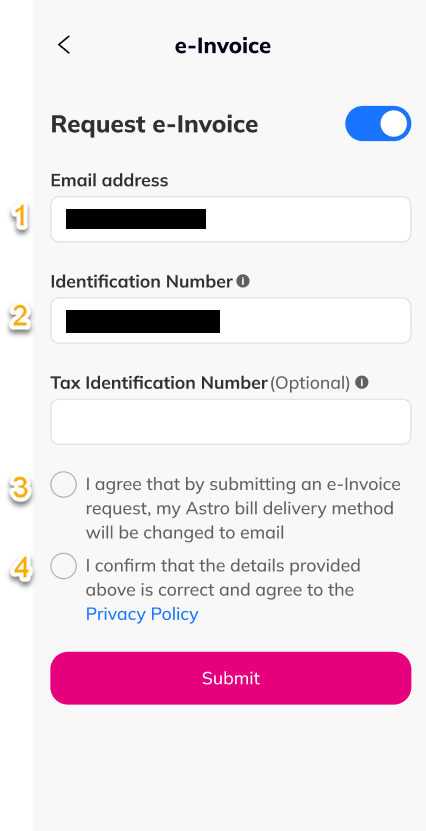
5. Alih butang untuk aktifkan e-Invoice, isi maklumat yang diperlukan dan tekan 'Submit'.
6. Tekan 'Confirm'.

7. Tekan 'Approve' untuk kemaskini e-Invoice.

8. Notifikasi berjaya akan dipaparkan.
